
![Cannot find package even if GOPATH is set [SOLVED]](/cannot-find-package-even-if-gopath-is-set/golang-cannot-find-package.jpg)
Sometimes you will encounter the “Cannot find package” error (even though GOPATH is set) when building a Golang module. In this article, we will explain why it happens and how we can solve that error.
Solution 1: Update your project structure
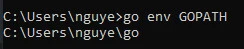
First of all, you have to check if your GOPATH is set or not by opening the cmd and running the following command:
go env GOPATH
Under the $GOPATH/src folder, create the main file and a boo.go
file. The project structure will be described below:
└── C:/User/nguye/go/
    ├── bin
    ├── pkg
    └── src /
        ├── main.go
        └── boo.go
The boo.go:
package boo

import "fmt"

func Boo() {
    fmt.Println("This is the Boo function")
}
The main.go:
package main

import (
    "fmt"
)

func main() {
    boo.Boo()
    fmt.Println("This is the main call")
}
When we run or build the main.go, the output will be:
main.go:4:2: package boo is not in GOROOT (C:\Program Files\Go\src\boo)
We can see that: go build and go install find the match directories,
not source files, so we have to put the boo.go under the boo folder.
Normally, when we want to import a package, follow these two steps:
- Set
GOPATHto a valid directory, e.g.export GOPATH="$HOME/go" - Put the source code file (boo.go) under
$GOPATH/src/package_namepackage for example$GOPATH/src/boo
Now you can run/build the main.go:
This is the Boo function
This is the main call
Solution 2: Using the go module
Go programs are organized into packages. Apackageis a collection of source files in the same directory that are compiled together. Functions, types, variables, and constants defined in one source file are visible to all other source files within the same package.
A repository contains one or more modules.
Amoduleis a collection of related Go packages
that are released together. A Go repository typically contains only one
module, located at the root of the repository. A file
namedgo.modthere declares themodule path:
the import path prefix for all packages within the module. The module
contains the packages in the directory containing itsgo.modfile as
well as subdirectories of that directory, up to the next subdirectory
containing anothergo.modfile (if any).
First of all, we need to create a module path (we’ll use demo) and
create a go.modfile that declares it:
$ mkdir demo
$ cd demo
$ go mod init demo
Now the project struct will be:
C:.
|   go.mod
|
\---src
    |   main.go
    |
    \---boo
            boo.go
We can run the main.go:
Hello from the main package
This is the Boo function
A few notes you must pay attention to:
- The imported function has been exported: A function must begin with an upper-case letter to be exported. Only exported functions call be called from other files.
- Names of directories: The package names need to match their directory names. (for example the boo folder and package boo)
- Set the GO111MODULE variable environment to on
Solution 3: Set the GO111MODULE to off
GO111MODULE with Go 1.16: As of Go 1.16, the default behavior is GO111MODULE=on, meaning that if you want to keep using the old GOPATH way, you will have to force Go not to use the Go Modules feature:
It’s still possible to build packages in GOPATH mode by setting
theGO111MODULEenvironment variable tooff. You can also
setGO111MODULEtoautoto enable module-aware mode only when a
go.mod file is present in the current directory or any parent
directory. This was previously the default. Note that you can
setGO111MODULEand other variables permanently withgo env -w:
go env -w GO111MODULE=auto
They plan to drop support for GOPATH mode in Go 1.17. In other words, Go
1.17 will ignore GO111MODULE:
export GO111MODULE=off
or
go env -w GO111MODULE=off
Summary
In this tutorial, I have explained why sometimes you may stuck with the
Go build: “Cannot find package” (even though GOPATH is set) error.
It means your setting with GO111MODULE variable is wrong or your
project structure is inappropriate. To fix it, you just simply
re-arrange or rename your folders or change the GO111MODULE variable.
The most suggested way is using the go module instead of the GOPATH.
