
![Using try catch finally in Node.js [Best Practices]](/try-catch-finally-node-js/nodejs_try_catch_finally.jpg)
Syntax of try catch finally in Node.js
try catch finally in node.js handle runtime errors. Here is the syntax for usage:
try {
    // put the main code here
}
catch(error) {
    // handle exceptions
}
finally() {
    // execute some code whether an exception is handled or not
}
Runtime errors occur during the execution of the program. Unlike the syntax errors that a typical code editor can easily catch, runtime errors could go unnoticed until the program throws them during its execution.
Such errors are called exceptions. And writing code that handles them is called exception handling. This tutorial simplifies exception handling using try catch finally in Node.js.
Read on to learn more.
An in-depth explanation of try catch finally in Node.js
We handle runtime errors by putting the main code in the try block and
grabbing the errors in the catch block. The code execution in the try
block halts until the exception is handled in the catch block.
Contrarily, a finally block runs whether an exception is caught (and
handled) or not.
Here is more to know when using try catch finally in Node.js:
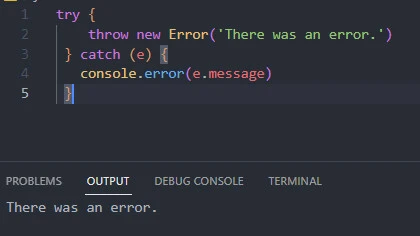
1). The try block generates an error object, then throws it to the
nearest catch block. The catch block then accepts the error object
through the given parameter. As a result, we can print the entire error
object or one of its properties, like the message.
try {
    throw new Error('There was an error.')
 } catch (e) {
   console.error(e.message)
 }
2). try catch finally are blocks.
try {
  console.log("Run me first")
} catch {
  console.log("If you see me, it means an exception was caught.")
}
We cannot use them in expressions as you would in other control flow mechanisms like if/else. For example, we could drop the curly braces for a (one-line) condition in the if/else control flow.
const input = "Hello"
// a block
if (input === "Hello") {
  console.log("Correct")
} else {
  console.log("The input is not 'Hello'")
}

// an expression
if (input === "Hello") console.log("Correct")
else console.log("The input is not 'Hello'")
Contrarily, we cannot run the try catch finally in Node.js as expressions.
const input = "Hello"

// Correct
try {
  throw new Error("Something went wrong")
} catch (error) {
  console.log("Error: ", error)
} finally {
  console.log(input, "my friend")
}

// Wrong
try throw new Error("Something went wrong")
catch (error) console.log("Error: ", error)
finally console.log(input, "my friend")
3). The try block is compulsory and must come before the (optional)
catch and finally blocks.
const input = "Hello"

// without finally
try {
  throw new Error("Something went wrong")
} catch (error) {
  console.log("Error: ", error)
}

// without catch
try {
  if (input === "Hello") console.log("Hello my friend")
} finally {
  console.log(input, "my friend")
}
4). We can nest the blocks.
try {
  try {
    throw new Error('This error originated from the nested try block')
  } finally {
    console.log('Finally we are nesting blocks')
  }
} catch (error) {
  console.error('Error: ', error)
}
Now that you understand how to use try catch finally in Node.js, let me show you to apply the concepts practically. First, let’s set up a lab environment.
Lab setup to explore try catch finally in Node.js
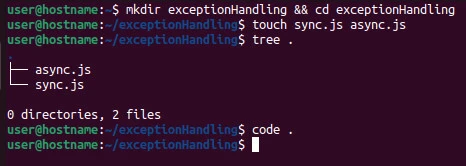
Create the following project structure.
exceptionHandling
├── sync.js
└── async.js
In the examples section, we will run try catch finally in Node.js in synchronous and asynchronous code in the sync.js and async.js files, respectively.
I am creating the folder structure on Linux and opening it with Visual Studio Code.
mkdir exceptionHandling && cd exceptionHandling
touch sync.js async.js
code .
Now let’s dive into practical examples of try catch finally in Node.js.
Synchronous codeexamples
Example~1: Add two numbers
Input
// in sync.js
const addTwoNumbers = (num1, num2) => {

    try
    {
      if (typeof num1 !== "number" || typeof num2 !== "number")
        throw new Error("Can't add a number to another data type!")
      else console.log(`${num1} + ${num2} = ${num1 + num2}`)
    }
    catch (error)
    {
        console.log(error.message)
    }
    finally
    {
        console.log("... I like to add numbers.\n")
    }

}

addTwoNumbers(3, "2")
addTwoNumbers(3, 5)
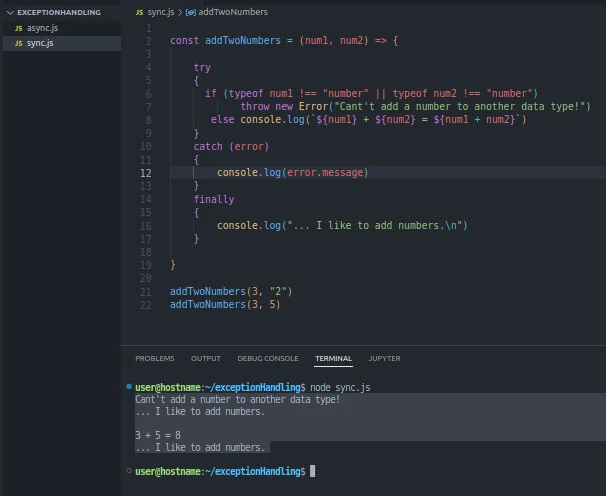
The try block checks whether both inputs are numbers and throws a
custom error object if either input is not a number. Otherwise, it
prints the sum.
The catch block receives the thrown error object and prints its
message property.
The finally block prints a statement whether an error is caught or
not.
Now run the script file with the node command.
node sync.js
Output
$ node sync.js
Cant't add a number to another data type!
... I like to add numbers.

3 + 5 = 8
... I like to add numbers.
Example~2: Read a file that does not exist
Input
// in sync.js
const fs = require("fs")

try
{
    const output = fs.readFileSync('file.txt', 'utf-8')
    console.log(output)
}
catch
{
    console.log("There was an error reading the file.")
}
finally
{
  console.log("try catch finally in Node.js helps")
}
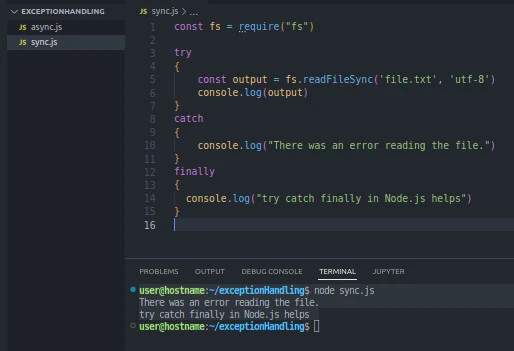
We import the fs module. Using the module’s readFileSync() method,
we attempt to read a file called file.txt in the try block. If we
successfully read the file, we print its content on the console output.
Otherwise, the produced error prevents the program from reaching the
console.log(output) line. Instead, it throws an error, leading to the
printing of the message in the catch block. The finally block prints
the message try catch finally in Node.js helps regardless.
Output
$ node sync.js
There was an error reading the file.
try catch finally in Node.js helps
Asynchronous code examples
Example~3: Misspell part of an API URL
Input
// in async.js
const getUsers = async () => {
    try
    {
        const res = await fetch("https://reqres.in/epi/users?page=2")
        if (res.status !== 200) throw new Error("Error: Something is wrong with the URL!")
        const data = await res.json()
        console.log(data)
    }
    catch (error)
    {
        console.log(error.message)
    }
    finally
    {
        console.log("finally, try catch finally in Node.js async-await code")
    }
}

getUsers()
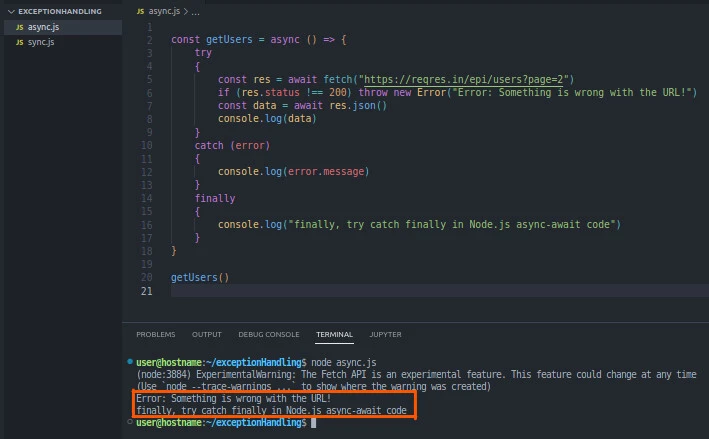
In the try block, we attempt to fetch users from the API after
misspelling api for epi. We throw a custom error if the request is
not OK. Otherwise, we store the returned data in the data variable,
then console-log the variable.
We throw the resulting error object to the catch block, where we print
the object’s message property.
Whether the API call succeeds or fails, we console-log the message in
the finally block. Lastly, we run the getUsers() function.
Run the script file on the terminal with the node command to see the
output.
node async.js
Output
$ node async.js
(node:3884) ExperimentalWarning: The Fetch API is an experimental feature. This feature could change at any time
(Use `node --trace-warnings ...` to show where the warning was created)
Error: Something is wrong with the URL!
finally, try catch finally in Node.js async-await code
Conclusion
Knowing how to use the try catch finally in Node.js effectively helps in
exception handling. The try block handles the main code. The catch
block receives an error object from the try block(s) and handles it.
Lastly, the code in the finally block runs whether an exception is
handled or not.
Further Reading
What is try-catch?
