

In this tutorial I will share the commands which you can use to list systemctl services along with their state. You can use these methods in scripts to add service status checks to make sure service is in running or failed state.
Are you new to systemd and systemctl?
With RHEL/CentOS 7, now we have services based on systemd and the SysV
scripts are deprecated. If you are new to systemd then I would suggest
reading this another article where I have done 1:1 comparison between
SysV and systemd services.
Now with systemd the
traditional Linux commands
such as chckconfig, service etc are not supported any more. Although
you can still use these commands but they can be removed in upcoming
releases.
For example, with RHEL/CentOS 6 we used to use chkconfig to enable or
disable service at different run level. Now with RHEL 8 also I see we
are allowed to use chkconfig
# chkconfig postfix on
Note: Forwarding request to 'systemctl enable postfix.service'.
Created symlink /etc/systemd/system/multi-user.target.wants/postfix.service → /usr/lib/systemd/system/postfix.service.
But the request is internally routed to systemctl. Similarly you can
restart a service using traditional command i.e.
service <service_name> <action>. For example, to restart sshd:
# service sshd restart
Redirecting to /bin/systemctl restart sshd.service
This request was also transferred to systemctl.
So I hope you understood the point, at the time of writing this article with RHEL 8.1
# cat /etc/redhat-release
Red Hat Enterprise Linux release 8.1 (Ootpa)
we are still allowed to use traditional SysV commands but it can be
removed in any release now. So I would strongly recommend users to
start using systemctl commands as they are very user friendly and
powerful tool with the amount of options they support.
systemd we have unit files which are further classified into
service, socket, target etc. So you must be very clear on your
requirement if you wish to list only services, or sockets or any other
type of unit.
systemctl list unit files loaded in memory
List active unit files
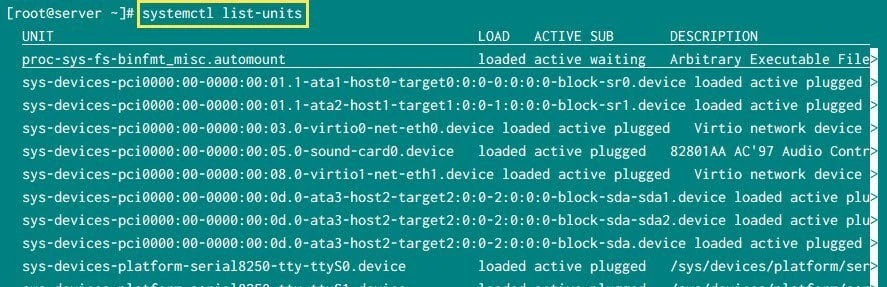
First of all we will list all the unit files which are currently available in the memory of our Linux server. This command will list only the active units from the server’s memory:
# systemctl list-units
systemctl list-units
List all the unit files
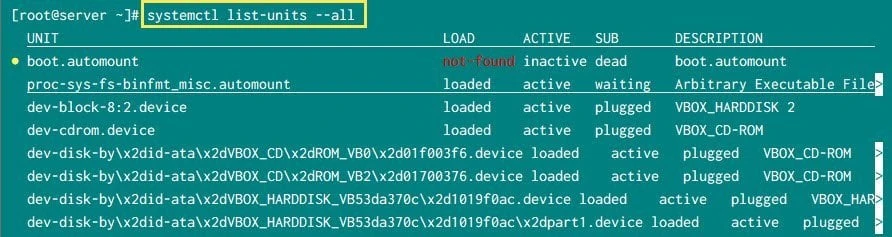
To list all the units independent of their state add “--all” to this
command
# systemctl list-units --all
systemctl list-units –all
As you can see now it is loading all the unit files including failed,
inactive unit files
systemctl list installed unit files
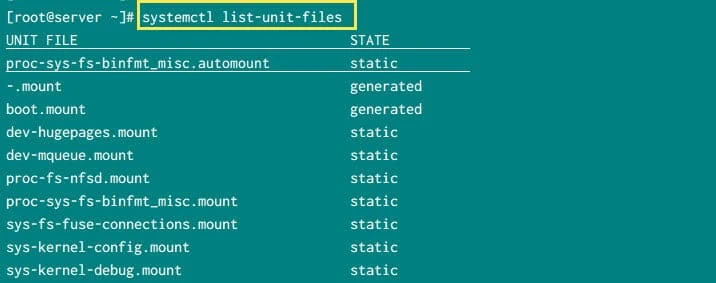
Now list-units shows the list of units which are currently loaded in
the memory but not necessarily installed on the server. To view the list
of unit files which are currently installed on our server we use:
# systemctl list-unit-files
systemctl list-unit-files
--all with this command will have no advantage.
List type of unit files
There can be different types of unit files such as service, socket,
mount etc. To further filter the unit files we can add type= argument
with list-unit-files. The argument should be a comma-separated list of
unit types.
systemctl list services
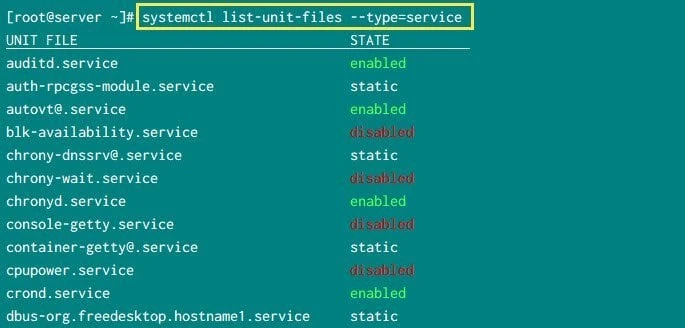
To list all the installed systemctl services from our Linux server:
# systemctl list-unit-files --type=service
systemctl list services
This should give us a complete list of installed services (independent of it’s state)
systemctl list mount files
With systemd all the partitions and file system are mounted as part of
mount type unit files. So we can also list all the mount type unit files
available on our server using type=mount
# systemctl list-units --all --type=mount
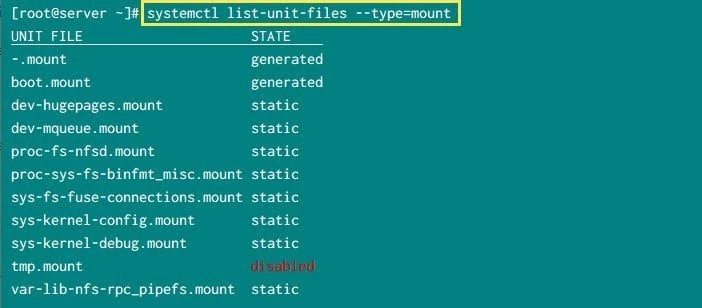
systemctl list mount
We can further use this with different other type of unit files such as socket, target etc.
List state of services
list-unit-files with systemctl while to check if a service is
running/active/failed/dead etc then you must use systemctl list-units.
To get complete list of supported options with list-units and
--state, use systemctl --state=help
systemctl list enabled services
To list all the service unit files which are currently in enabled state
use --state=enabled
# systemctl list-unit-files --type=service --state=enabled
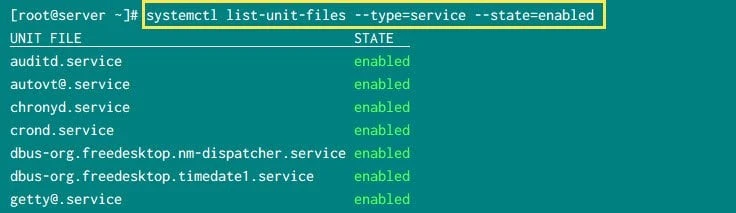
systemctl list enabled services
systemctl list disabled services
We can provided multiple state type with --state= argument where
individual state values will be comma separated. For example to list all
the systemctl service which are either enabled or disabled
# systemctl list-unit-files --type=service --state=enabled,disabled
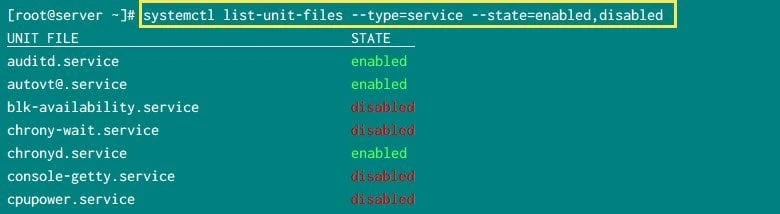
systemctl list enabled and disabled services
systemctl list running services
To list the running services we will use list-units in combination
with --type=service and --state=running
# systemctl list-units --type=service --state=running
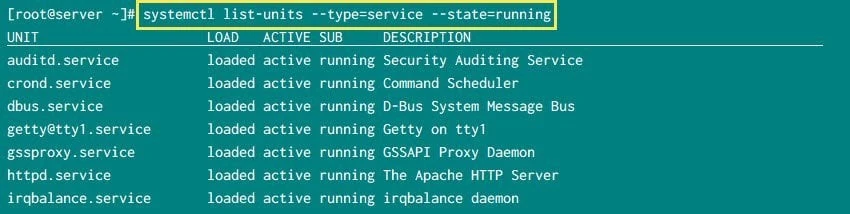
systemctl list running services
systemctl list failed services
To list failed services you can use --state=failed
# systemctl list-units --type=service --state=failed
OR alternatively we can directly use
# systemctl --failed
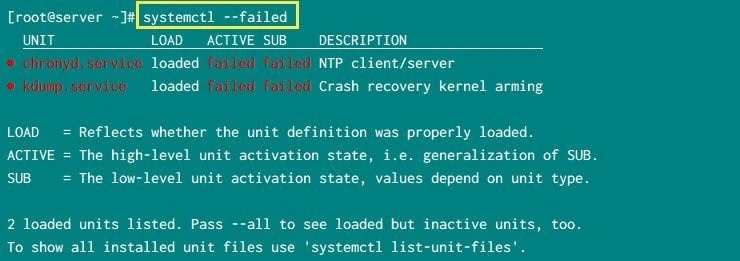
systemctl list failed services
Check service status of individual unit file
Now the above commands will give you the status of all the unit files which are installed or available on your server. To check the status of individual file we do not want to use those commands in combination with grep and other filter utility.
Now assuming I wish to check the status of sshd service. So I can use
# systemctl status sshd
which can give me a long list of output along with the actual status such as active, running loaded. Now these three states can also be grepped individually using the properties of a unit file
To check if a systemctl service is running or not use:
# systemctl show sshd --property=SubState
SubState=running
To check if a service is active or inactive:
# systemctl show sshd --property=ActiveState
ActiveState=active
OR you can also use:
# systemctl is-active sshd
active
To check if a service is loaded or not:
# systemctl show sshd --property=LoadState
LoadState=loaded
So we can individually grep the state of individual services using their properties. To list all the properties of a service you can use:
# systemctl show <service>
Conclusion
In this article we learned little bit more about systemd and
systemctl unit files. I have explained about the different types of
unit files and commands using which we can get the list of running
services, sockets, targets etc with systemctl. We can also get
individual status of services using the property of unit files which
gives us much more control over the details of each service. We can use
these properties in scripts for automation purpose.
Lastly I hope the steps from the article to list running services on Linux was helpful. So, let me know your suggestions and feedback using the comment section.
References
I have used below external references for this tutorial guide
