
![How to show calendar on hover? [SOLVED]](/show-calendar-on-hover/show-calendar-on-hover.jpg)
The most common ways to show calendar on
hover are using JavaScript’s mouseenter event and jQuery’s hover
and focus functions.
mouseenterevent
const calendar = document.querySelector('<selector>')

document.querySelector('<text box selector>').addEventListener('mouseenter', function() {
    calendar.classList.add('<CSS class>')
})
jQuery hover andfocusfunctions
// hover
$(document).ready( function() {
    $('<text box selector>').hover( function() {
       $('<calendar selector>').addClass('<CSS class>')
    })
})

// focus
$(document).ready( function() {
    $('<text box selector>').focus( function() {
       $('<calendar selector>').addClass('<CSS class>')
    })
})
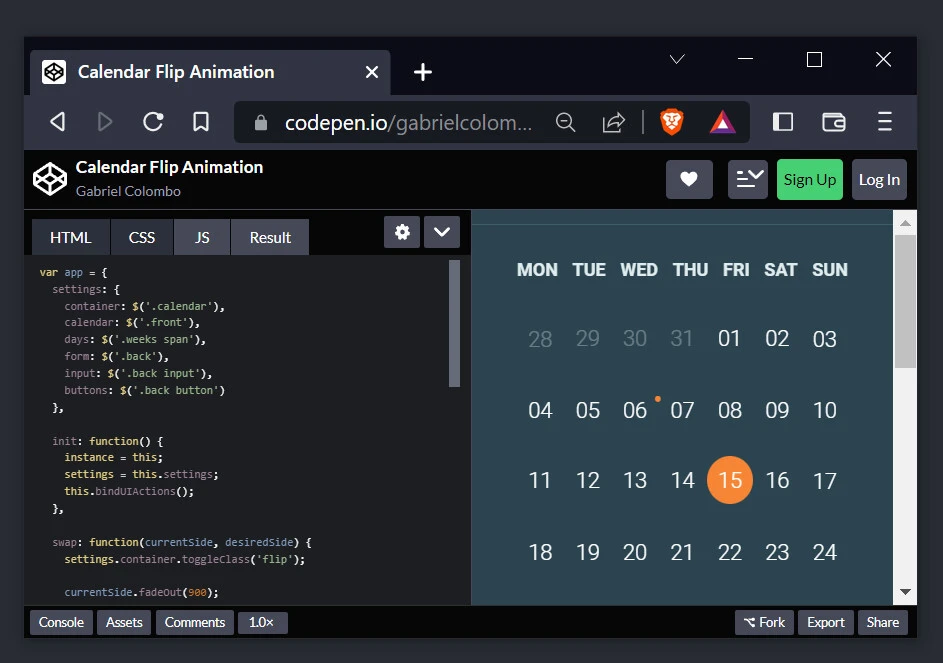
This tutorial shows you how to show calendar on hover using the three methods. First, we download and customize this free calendar template.
Lab environment setup
Create the project directory and open it before creating six files. I am using Ubuntu 22.04 with Visual Studio Code.
mkdir calendarOnHover && cd calendarOnHover
touch index.html style.css script.js jQueryHover.js jQueryFocus.js mouseenter.js
code .
The index.html, style.css, and
script.js files originate from the calendar template. We will
customize the index.html file and introduce a few designs in the
style.css file to accommodate using jQuery and custom events in
jQueryHover.js, jQueryFocus.js and mouseenter.js files,
respectively.
index.html
<!DOCTYPE html>
<html lang="en" >
  <head>
    <meta charset="UTF-8">
    <title>Show calendar on hover</title>
    <link rel="stylesheet" href="https://code.ionicframework.com/ionicons/2.0.1/css/ionicons.min.css">
    <link href='/assets/vendor/googleapis/css?family=Roboto:400,900,700,500,300,100' rel='stylesheet' type='text/css'>
    <link rel="stylesheet" href="https://cdnjs.cloudflare.com/ajax/libs/animate.css/3.5.1/animate.min.css"><link rel="stylesheet" href="./style.css">
  </head>
  <body>

    <div class="container">
      <div class="calendar">
        <div class="front">
          <div class="current-date">
            <h1>Monday 12</h1>
            <h1>December 2022</h1>
          </div>

          <div class="current-month">
            <ul class="week-days">
              <li>MON</li>
              <li>TUE</li>
              <li>WED</li>
              <li>THU</li>
              <li>FRI</li>
              <li>SAT</li>
              <li>SUN</li>
            </ul>

            <div class="weeks">
              <div class="first">
                <span>05</span>
                <span>06</span>
                <span>07</span>
                <span>08</span>
                <span>09</span>
                <span>10</span>
                <span>11</span>
              </div>

              <div class="second">
                <span class="active">12</span>
                <span>13</span>
                <span class="event">14</span>
                <span>15</span>
                <span>16</span>
                <span>17</span>
                <span>18</span>
              </div>

              <div class="third">
                <span>19</span>
                <span>20</span>
                <span>21</span>
                <span>22</span>
                <span>23</span>
                <span>24</span>
                <span>25</span>
              </div>

              <div class="fourth">
                <span>26</span>
                <span>27</span>
                <span>28</span>
                <span>29</span>
                <span>30</span>
                <span>31</span>
                <span class="next-month">01</span>
              </div>

              <div class="fifth">
                <span class="next-month">02</span>
                <span class="next-month">03</span>
                <span class="next-month">04</span>
                <span class="next-month">05</span>
                <span class="next-month">06</span>
                <span class="next-month">07</span>
                <span class="next-month">08</span>
              </div>
            </div>
          </div>
        </div>

        <div class="back">
          <input placeholder="What's the event?">
          <div class="info">
            <div class="date">
              <p class="info-date">
              Date: <span>Dec 15th, 2022</span>
              </p>
              <p class="info-time">
                Time: <span>6:35 PM</span>
              </p>
            </div>
            <div class="address">
              <p>
                Address: <span>129 W 81st St, New York, NY</span>
              </p>
            </div>
            <div class="observations">
              <p>
                Observations: <span>Learn how to show calendar on hover</span>
              </p>
            </div>
          </div>

          <div class="actions">
            <button class="save">
              Save <i class="ion-checkmark"></i>
            </button>
            <button class="dismiss">
              Dismiss <i class="ion-android-close"></i>
            </button>
          </div>
        </div>

      </div>

      <div class="form">
        <label for="month">Month</label>
        <input type="text" id="text-box" name="month">
      </div>

    </div>

<!-- partial -->
  <script src='https://cdnjs.cloudflare.com/ajax/libs/jquery/2.1.4/jquery.js'></script>
  <script  src="./script.js"></script>

  <script src="https://code.jquery.com/jquery-3.6.1.min.js" integrity="sha256-o88AwQnZB+VDvE9tvIXrMQaPlFFSUTR+nldQm1LuPXQ=" crossorigin="anonymous"></script>
  <script src="mouseenter.js"></script>

</body>
</html>
We update the page title and details of
the calendar, then add the text box section inside the container class
but below the calendar class. We also import the minified jQuery CDN
to work the library in the mouseenter.js file.
style.css
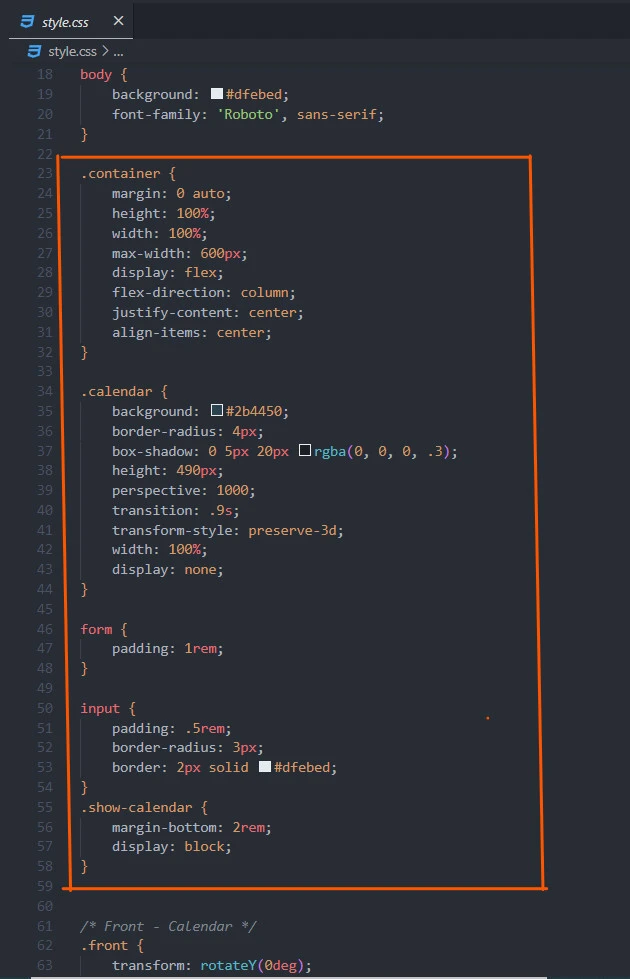
.container {
    margin: 0 auto;
    height: 100%;
    width: 100%;
    max-width: 600px;
    display: flex;
    flex-direction: column;
    justify-content: center;
    align-items: center;
}

.calendar {
    background: #2b4450;
    border-radius: 4px;
    box-shadow: 0 5px 20px rgba(0, 0, 0, .3);
    height: 490px;
    perspective: 1000;
    transition: .9s;
    transform-style: preserve-3d;
    width: 100%;
    display: none;
}

form {
    padding: 1rem;
}

input {
    padding: .5rem;
    border-radius: 3px;
    border: 2px solid #dfebed;
}
.show-calendar {
    margin-bottom: 2rem;
    display: block;
}
We change the container class display
and hide the calendar before styling the form and text box.
script.js
const app = {
    settings: {
        container: $('.calendar'),
        calendar: $('.front'),
        days: $('.weeks span'),
        form: $('.back'),
        input: $('.back input'),
        buttons: $('.back button')
    },

    init: function() {
        instance = this
        settings = this.settings
        this.bindUIActions()
    },

    swap: function(currentSide, desiredSide) {
        settings.container.toggleClass('flip')

        currentSide.fadeOut(900)
        currentSide.hide()

        desiredSide.show()
    },

    bindUIActions: function() {
        settings.days.on('click', function(){
            instance.swap(settings.calendar, settings.form)
            settings.input.focus()
        });

        settings.buttons.on('click', function(){
            instance.swap(settings.form, settings.calendar)
        });
    }
}

app.init()
The script.js file achieves calendar
flips and updates on the calendar details.
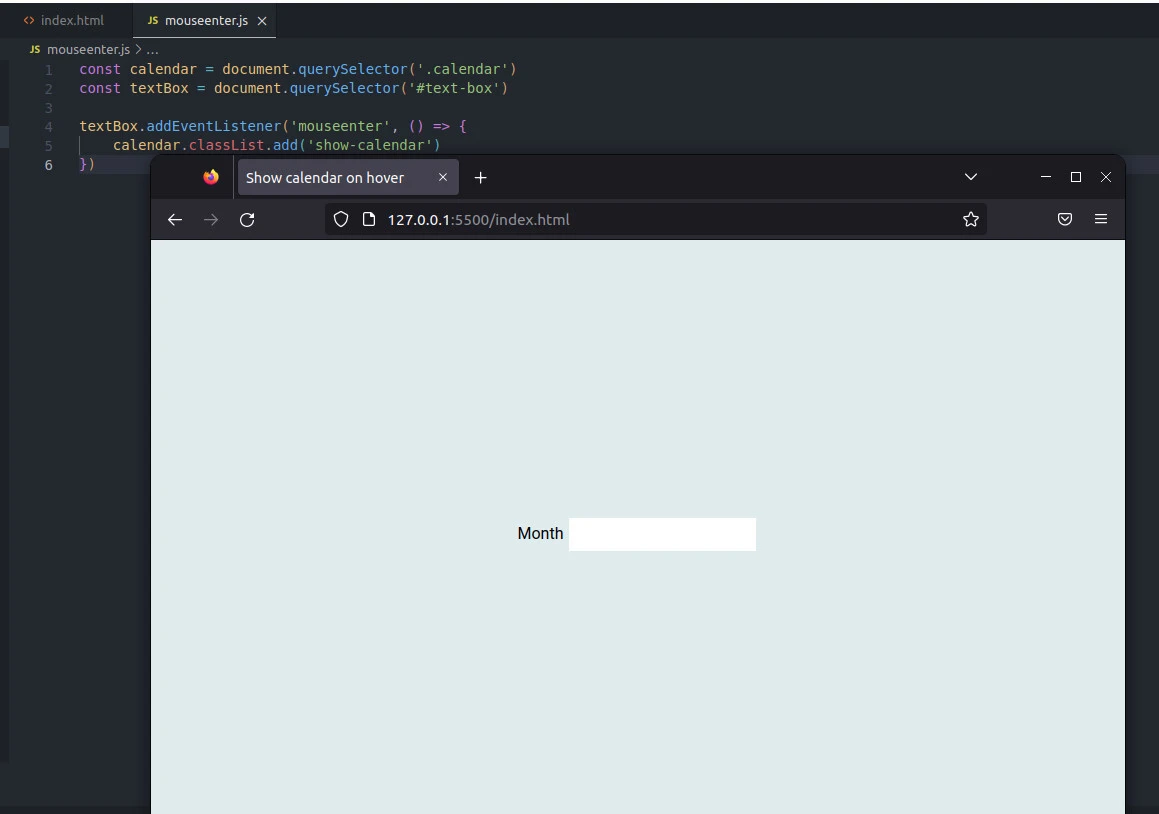
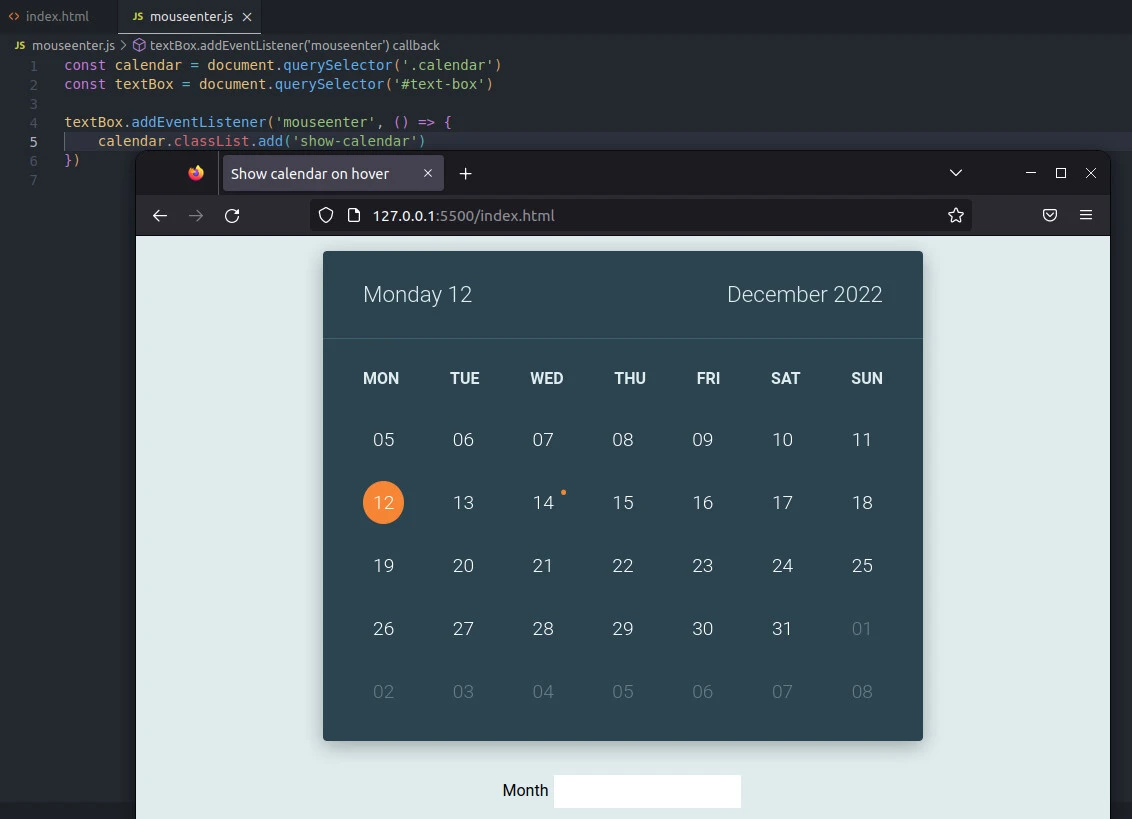
Here is how we can show the calendar on mouse hover.
How to show calendar on hover using the mouseenter event
mouseenter.js
Link the HTML file with the
mouseenter.js file to use it.
const calendar = document.querySelector('.calendar')
const textBox = document.querySelector('#text-box')

textBox.addEventListener('mouseenter', () => {
    calendar.classList.add('show-calendar')
})
We grab the calendar div with its class.
Likewise, we grab the text box with its id and run a mouseenter event
on it. We then show the calendar using the classList’s add()
function with the show-calendar class we created in the style.css
file.
We can also use the remove() function to
hide the shown calendar. Or use the
toggle() function, which hides or shows the calendar depending on the
active (hidden or shown) status.
const calendar = document.querySelector('.calendar')
const textBox = document.querySelector('#text-box')

textBox.addEventListener('mouseenter', () => {
    calendar.classList.toggle('show-calendar')
})
Before
After hover
Apart from the mouse events, we can show
calendar on hover using some libraries and their methods. For example,
we can use jQuery’s hover and focus functions or
Bootstrap’s popover function.
Here is how to use jQuery’s hover and
focus functions.
How to show calendar on hover using the jQuery
jQueryHover.js
$(document).ready( () => {
    $('#text-box').hover( () => {
        $('.calendar').addClass('show-calendar')
    })
})
We wait for the elements to appear on the
page before adding the show-calendar class to the div with the
calendar class. That happens on hovering the text box.
jQueryFocus.js
 $(document).ready( () => {
    $('#text-box').focus( () => {
        $('.calendar').addClass('show-calendar')
    })
})
Similarly, we let jQuery wait till the target elements are fully loaded
$(document).ready( () => { }). The library then listens for the
mouseenter event using its focus() function
$('#text-box').focus( () => {}).
Next, jQuery grabs the calendar div $('.calendar'). Then, it appends a
new class to the div addClass('show-calendar') using the addClass()
method.
The difference between the hover() and focus() functions is that we
must click the text box for the calendar to appear when using the
focus() function. On the hand, as the name suggests, the hover()
function does not require a mouse click on the text box.
Conclusion
You can show calendar on hover using
events like mouseenter. Otherwise, use a library’s method like
jQuery’s hover and focus method or Bootstrap’s popover
function.
References
https://stackoverflow.com/questions/44985801/display-calendar-when-i-hover-the-mouse-in-text-box
