![PROPERLY recover lost files Linux [100% Working]](/recover-lost-files-linux/recover-lost-files-linux.jpg)
We have previously given information about PartedMagic in our article “Recover Lost Files PartedMagic [100% Working]”. We explained the data recovery steps with Testdisk. Now, we will explain the steps to recover your lost data using the PhotoRec application that comes with PartedMagic.
What is PhotoRec?
PhotoRec is a free (GNU GPL v2+ License) and open source application for data recovery with a text-based user interface designed to recover lost files from devices such as digital camera memory and hard disk. It can recover files of more than 480 different file formats.
PhotoRec ignores the file system and will work even if the file system is severely damaged. Disc formats it can recover lost files:
- FAT
- NTFS
- exFAT
- ext2/ext3/ext4 file system
- HFS+
- …
Now let’s look at the steps to recover lost files with PhotoRec.
Recover Lost Files steps with PhotoRec
After PartedMagic opens, click Applications, then open Photorec. You can have more than one disk. Select disk and then partition. Select the disk/directory where the files to be recovered will be moved with “Browse”.
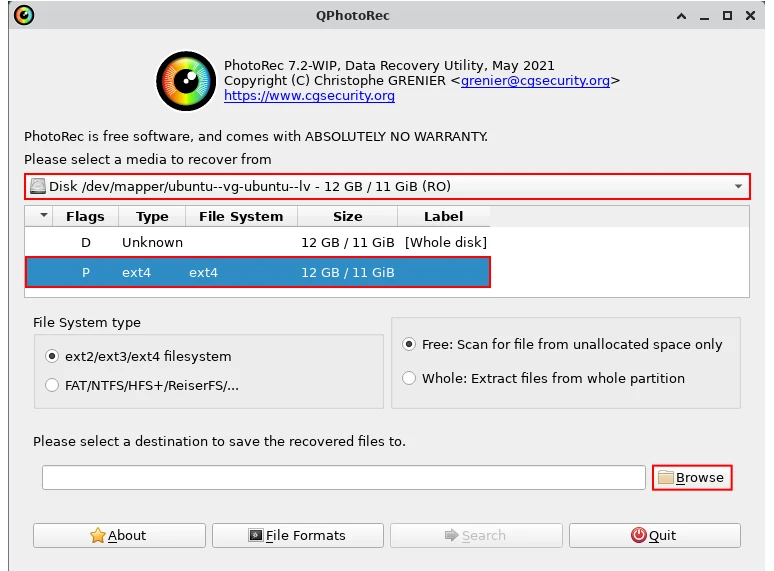
Since PartedMagic is opened as a live system, the files to be recovered cannot be kept on this system. Therefore, the recovered files should be taken on a second disk or USB disk.
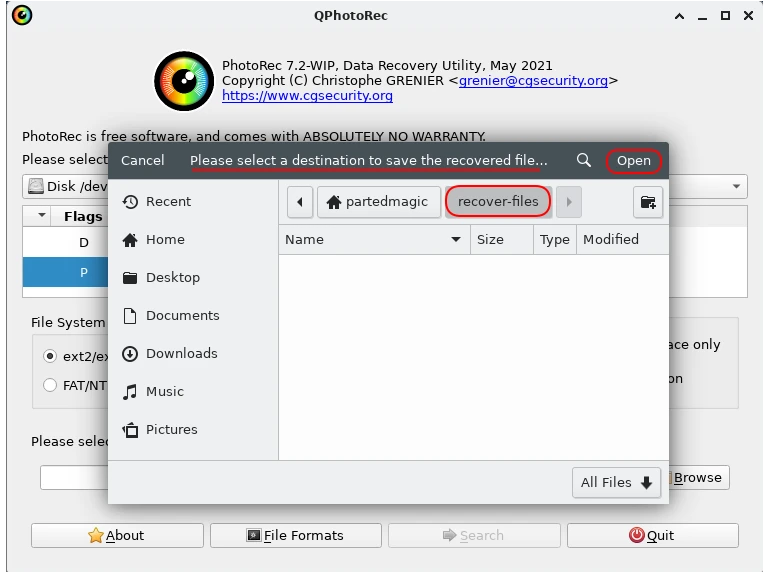
After disk/directory selection, select the file forms to recover. Click on “File Formats”.
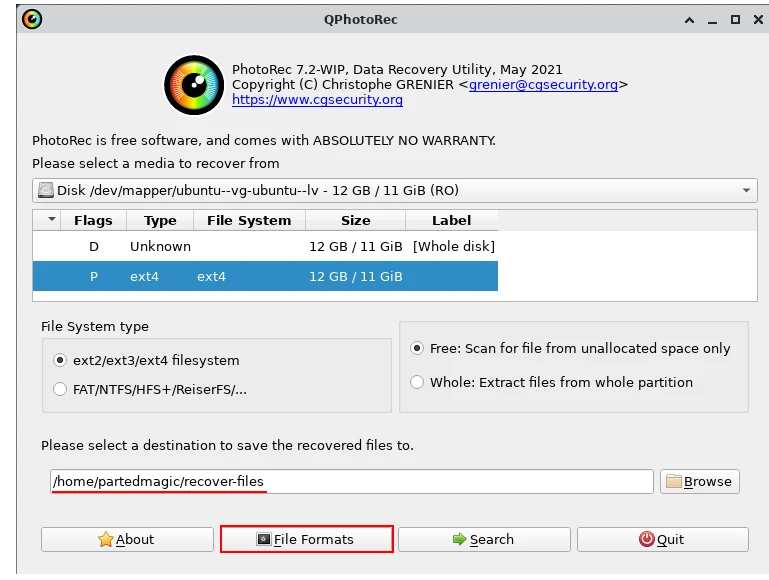
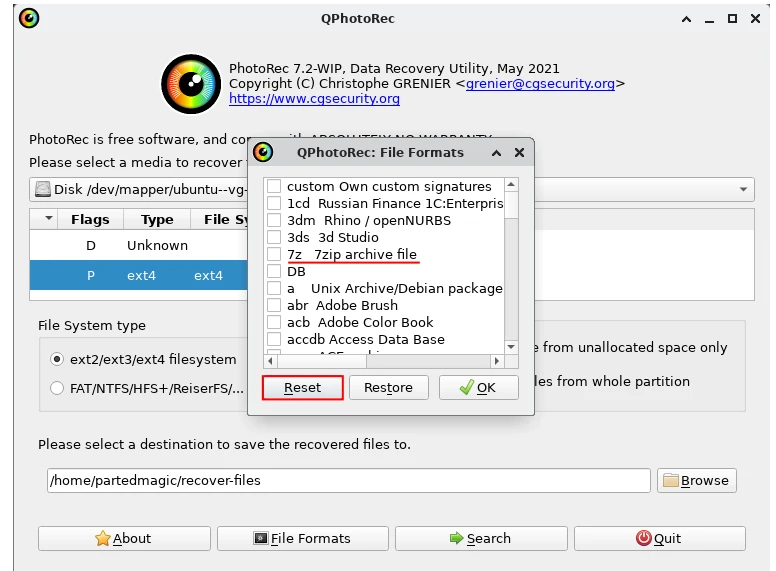
If you are going to search from all file formats, click “OK” to proceed. If you want to recover certain file formats, press the “Reset” button first. Then choose the file formats you want to recover:
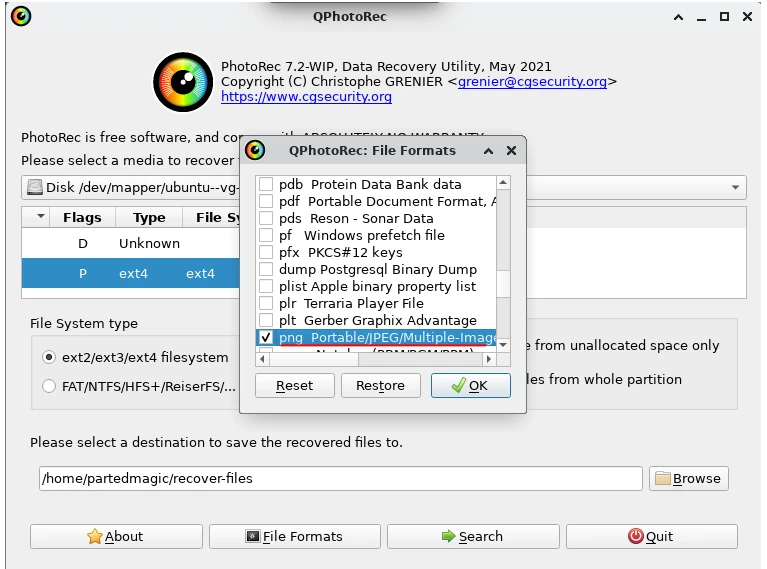
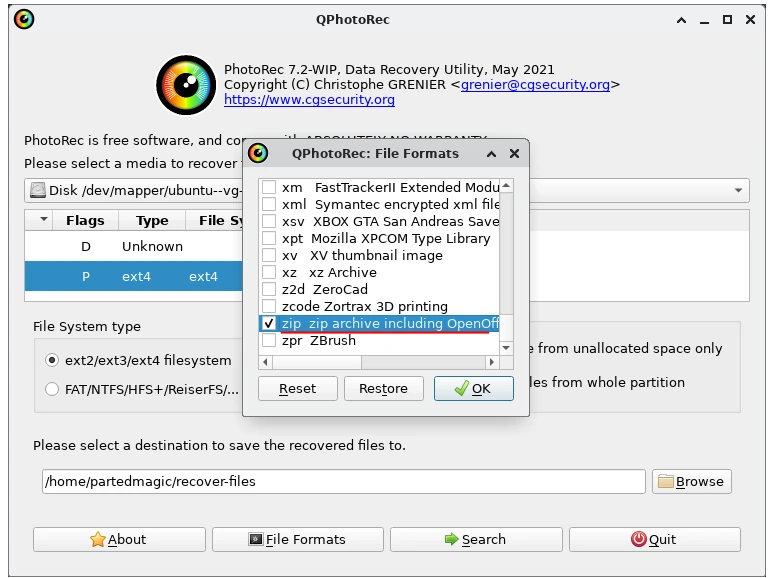
After selecting the file formats, start the search with “Search”:
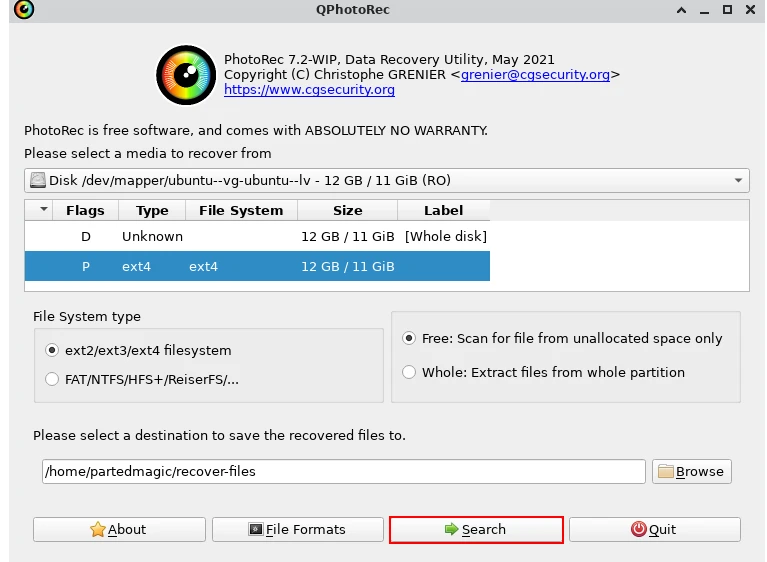
Depending on the file format and the size of the disk being searched, the search may take a long time.
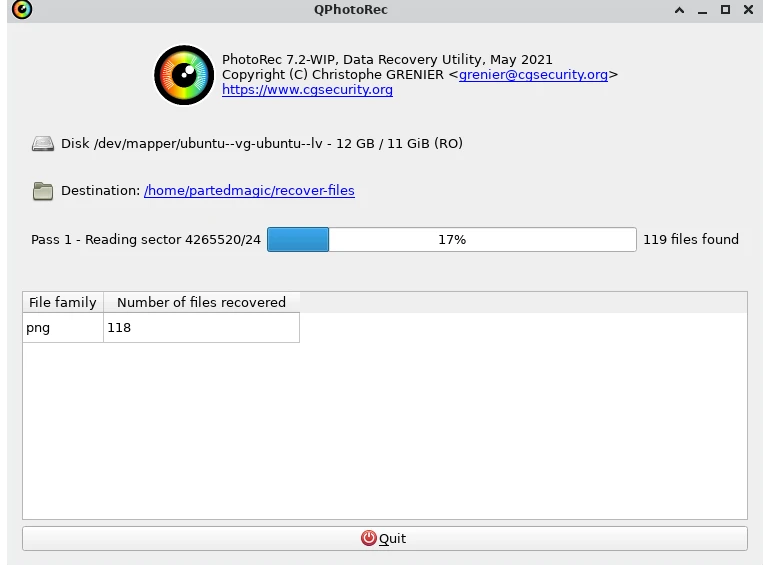
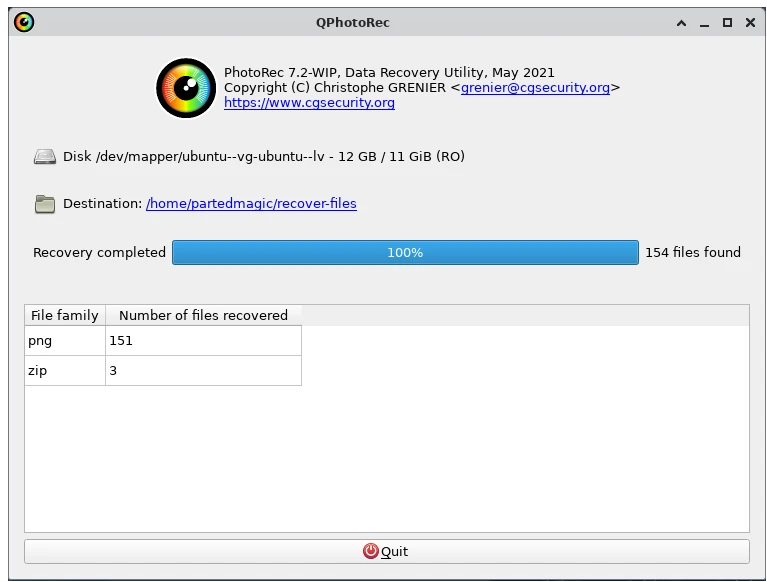
Close the application with “Exit” when the search is complete. Go to the directory where the recovered files were copied:
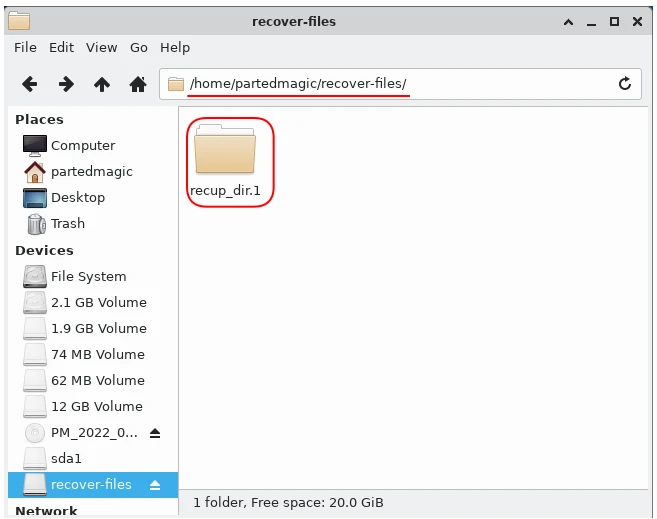
If you have searched before, you may see more than one directory under this directory. The files found after the search are under this directory:
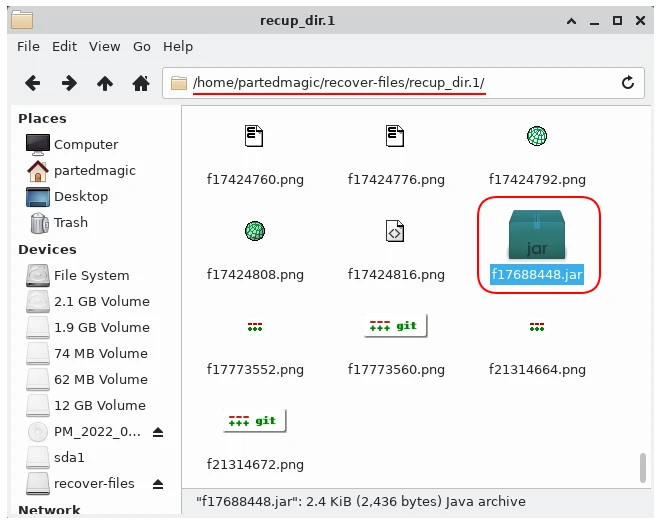
Recover lost files with Photorec completed successfully.
Summary
We explained the steps to recover lost files with Photorec. We hope your files are not lost, if they are, this article will help you.
Later on, we will be explaining different methods of recovering lost files in different articles.