

Node.js global objects are JavaScript objects available in all modules. Before diving into some of the objects, it would be best to understand the ins and outs of Nodejs modules.
Understand modules before using Node.js global objects
Definition of a module
The most straightforward definition of a module is that a module is a
file. A .js file like index.js, main.js, or script.js is a
module in Nodejs.
How Nodejs resolves modules
Nodejs classifies modules into three primary levels: script file, third-party or built-in modules. The script file you are currently modifying is a module. It can use other files’ contents by importing their code implementations.
const file = require('./file.js')
Third-party modules are those you install and manage with NPM.
const passport = require('passport')
Lastly, built-in modules come with Nodejs.
const fs = require('fs')
On requiring a module, Nodejs checks if it is a custom file. If it is
not, it checks for the files inside the built-in modules. Otherwise, it
looks for the module inside node_modules. If it fails to trace the
module after inspecting the three levels, it throws an error.
Nodejs is a wrapper with five arguments
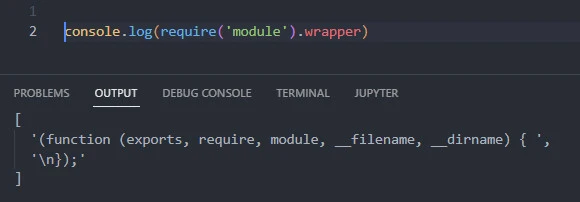
Nodejs wraps your .js files with an immediately invoked function
expression (IIFE). The IIFE has five arguments: exports, require,
module,__filename, and __dirname.
console.log(require('module').wrapper)
1. exports
exports is a mutable object. You attach file contents to the exports
object before exporting them to another file.
const calculateArea = (length, width) => length * width;
exports.area = calculateArea;
2. require
require imports another module’s content into the current one.
const calculation = require('./file.js')
console.log(calculation.area(3, 5))
-
require caches the imported modules such that it won’t reimport a
module if you accidentally do so. The dot . tells Node to check the
module in the current working directory.
- module
moduleis the file you are (currently) editing. It works with theexportsobject.
const calculateArea = (length, width) => length * width;
module.exports.area = calculateArea;
exports is an alias of module.exports.
4. filename
__filename is the full path of the current module from the root
folder.
console.log(__filename)
5. dirname
__dirname helps you get the path of the current working
directory.
console.log(__dirname)
5 Examples of Node.js global objects
JavaScript avails objects you can use in your Node script without
importing. Some of the objects are Buffer, URL, URLSearchParams,
TextEncoder, and TextDecoder
1. Buffer
The Buffer class represents binary data as a sequence of bytes.
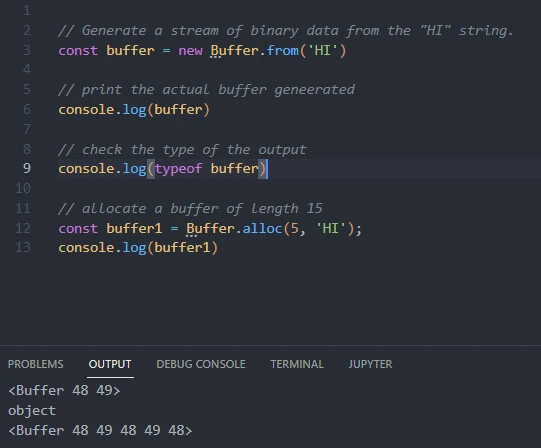
For example, we can convert a string into a binary data stream by generating an object from the string.
Input
// Generate a stream of binary data from the "HI" string.
const buffer = new Buffer.from('HI')

// print the actual buffer geneerated
console.log(buffer)

// check the type of the output
console.log(typeof buffer)
Output
<Buffer 48 49>
object
Similarly, we can generate a binary data stream of a predetermined
length while ignoring the new keyword.
Input
// allocate a buffer of length 15
const buffer1 = Buffer.alloc(5, 'HI');
console.log(buffer1)
Output
<Buffer 48 49 48 49 48>
2. URL
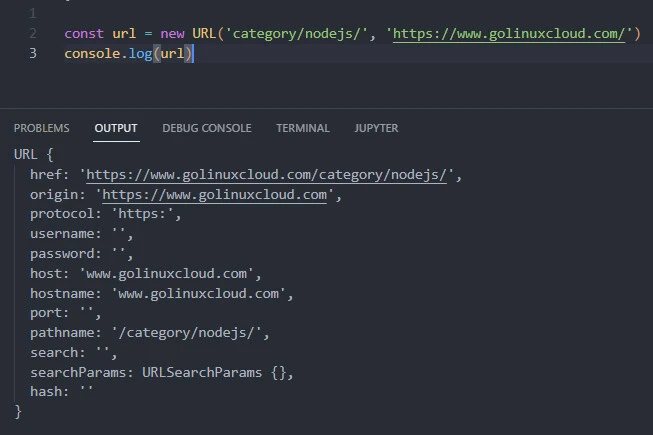
The object creates a new URL that follows the WHATWG URL stands. We can
use the object to create a new URL by appending an input
'category/nodejs/' to a base value 'https://www.golinuxcloud.com'.
Input
const url = new URL('category/nodejs/', 'https://www.golinuxcloud.com/')
console.log(url)
Output
URL {
  href: 'https://www.golinuxcloud.com/category/nodejs/',
  origin: 'https://www.golinuxcloud.com',
  protocol: 'https:',
  username: '',
  password: '',
  host: 'www.golinuxcloud.com',
  hostname: 'www.golinuxcloud.com',
  port: '',
  pathname: '/category/nodejs/',
  search: '',
  searchParams: URLSearchParams {},
  hash: ''
}
The URL object created href before grouping its parts according to
WHATWG URL standards.
3. URLSearchParams
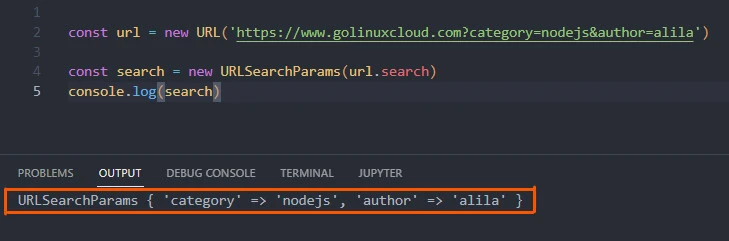
The URLSearchParams object reads and writes to a URL’s query. For
example, we can use the object to dissect category and author
searches as key-value pairs.
Input
const url = new URL('https://www.golinuxcloud.com?category=nodejs&author=alila')

const search = new URLSearchParams(url.search)
console.log(search)
Output
URLSearchParams { 'category' => 'nodejs', 'author' => 'alila' }
4. TextEncoder
The TextEncoder and TextDecoder objects implement the WHATWG
encoding and decoding standard TextEncoder and TextDecoder APIs,
respectively.
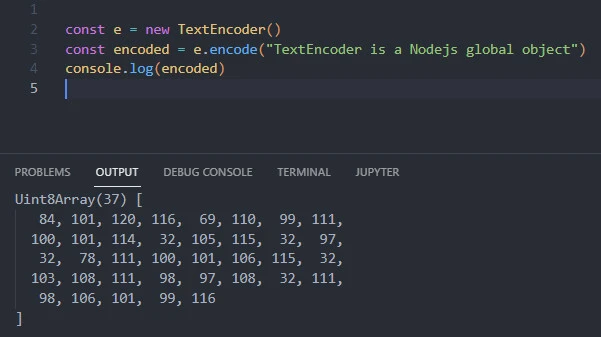
For example, the encode() method converts an input into a Buffer,
whereas the decode() method reverts the Buffer to its initial data
type.
Input
const e = new TextEncoder()
const encoded = e.encode("TextEncoder is a Nodejs global object")
console.log(encoded)
Output
Uint8Array(37) [
   84, 101, 120, 116,  68, 101,  99, 111,
  100, 101, 114,  32, 105, 115,  32,  97,
   32,  78, 111, 100, 101, 106, 115,  32,
  103, 108, 111,  98,  97, 108,  32, 111,
   98, 106, 101,  99, 116
]
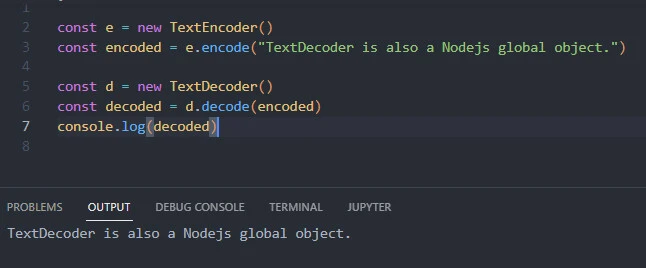
Likewise, we can decode the Buffer.
5. TextDecoder
Input
const e = new TextEncoder()
const encoded = e.encode("TextDecoder is also a Nodejs global object.")

const d = new TextDecoder()
const decoded = d.decode(encoded)
console.log(decoded)
Output
TextDecoder is also a Nodejs global object.
APIs often confused with Node.js global objects
Nodejs runs JavaScript code by availing APIs which communicate with V8.
Typical APIs are process, console, fetch, setTimeout, and
setInterval.
1. process
The process library creates an interface for the Node and operating
environments to interact. It enables you to read or write to the
operating system through properties like env and methods like
exit().
// read environment variables
try {
    await mongoose.connect(process.env.mongoURI)
}
// or exit the process
catch {
    process.exit(1)
}
2. console
The console object enables writing and reading to the operating system
at a high level. At the lower level, it implements the
process.stdout.write() method, which grabs user input from your Node
environment and passes it into the operating system environment for the
computer to process and return feedback.
The console object presents you with multiple methods to ease output
representation. Examples of the methods are console.log() which prints
the output as a string,
console.log('Nodejs global object')
console.dir() prints the output in a more controlled environment,
console.dir(arguments, {depth: 0})
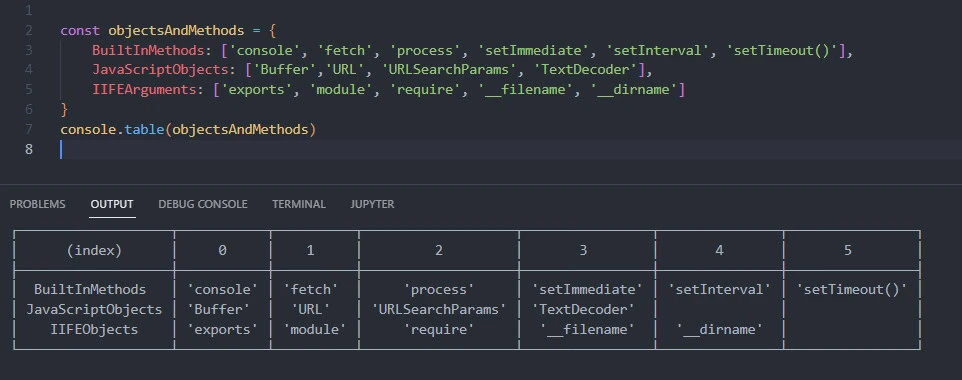
and console.table(), which prints the output in a tabular form.
const objectsAndMethods = {
BuiltInMethods: ['console', 'fetch', 'process', 'setImmediate', 'setInterval', 'setTimeout()'],
JavaScriptObjects: ['Buffer','URL', 'URLSearchParams', 'TextDecoder'],
IIFEArguments: ['exports', 'module', 'require', '__filename', '__dirname']
}
console.table(objectsAndMethods)
3. fetch
The fetch object was introduced in Nodejs 17.5. It lets you download
external resources.
const getUsers = async (url) => {
    const res = await fetch(url)
    const data = await res.json()
    console.log(data)
}
getUsers('https://jsonplaceholder.typicode.com/users')
4. setTimeout
The setTimeout object executes your code after the specified number of milliseconds.
setTimeout( () => {
    console.log('Examples of Nodejs global objects.')
}, 3000)
5. setInterval
The setInterval object consistently runs a code portion after the specified milliseconds till you halt the operation.
setInterval(() => {
    console.log('Hello')
}, 5000)
Final Thoughts
This tutorial walked you through Node.js global objects. It started by defining what makes a method global.
It then explained the typical Node.js global objects and their level of usage. After going through the practical examples, you should comfortably apply Node.js global objects.
Related Keyword: which choice is not a node.js global object, node js global variable across files, nodejs global typescript, is console a global object in node js, global object in javascript
