
![How to use async for loop in Node.js [Practical Examples]](/nodejs-async-for-loop/nodejs_for_loop.jpg)
Node async for loop helps to fetch resources in a controlled
environment. It would be best to understand the concepts of loops,
iterables, and numerables, synchronous and asynchronous programs before
practically using Node async for loop.
Understand loops before using Node async for loop
The primary reason for using loops is to repeat a code block while obeying the DRY (Don’t Repeat Yourself) principle. Here are two examples to explain the concept of a loop.
Assume you want to print numbers 0 to 5 sequentially. The most obvious way to achieve the goal is to print each integer on the console output.
console.log(0)
console.log(1)
console.log(2)
console.log(3)
console.log(4)
console.log(5)
Mission accomplished! But instead of repeating the console.log() part
every time you print each number, why not just use a loop to avoid
repeating yourself? You can use awhile
loop,
do-while loop, and a for loop to repeat the numbers.
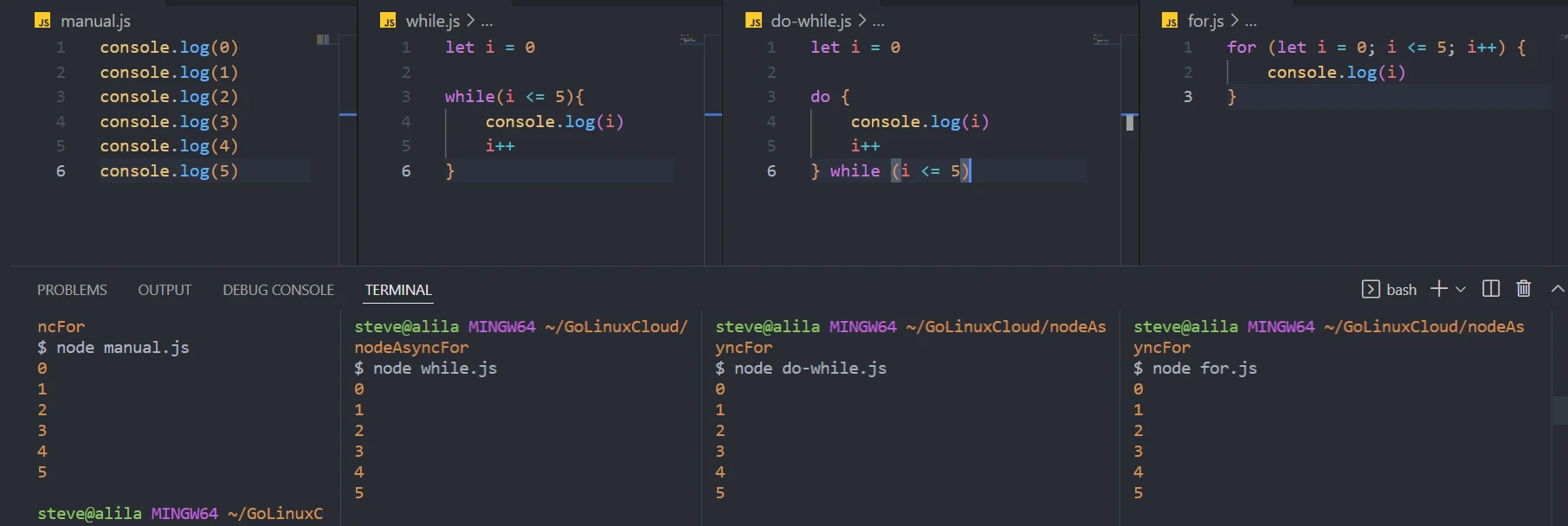
let i = 0
while (i <= 5) {
    console.log(i)
    i++
}
The first i value (of 0) is the initializer: it tells where the loop
begins. The comparison i < 5 is the condition for repeating a code
block inside the curly braces. Lastly, the increment i++ (or
decrement) moves the repetition from the initial value to the subsequent
value.
The difference between a while and a do-while loop is that a
do-while loop visits the code block at least once, whether the
condition is false.
let i = 0

do {
    console.log(i)
    i++
} while (i <= 5)
Lastly, a for loop combines the initializer, condition, and increment
inside the bracket. Semicolons separate the expressions.
for (let i = 0; i <= 5; i++) {
    console.log(i)
}
The evolution of JavaScript has led to the invention of other types of
the for loop. Their usage depends on whether the data is enumerable or
iterable.
Enumerables and iterables in Node async for loop
It would be best to understand data types before using Node async for loop.
The primitive data types are integer, string, symbol, boolean, null, and undefined. They are called primitives because you cannot subdivide them further. But you can combine them to form references: functions, arrays, and objects.
A function is a block of code doing a specific task. An array is an indexed list of primitives. Lastly, an object is a key-value paired data type.
The most typical way to view the children of an array or an object is to
loop through the data. Although you can use the for loop to view the
children, the best for loop type depends on whether the data is an
enumerable or an iterable.
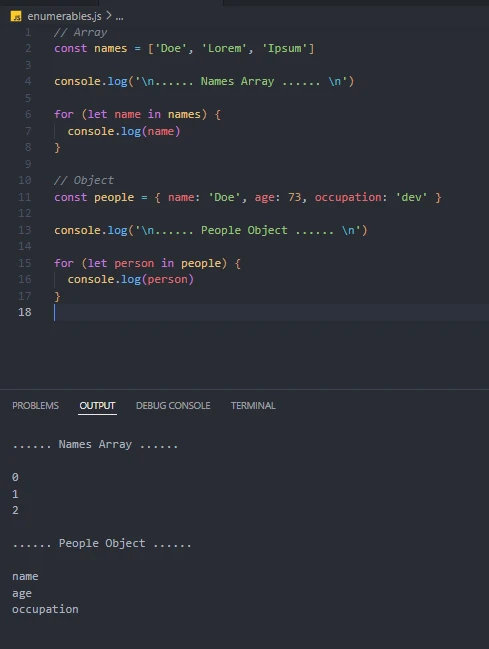
An enumerable (object or array) is accessible through its
properties, NOT values. We can do that using the for-in loop.
//Array
const names = ['Doe', 'Lorem', 'Ipsum']

for (let name of names) {
    console.log(name)
}

//Object
const people = { name: 'Doe', age: 73, occupation: 'dev' }

for (let person in people) {
    console.log(person)
}
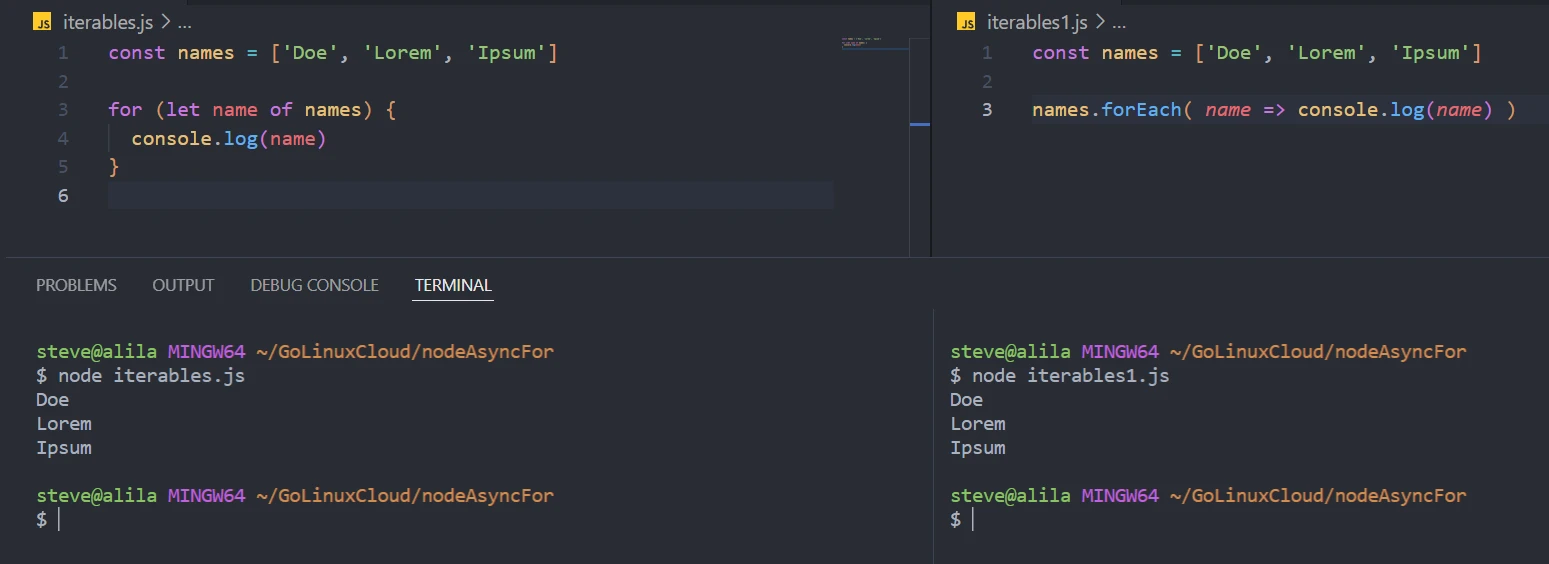
An iterable (array) only reveals values, NOT properties. A for-of
loop reveals the children of an iterable.
const names = ['Doe', 'Lorem', 'Ipsum']

for (let name of names) {
    console.log(name)
}
An iterator describes another object attached to the array and tells a function how to access values inside the data. Apart from arrays, strings, nodelists, and maps have built-in iterators.
Besides, you can use the higher-order forEach() method to iterate
arrays.
const names = ['Doe', 'Lorem', 'Ipsum']

names.forEach( name => console.log(name) )
The main difference between the forEach() method and other for loops
is that forEach() introduces a new scope by running a callback
function. As a result, it does not work well with Node async for loops.
Before diving into Node async for loop with for, for-in, and
for-of loops, it would help understand the concept of asynchronous
programming.
Understand asynchronous programming before using Node async for loop
The most familiar distinctions between synchronous and asynchronous programs are:
- A code portion in a synchronous program blocks subsequent portions from executing when the running code is delayed. On the other hand, multiple code portions can run in an asynchronous program without getting blocked by other code portions.
- A code portion in a synchronous program does not wait. For example, a
forloop in synchronous code does not halt its execution as long as the condition is true. Contrarily, an asynchronous code can wait for the pending data. As a result, you can use Node async for loops to delay looping or fetching multiple resources from an API.
You make your JavaScript code run asynchronously using callback functions or promises.
Callbacks and promises in Node async for loop
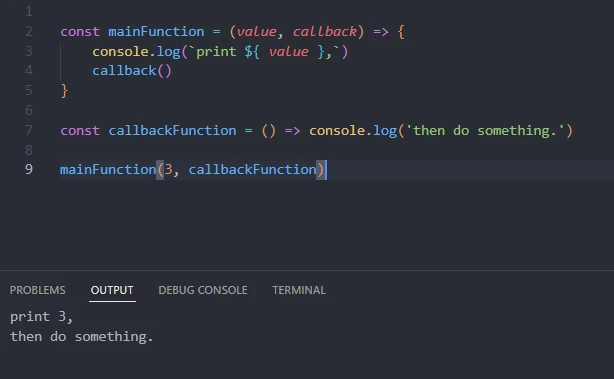
A callback function is an argument to another function.
const mainFunction = (value, callback) => {

console.log(`print ${ value },`)
callback()

}
const callbackFunction = () => console.log('then do something.')
mainFunction(3, callbackFunction)
For example, the callbackFunction() is an argument to the
mainFunction().
A promise object runs in the background without blocking the execution
of other code portions. Its resolve() method returns the target
output. Otherwise, the process is terminated, and the reject() method
gives you a reason for the failure.
const dataPromise = (array) => {
    return new Promise( (resolve, reject) => {
        array.length > 0 ? resolve(array) : reject('The array is empty')
    })
}
You can then handle the response using then-catch.
dataPromise([25, 'twentySix', '27'])
.then( data => console.log('\nthen-catch =>', data))
.catch( error => console.log(error))
OR async-await that runs inside a function.
const responseHandler = async () => {
    const response = await dataPromise([23, 'twentyFour', '25'])
    console.log('\nasync-await function =>', response)
}
responseHandler()
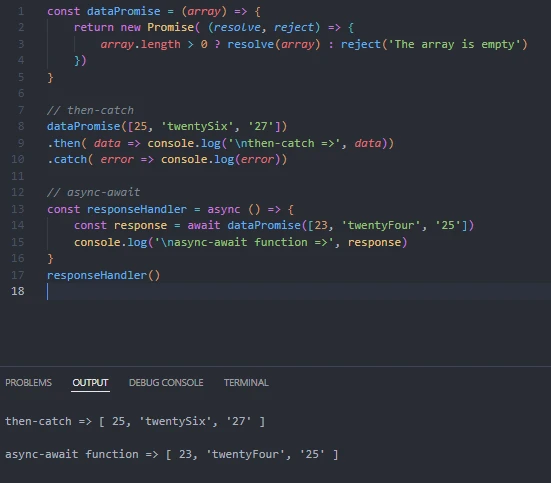
The dataPromise() function receives an array and returns a promise.
The promise then resolves, returning the received array if the input array has a length greater than 0. Otherwise, it rejects the request with an error message.
We then print the response using either then-catch or async-await. As you are about to see in the examples section, you will mainly handle responses from the promise-based API instead of creating a promise.
Now that you understand asynchronous functions, for loops, and why it
may be necessary to use an asynchronous function with a for loop,
let’s dive into Node async for loop examples.
Node.js async for loop examples
Example-1: Delay showing data using Node.js async for loop (for loop)
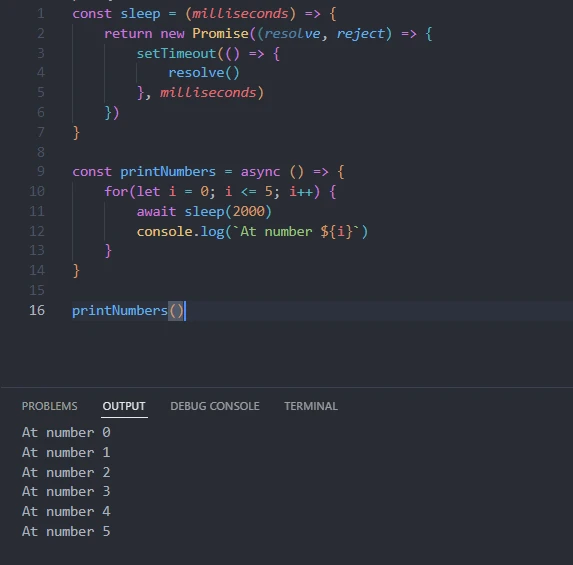
Assume we want to print numbers 0 to 5 with a delay interval of 2 seconds.
const sleep = (milliseconds) => {
    return new Promise((resolve, reject) => {
        setTimeout(() => {
            resolve()
        }, milliseconds)
    })
}

const printNumbers = async () => {
    for(let i = 0; i <= 5; i++) {
        await sleep(2000)
        console.log(`At number ${i}`)
    }
}

printNumbers()
The sleep() function returns a promise, which runs the setTimeout()
API. The setTimeout(), in turn, resolves the promise after the
specified milliseconds.
We asynchronously loop the numbers 0 to 5 and print the output after
every 2000 milliseconds in the printNumbers() function.
Example-2: Node.js async for loop on remote data (for-of loop)
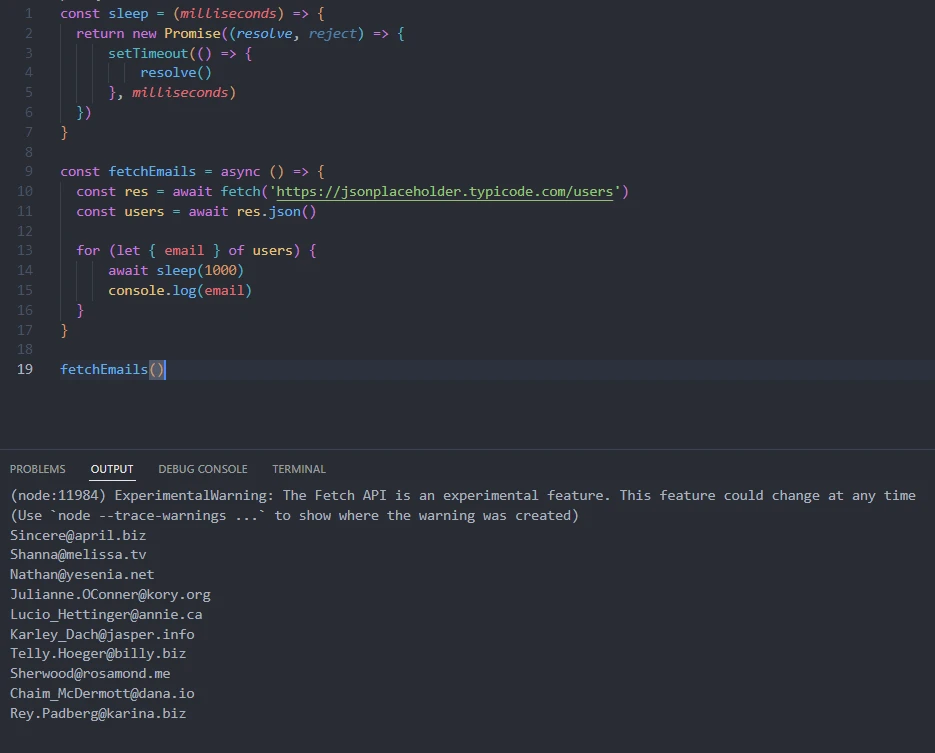
Assume we want to print all JSONPlaceholder API users’ emails after one second.
const sleep = (milliseconds) => {

return new Promise((resolve, reject) => {
setTimeout(() => {
resolve()
}, milliseconds)
})
}

const fetchEmails = async () => {

const res = await fetch('https://jsonplaceholder.typicode.com/users')
const users = await res.json()

for (let { email } of users) {
await sleep(1000)
console.log(email)
}

}

fetchEmails()
We reuse the sleep() function in example-1. The only difference is
that this time around, we fetch the data remotely using the
fetchEmails() function and extract email every time we loop through
the fetched data. Lastly, we print each email after a 1000 milliseconds
delay.
Example-3: Node.js async for loop on multiple APIs (for-in loop)
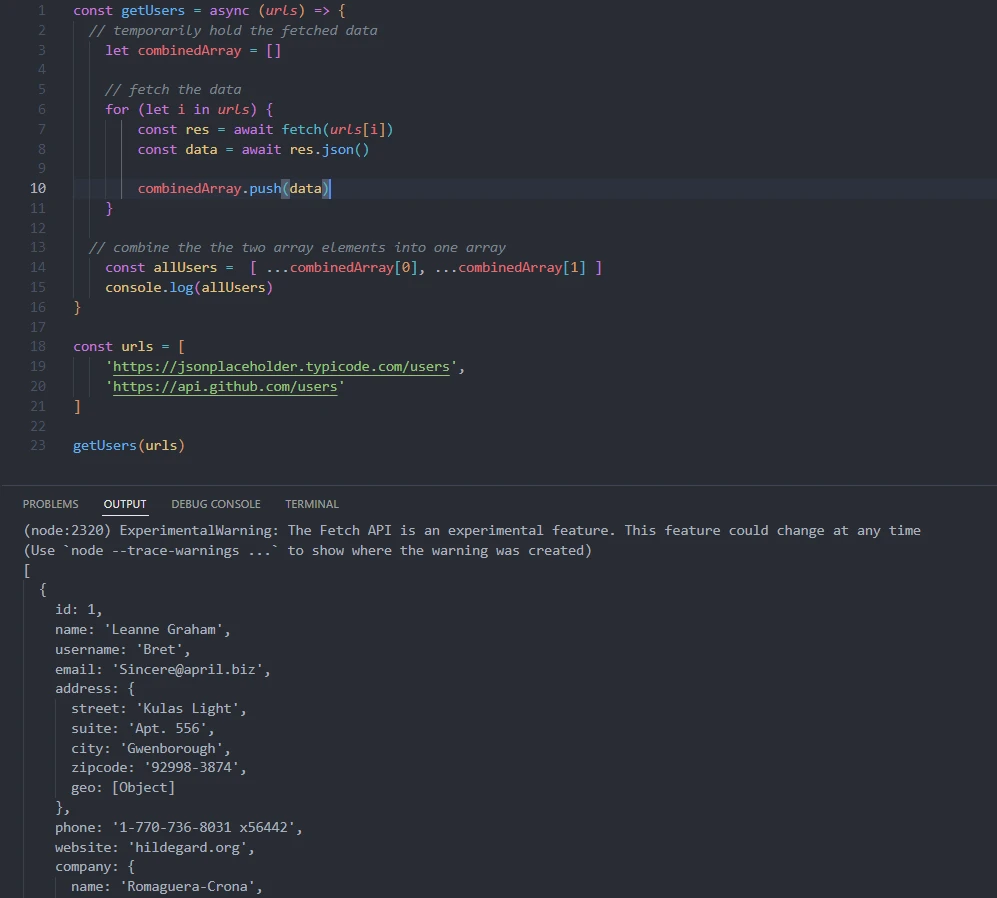
Assume we want to combine users from GitHub API and JSONPlaceholder API into one array of users.
const getUsers = async (urls) => {

// temporarily hold the fetched data
let combinedArray = []

// fetch the data
for (let i in urls) {
const res = await fetch(urls[i])
const data = await res.json()
combinedArray.push(data)
}

// combine the the two array elements into one array
const allUsers = [ ...combinedArray[0], ...combinedArray[1] ]
console.log(allUsers)

}

const urls = [
'https://jsonplaceholder.typicode.com/users',
'https://api.github.com/users'
]

getUsers(urls)
The getUsers() function receives an array of two URLs. Using the fetch
API, it asynchronously retrieves data from the two APIs and pushes each
data array into the combinedArray.
We then dissect the first part (users from JSONPlaceholder API) and the
second one (users from GitHub API) and combine them to create one array
by spreading the first API’s data and second API’s data elements into
the allUsers array.
Lastly, we print the output on the console output.
Key Takeaway
The knowledge of loops and promises eases understanding Node async for loop. You can then creatively apply the concept according to your need.
