
![How to loop through array in Node.js [6 Methods]](/node-js-loop-through-array/nodejs_loop_array.jpg)
This tutorial teaches you how to loop through array in Node.js using the
while, do-while, for, forEach, for-in, and for-of loops.
Let’s get started.
What exactly is an array in Node.js?
An array is a special object that stores indexed data. An object is a key-value paired data.
// object literal
const player01 = {
  firstname: "John",
  lastname: "Doe",
  points: 29
}
For example,firstnameis key while Doe is the value. Similarly, an array stores elements using (index) keys and (element) values. However, this time around, we don’t see the keys unless we console-log them.
const players = ["Lorem", "Doe", "Ipsum", "Doo", "Re", "Mi"]
console.log(players.indexOf("Ipsum")) // 2
An object that is accessible via its properties is called an enumerable. On the other hand, an object (like an array) that exposes only its values is called an iterable.
The simplest way to print the children of an enumerable is through the
for-in loop. On the other hand, the most straightforward way to loop
through an iterable is using the for-of loop.
Since an array is an object, it inherits the ways to loop through an
object, like the for-in loop. We can also loop through the array using
the three primary (while, do-while, and for) loops and its higher
order forEach() method.
Let’s set up a lab environment and see how to loop through array in Node.js using the 6 ways.
Setup Lab Environment
Create the project directory with 6 files: while.js, do_while.js, for.js, forEach.js, for_in.js, and for_of.js.
arrayLoop
├── do_while.js
├── forEach.js
├── for_in.js
├── for.js
├── for_of.js
└── while.js
I am creating the project structure on Ubuntu.
mkdir arrayLoop && cd arrayLoop
touch while.js do_while.js for.js forEach.js for_in.js for_of.js
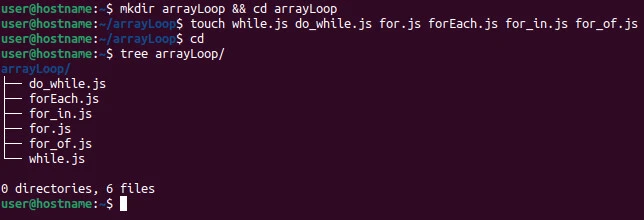
In the examples section, we implement while, do-while, for,
forEach, for-in, and for-of loops in while.js, do_while.js,
for.js, forEach.js, for_in.js, and for_of.js files,
respectively. We then see the output by running the respective file with
the node command.
node [file]
Different methods to loop through array in Node.js
Method~1: Using the while loop
Assume we want to create an array of mixed data types and print each
element using the while loop.
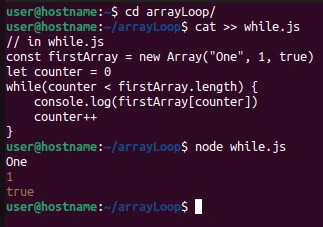
Input
// in while.js
const firstArray = new Array("One", 1, true)
let counter = 0
while(counter < firstArray.length) {
    console.log(firstArray[counter])
    counter++
}
We create an array containing a string, a number and a boolean using the
native Array() constructor function and store the object in a variable
called firstArray.
We start the while loop implementation by creating an initializer
variable called counter. Inside the while loop, we increment the
counter while checking its value against the array’s length.
As long as the condition (counter < firstArray.length) is true, we
print an array element on the console output, one at a time. If the
condition is not met, the program skips the loop.
Output
$ node while.js
One
1
true
Method~2: Using do-while loop
The main difference between a while and a do-while loop is that the
program never visits the loop if the condition is false, while it visits
the loop at least once whether the condition is false.
Assume we want to repeat the process in example~1 using a do-while
loop.
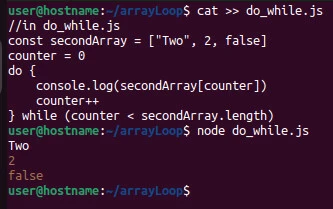
Input
//in do_while.js
const secondArray = ["Two", 2, false]
counter = 0
do {
    console.log(secondArray[counter])
    counter++
} while (counter < secondArray.length)
We create the array using the (square brackets) array syntax and store
it in the secondArray variable. Inside the do block, we visit the
loop before checking the condition in the while statement.
Output
$ node do_while.js
Two
2
false
Method~3: Using for loop
The main difference between a while and a for loop is that a for
loop combines the initializer, the condition, and the increment in one
statement, separated by semicolons.
for (initializer; condition; increment/decrement)
Assume want to loop through an array of fruits and print each fruit with its number (index + 1).
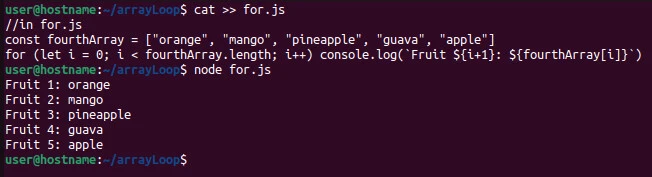
Input
//in for.js
const fourthArray = ["orange", "mango", "pineapple", "guava", "apple"]
for (let i = 0; i < fourthArray.length; i++) console.log(`Fruit ${i+1}: ${fourthArray[i]}`)
We store the five fruit names in an array called fourthArray. Using a
for loop, we console-log a fruit number and name. We add 1 to the
initializer because array indices start counting from zero.
Output
$ node for.js
Fruit 1: orange
Fruit 2: mango
Fruit 3: pineapple
Fruit 4: guava
Fruit 5: apple
Method~4: Using forEach method
The stack (array) is one of JavaScript’s richly implemented data
structures. It comes with multiple methods to easy handling indexed
data. One of the methods is the forEach() method, which runs a
callback function manipulating each element of the array.
Assume want to loop through an array containing a string, an integer, a float, and a boolean, then console-log each element.
Input
//in forEach.js
const thirdArray = ["third", 3, 4.7, true]
thirdArray.forEach( element => console.log(element))
We store the elements in an array named thirdArray. Next, we run the
higher-order forEach() method on the array. The method runs a callback
function with the element parameter, which references each array’s
elements. Lastly, we print each element.
Output
$ node forEach.js
third
3
4.7
true
Method~5: Using the for-of loop
Assume we want to fetch usernames from this API, store the data in an array and save the array as a JSON file for later use.
Input
//in for_of.js
const fs = require("fs")

const fetchUsers = async () => {
    const res = await fetch("https://jsonplaceholder.typicode.com/users")
    const users = await res.json()

    const fifthArray = []

    for (let user of users) fifthArray.push(user.username)

    fs.writeFile("users.json", JSON.stringify(fifthArray, null, 2), e => e ? console.log(e) : console.log(""))
}

fetchUsers()
We import the native fs module. Using the fetch API, we get the
remote data and store it in the users array. Next, we loop through the
users array using the for-of loop, extracting each username and
pushing it into an empty array called fifthArray.
for (let user of users) fifthArray.push(user.username)
We then write the data to a JSON
file called
users.json. Lastly, we run the fetchUsers() function.
Output
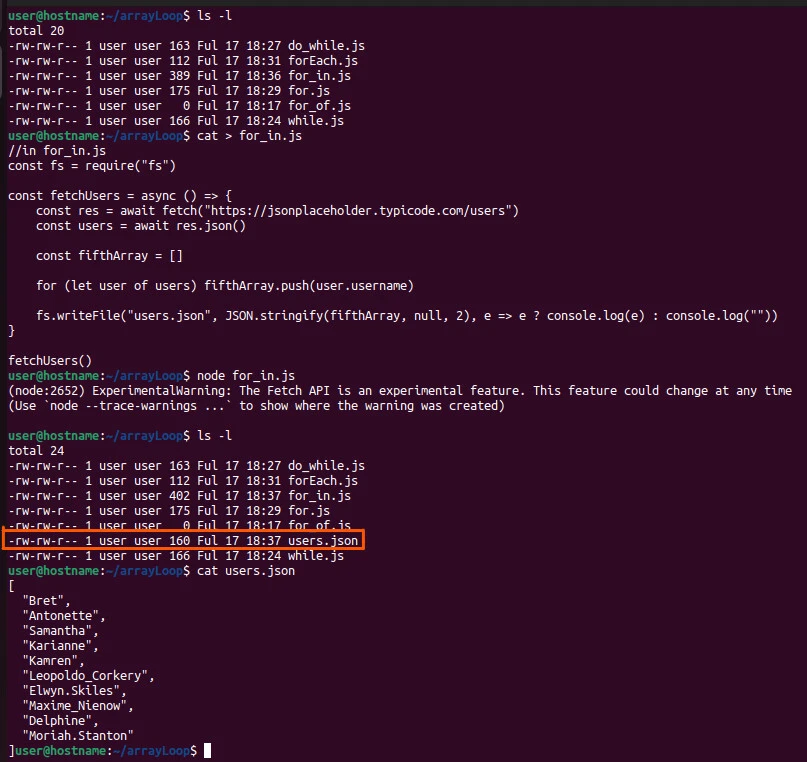
users.json file gets created. The file contains an array of 10
elements.
Method~6: Using the for-in loop
Let’s use the data we fetched in example~5.
Input
//in for_of.js
const fs = require("fs")
const sixthArray = []

let users = fs.readFileSync("users.json", "utf-8")
users = JSON.parse(users)

for (let user in users) sixthArray.push(users[user])
console.log(sixthArray)
We synchronously read the JSON file, parse the fetched object and store
it in the users variable. Using the for-in loop, we loop through the
users array and push its elements into an empty array called
sixthArray. Lastly, we console-log the contents of the sixthArray
array.
Output
$ node for_of.js
[
  'Bret',
  'Antonette',
  'Samantha',
  'Karianne',
  'Kamren',
  'Leopoldo_Corkery',
  'Elwyn.Skiles',
  'Maxime_Nienow',
  'Delphine',
  'Moriah.Stanton'
]
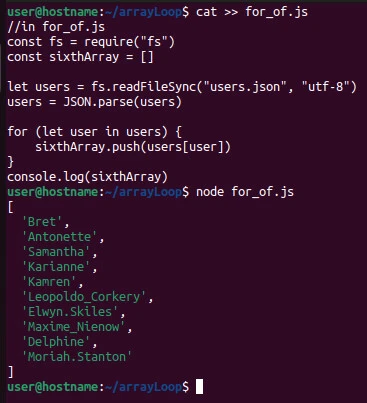
We get the array of 10 elements we previously saved.
Summary
Knowing how to loop through array in Node.js is straightforward if you
understand how to use the primary (while, do-while, and for)
loops, loop through an enumerable (for-in loop) and an iterable
(for-of loop), or use the higher-order .forEach() array method.
References
How to loop through Node.js
array
How
to loop through an array containing objects and access their
properties
In
nodeJs is there a way to loop through an array without using array
size?
