
![How to get all files in directory in Node.js [Practical Examples]](/node-js-get-all-files-in-directory/nodejs_get_files.jpg)
Node.js get all files in directory is possible with readdir() method
of the fs module.
fs.readdir(<file path>, <callback function>)
The file path represents the path of the directory executing the file. The callback function returns an error or an array of files. You can catch the error. Or loop through the files array and print them.
The fs module implements both asynchronous and synchronous file
handling options. As a result, you can also Node.js get all files in
directory using the readdirSync() method. However, this time around,
you do not include a callback function.
Apart from the fs module, you can Node.js get all files in directory
using the child_process module or third-party packages.
This tutorial walks you through Node.js get all files in directory using
the fs and child_process modules. Read on to learn more.
Setup Lab Environment
Let’s build a directory with a directory and files. Head over to your
terminal and create a directory called target_dir and cd into it.
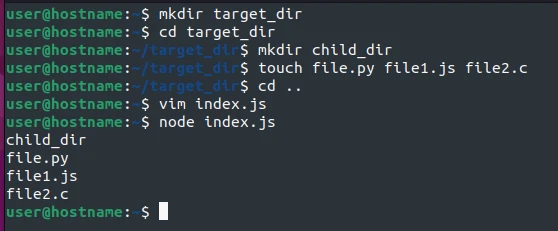
mkdir target_dir
cd target_dir
Create one directory and three files.
mkdir child_dir
touch file.py file1.js file2.c
I have created a directory called child_dir and three files:
file.py, file1.js, and file2.c.
Let’s get the files now.
The most familiar way to Node.js get all files in directory is to use
the fs (file system) module with methods like readdir() and
readdirSync().
Method-1: Use the readdir() method
You can asynchronously list files in a directory using the readdir()
method. What we mean by asynchronous file listing is that the process
occurs at irregular intervals.
Here are the steps to use the readdir() method.
Step-1: Import the fs and path modules
We will use the fs module to read the target_dir’s content. And the
path module to join the target_dir to the __dirname. The
__dirnameis an environment
variable specifying
the absolute path of the directory executing the file.
Create index.js entry file in the same directory as the target_dir
using a code editor. I am using vim for these demos.
cd ..
vim index.js
and import the modules in it.
const fs = require('fs')
const path = require('path')
Step-2: Join the target directory to the __dirname
Let’s join the target_dir to the __dirname using the path module’s
join()method.
const fullPath = path.join(__dirname, 'target_dir')
I have created a variable called fullPath.
Step-3: Read the target directory’s files
Let’s read the target_dir’s files.
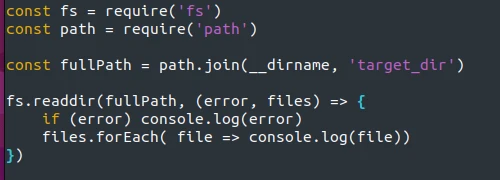
fs.readdir(fullPath, (error, files) => {
if (error) console.log(error)
files.forEach( file => console.log(file))
})
The fs.readdir() takes the full path and callback function with the
error and files parameters.
If the Node.js get all files in directory mission fails, we print the
error. Otherwise, we loop through the array of files using the
forEach() method and print each file.
Step-4: Execute the entry file
Save the index.js file’s contents and return to the terminal.
Lastly, run the file using the node command.
node index.js
You should get the following output.
user@hostname:-$ node index.js
child_dir
file.py
file1.js
file2.c
Method-2: Use the readdirSync() method
We can also synchronously get all files in the target_dir directory
using the readdirSync() method.
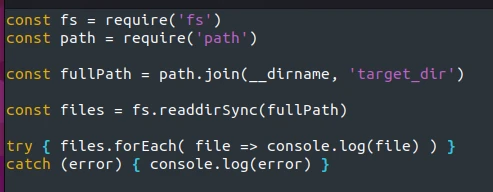
This time around, we will not use a callback function. Instead, we will
read the directory contents in a try block and catch the errors in the
catch block.
Update the index.js file with the following content.
const fs = require('fs')
const path = require('path')

const fullPath = path.join(__dirname, 'target_dir')
const files = fs.readdirSync(fullPath)

try { files.forEach( file => console.log(file) ) }
catch (error) { console.log(error) }
Save the file, then return to the terminal and run it with the node
command.
node index.js
You should have a similar output as previously.
user@hostname:-$ node index.js
child_dir
file.py
file1.js
file2.c
Node.js get all files in directory using the child_process module
You can get all files in a directory using the child_process module’s
exec() function. The exec function starts a new process that runs on
the shell. That enables you to execute GNU commands like ls and cat
in your code.
The function returns two objects: stderr and stdout. The stderr
prints any error that could arise while running the given file, while
the stdout object contains the returned data.
Here is how we can use the two objects to Node.js get all files in directory.
Option-1: Use a callback function
Open the entry index.js file and import the exec function from the
child_process module.
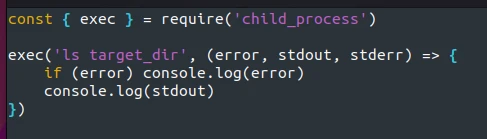
const { exec } = require('child_process')
Then, run the function with the ls command on the target_dir and a
callback function.
exec('ls target_dir', (error, stdout, stderr) => {
if (error) console.log(error)
console.log(stdout)
})
The callback function’s first parameter is the error object that
(almost) all Node.js callback functions return. While the stdout and
stderr parameters represent the exec()function’s stdout and
stderr objects, respectively.
We could print the stderr object returned from the exec function. But
we are already catching errors with the callback function’s error
object.
Lastly, we print the returned stdout data.
Save and run the file with the node command.
node index.js
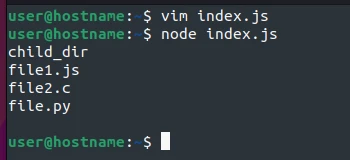
You should get an output similar to mine.
user@hostname:-$ node index.js
child_dir
file1.js
file2.c
file.py
The best reason to use the exec function is that it empowers you to
pipe commands till you get the desired output.
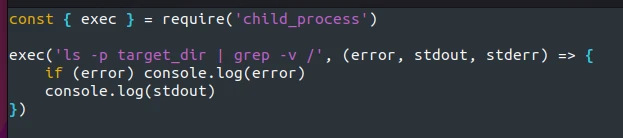
For example, we can get all files excluding directories using the
command: ls -p | grep -v /.
exec('ls -p target_dir | grep -v /', (error, stdout, stderr) => {
if (error) console.log(error)
console.log(stdout)
})
We update the exec function to run the ls command, whose output is
piped into the grep command for further search.
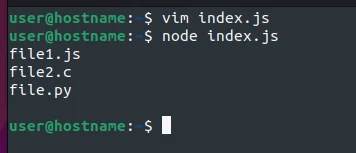
Running the file,
node index.js
you get an output similar to mine.
user@hostname:-$ node index.js
file1.js
file2.c
file.py
This time around, the system does not print the child_dir directory.
Apart from the callback function, you can use the promises.
Option-2: Use async-await
Open the entry file and import the exec() and promisify() functions
from the child_process and the util modules, respectively.
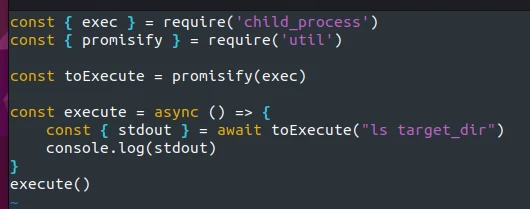
const { exec } = require('child_process')
const { promisify } = require('util')
Convert the exec() function into a promise using the promisify()
function.
const toExecute = promisify(exec)
And Node.js get all files in directory using async-await.
const execute = async () => {
const { stdout } = await toExecute("ls target_dir")
console.log(stdout)
}
execute()
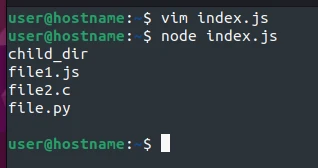
Running the file,
node index.js
you get the files in the target directory.
The downside of using the child_process module is that some Unix
commands may not run on your system, especially if you run the file on a
Windows machine.
For example, the ls command is not recognized in Windows.
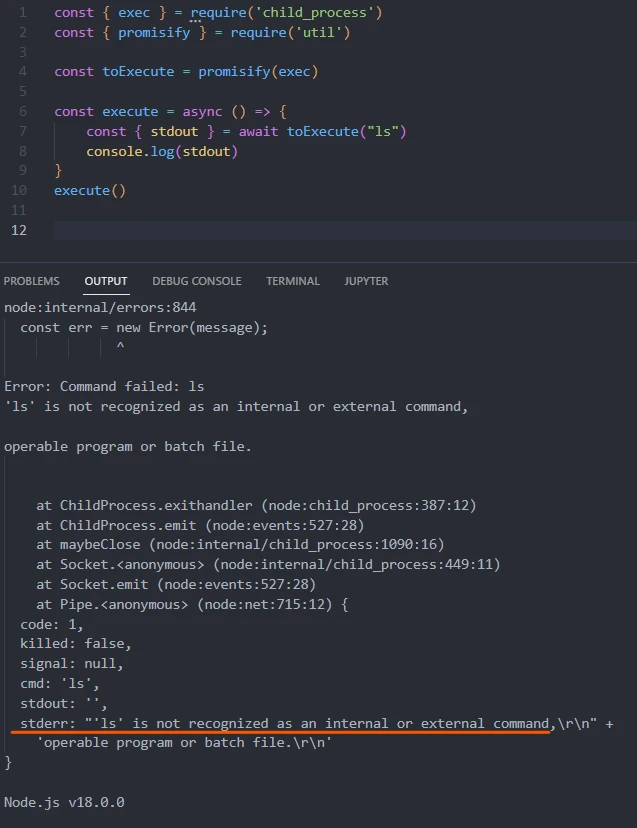
The solution is to use the corresponding Windows dir command, the fs
module, or a third-party package like
the glob module.
Conclusion
Node.js get all files in directory is straightforward after
understanding synchronous and asynchronous directory reading using the
fs, child_process, and the util modules, as explained in this
tutorial. Besides, you can recursively get all files using the glob
module.
