
![How to make Laravel Eloquent IN Query? [SOLVED]](/laravel-eloquent-in-query/laravel-eloquent-wherein.jpg)
Overview on Laravel Eloquent wherein
In this tutorial, we will explore how to construct “IN” queries in Laravel using the Eloquent ORM. Eloquent, Laravel’s built-in ORM, simplifies the process of working with databases by providing an elegant, object-oriented syntax for querying and manipulating data. The “IN” query is a powerful SQL statement that allows you to select records based on a list of values for a specific column, effectively filtering results to match any value within the specified set.
Understanding how to construct “IN” queries in Laravel with Eloquent is essential for building efficient and dynamic database queries, especially when working with large datasets or complex filtering requirements. We will walk you through the process of creating an “IN” query using Eloquent, discuss its benefits, and demonstrate how to apply this technique in real-world applications.
The whereIn() method checks if an array
exists in a database table column. It returns the matching list of
values from a column.
whereIn(<column name>, <array>)
The opposite of whereIn() is
whereNotIn() method, which matches a database table column against an
array of values before returning values even if the column does not
contain the supplied list of values.
You can use the whereIn method with
Eloquentor
Query Builder.
By the end of this tutorial, you will have a solid understanding of how to create and use “IN” queries in Laravel using Eloquent ORM, enabling you to optimize your database interactions and enhance the performance of your application.
Method-1: Basic “IN” query
The whereIn() method in Eloquent allows you to filter records based on
a list of values for a specific column. This is particularly useful when
you need to retrieve records that match any value in a given set. The
get() method is chained at the end to execute the query and fetch the
results.
For example, suppose you want to fetch users with IDs 1, 5, and 8 from
the users table:
$data = <Model>::whereIn('colum_name', <array>)->get();
For example, you can get users with 1, 5,
and 8 IDs from the users table, as follows.
$users = User::whereIn('id', array(1, 5, 8))->get();
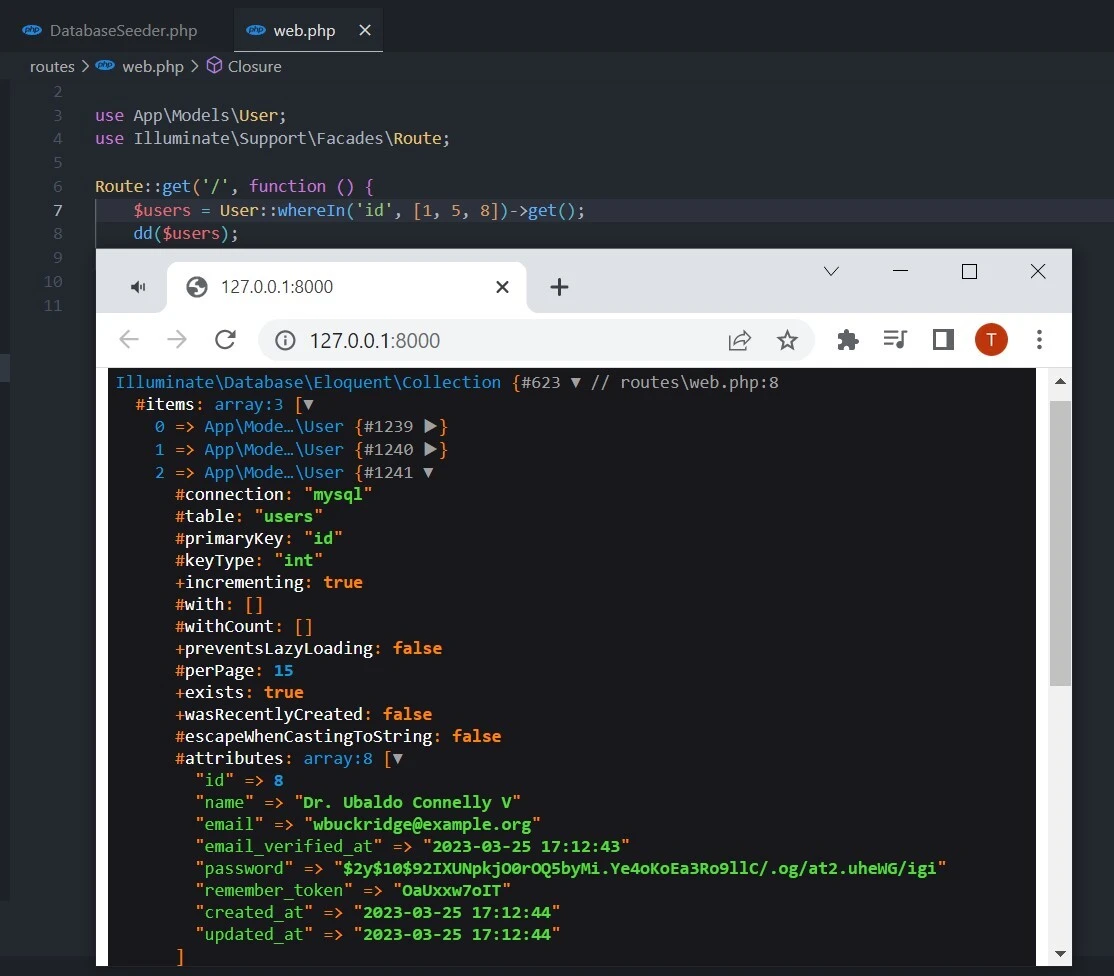
This generates the following SQL query:
SELECT * FROM users WHERE id IN (1, 5, 8);.
Method-2: Prepending the whereIn method with the select method
In some cases, you might want to limit the columns returned in the query
results. The select() method allows you to specify the columns to be
retrieved from the table. By chaining the select() method before the
whereIn() method, you can create more efficient queries that return
only the necessary data.
For example, if you want to fetch only the ’name’ and ’email’ columns of users with IDs 1, 5, and 8:
$users = User:: select ('*')
                ->whereIn('id', [1, 5, 8])
                ->get();
This generates the following SQL query:
SELECT name, email FROM users WHERE id IN (1, 5, 8);.
Method-3: Combining “IN” query with relationships
Eloquent provides a powerful way to work with related tables using
relationships. You can use the has() method to filter records based on
the existence of related records in another table. This is particularly
useful when you need to apply multiple conditions to your query.
For instance, let’s assume you have a User model and a Blog model,
where each user can have multiple blogs. You want to fetch users with
IDs 1, 5, and 8, but only if they have at least one blog:
$users = User::has('blogs')->whereIn('id', [1, 5, 8])->get();
In this query, the has('blogs') method checks if the user has any
associated blog records, while the whereIn('id', [1, 5, 8]) method
filters users based on their IDs.
Bonus Tip: Use the Query Builder
In addition to Eloquent ORM, Laravel provides another way to interact with databases using the Query Builder. The Query Builder offers a more direct approach to building and executing database queries, providing a fluent interface for constructing SQL queries without writing raw SQL.
Using the Query Builder, you can create “IN” queries by attaching the
whereIn() method to the DB facade. The whereIn() method works
similarly to Eloquent’s whereIn() method, accepting a column name and
an array of values.
Here’s an example of how to fetch users with IDs 1, 5, and 8 from the
users table using the Query Builder:
$users = DB::table('users')->whereIn('id', array(1, 5, 8))->get();
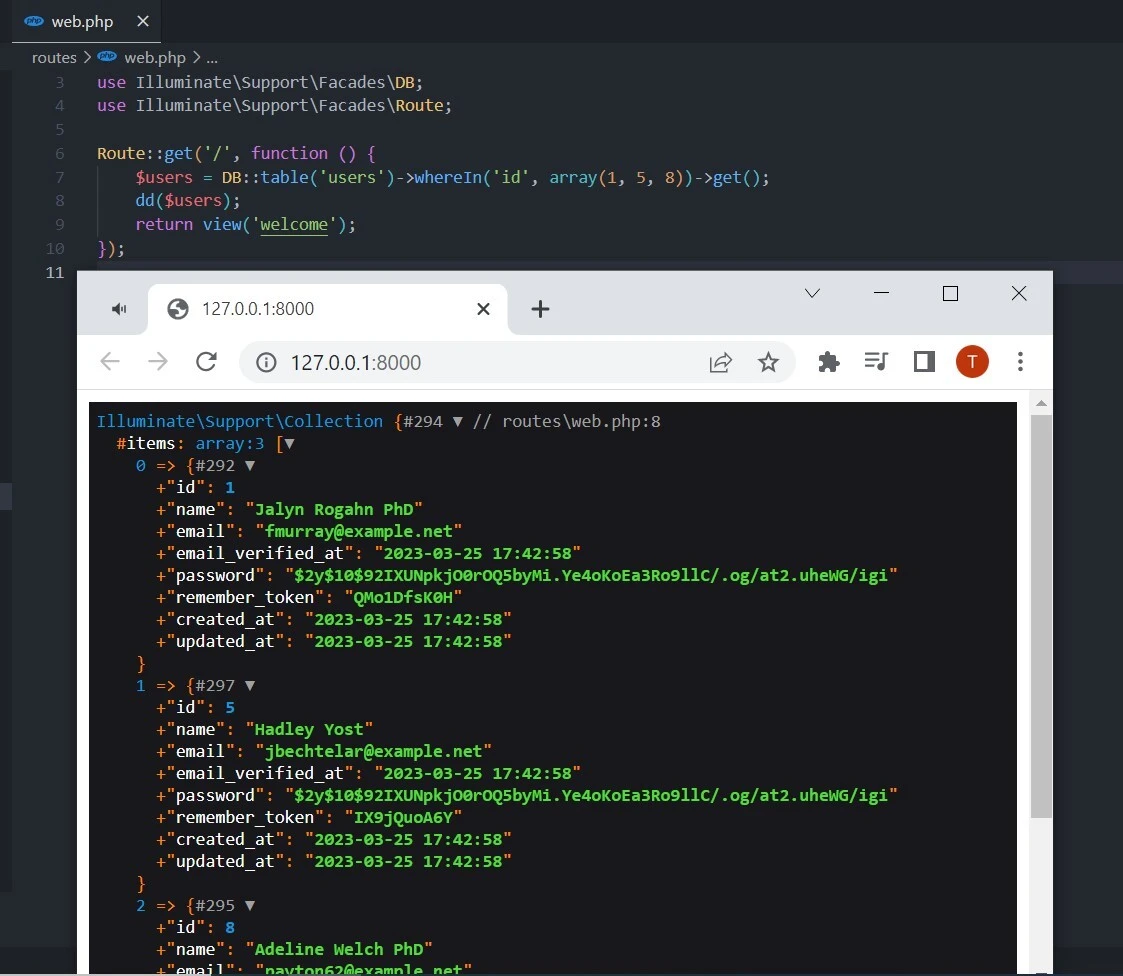
In this case, the DB::table('users') method selects the users table,
and the whereIn('id', array(1, 5, 8)) method filters the records based
on the specified list of IDs. The get() method is chained at the end
to execute the query and fetch the results.
This query generates the following SQL query:
SELECT * FROM users WHERE id IN (1, 5, 8);.
Conclusion
In this tutorial, we explored different techniques for creating “IN” queries in Laravel using Eloquent ORM and the Query Builder. These approaches simplify the process of working with databases by providing clean and expressive syntax for querying and manipulating data.
Eloquent ORM offers an object-oriented syntax for building database queries. We demonstrated three scenarios for creating “IN” queries using Eloquent: a basic “IN” query using the whereIn() method, combining the select() method with whereIn() to limit the columns returned in the query results, and using the has() method to filter records based on relationships between tables.
On the other hand, the Query Builder provides a more direct, table-centric approach to building and executing database queries. We demonstrated how to create “IN” queries using the Query Builder by attaching the whereIn() method to the DB facade.
Understanding how to create “IN” queries using both Eloquent ORM and the Query Builder is essential for optimizing your database interactions in Laravel. These methods offer powerful and efficient ways to filter records based on a list of values for a specific column, enabling you to build complex and flexible queries for your application. By mastering these techniques, you can enhance your application’s performance and create more dynamic and efficient database queries.
Read More at How to Make Laravel Eloquent “IN” Query?
