

Introduction
JavaScript is the language for the web, especially for its ability to
manipulate the Document Object Model (DOM) that guides how things are
rendered within a browser. Everything on the webpage is an
element and serves as the base upon
which all elements objects inherit, and for HTML elements specific, the
HTMLElement interface suffice.
These elements have properties and methods, and one such methods is the
replaceWith method. The replaceWith method allows us to replace the
element it’s called upon in the children list of its parent with a set
of Node or String objects (or equivalent Text node).
In this article, we will discuss how to use JavaScript replaceWith
method and uses it for DOM manipulation.
Using JavaScript replacewith method to manipulate DOM
With a typical syntax structure as below, the replacewith method
allows us to replace elements by directly referencing the child nodes
where Element is the element/node to be replaced and the Node is the
element/node that will replace the element/node.
Element.replacewith(Node);
Element.replacewith(Node1, Node2);
Also, you can replace it with multiple elements/nodes.
To illustrate how JavaScript replacewith method, we will display
paragraph text and change the text using the method. All the HTML and JS
will be written together using the script tag.
<!DOCTYPE html>
<html lang="en">
    <head>
        <meta charset="UTF-8" />
        <meta http-equiv="X-UA-Compatible" content="IE=edge" />
        <meta name="viewport" content="width=device-width, initial-scale=1.0" />
        <title>Document</title>
    </head>
    <body>
        <h1>JavaScript replacewith</h1>
        <div id="demo">
            <p>This text will be replaced by a button click event</p>
        </div>
        <button id="btn">Change Text with replacewith</button>

        <script>
            document.getElementById("btn").onclick = function () {
                const pTag = document.querySelector("#demo p");
                const newNode = document.createElement("input");
                newNode.value =
                    "Replacement text replaced by the button click event";
                pTag.replaceWith(newNode);
            };
        </script>
    </body>
</html>
Output
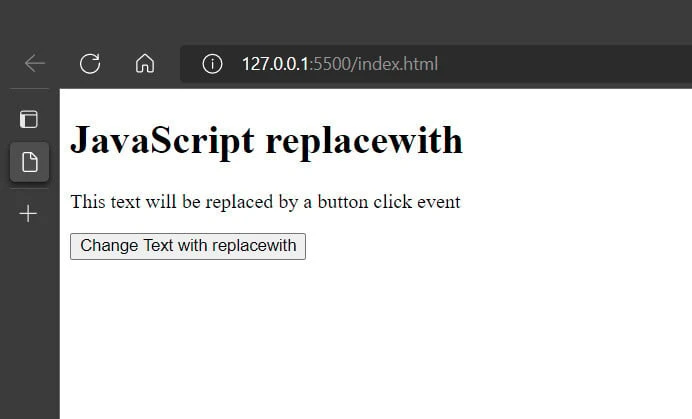
After we click the button to trigger the replacewith method, we have
the below image.
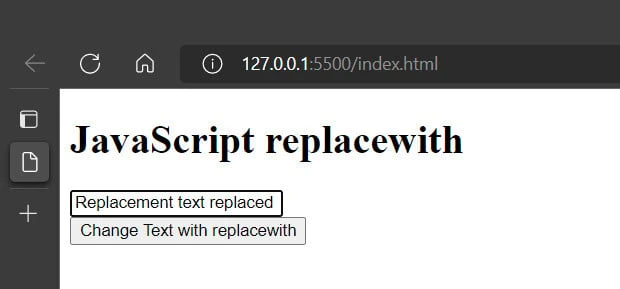
In the HTML code, we added the demo and btn id (identifier) to the
div and button elements to make the JavaScript code know which
element to work with.
However, in the JavaScript code, we find and reference the paragraph
tag by using the querySelector method and bind it to pTag binding.
Afterward, we can create a new element (newNode) that will replace the
referenced element and bind a value to it. Finally, we make use of the
replacewith method on pTag (the referenced value) and newNode (the
new node).
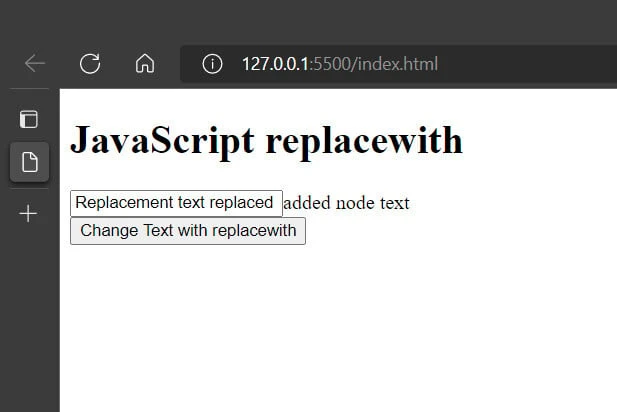
Also, we can add multiple nodes by adding new elements or nodes to the
arguments of the replacewith method. To do such, we can replace the
code with the replacewith method expression below. We can also create
new elements too.
pTag.replaceWith(newNode, "added node text");
Output
Summary
To make use of the JavaScript replacewith method, we need to reference
the element/node that we want changed and add the new element/node as an
argument. Also, we can add multiple nodes or elements via the
replacewith method.
References
Element - Web APIs | MDN
(mozilla.org)
Element.replaceWith() - Web APIs | MDN
(mozilla.org)
