
![How to redirect with JavaScript? [SOLVED]](/javascript-redirect/javascript-redirect.jpg)
You can do JavaScript redirection using the location object’s href
attribute or assign() and replace() methods.
location.href = <URL>
location.assign(<URL>)
location.replace(<URL>)
This tutorial teaches you the origin, usage, and differences between the
three ways: href, assign() and replace().
Let’s get started.
Window and location objects
The window object is the root of the browser API. Other objects like
location interact with your JavaScript through the window object.
window.location
// OR
location
The location object has information about the current URL. It enables
you to interact with the current URL through its attributes and methods.
Attributes
The location object has attributes like href, protocol, origin,
host, hostname, port, and pathname.
/*

{
    "ancestorOrigins": {},
    "href": "http://127.0.0.1:5500/index.html",
    "origin": "http://127.0.0.1:5500",
    "protocol": "http:",
    "host": "127.0.0.1:5500",
    "hostname": "127.0.0.1",
    "port": "5500",
    "pathname": "/index.html",
    "search": "",
    "hash": ""
}

*/
The href attribute creates a link to another page. You can use it for
JavaScript redirection as shown in the examples section.
Methods
The location object also presents you with methods to achieve
JavaScript redirection or page refresh.
The four methods are:
assign(): Enables JavaScript redirection with the ability to click the
back button to the previous page.
reload(): Refreshes the page with the browser’s cache (no parameter or
false value) or data from the server (parameter is true).
replace(): Achieves JavaScript redirection without the ability to
click the back button to the previous page.
toString(): Stringifies a URL and then returns a string containing the
whole URL.
3 typical ways to do redirection with JavaScript
You can do JavaScript redirection using the href attribute, the
assign() method, or the replace() method.
The href attribute and the assign() method let you revert to the
previous page in history through the browser’s back button. They do that
by appending the new URL to the history stack. Use location.href or
location.assign()to simulate the reader clicking on a link.
On the other hand, the replace() method does not append the URL to the
history stack. So, you cannot return to the previous page through the
back button. Use the location.replace() method to simulate the HTTP
redirect.
Now that you understand when and how to use JavaScript redirection, let’s dive into practical examples.
Scenario-1: Redirect to a local URL with javaScript
Example~1: Button click to an absolute path
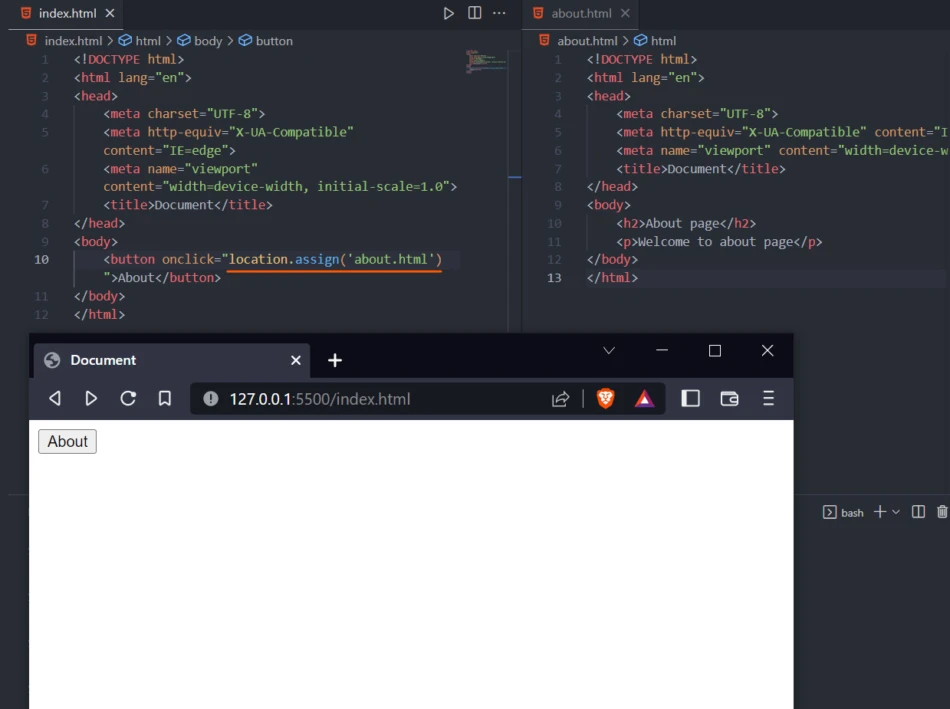
Assume we have index.html and about.html pages. We aim to redirect the user to the about.html by clicking a button with an option to return to the index.html throw the back button.
index.html
<!DOCTYPE html>
<html lang="en">
<head>
    <meta charset="UTF-8">
    <meta http-equiv="X-UA-Compatible" content="IE=edge">
    <meta name="viewport" content="width=device-width, initial-scale=1.0">
    <title>Document</title>
</head>
<body>
    <button onclick="location.assign('about.html')">About</button>
</body>
</html>
We attach a click event to the button. On clicking the button, the
location.assign() method gets run.
location.assign('about.html')
We get redirected to about.html.
about.html
<!DOCTYPE html>
<html lang="en">
<head>
    <meta charset="UTF-8">
    <meta http-equiv="X-UA-Compatible" content="IE=edge">
    <meta name="viewport" content="width=device-width, initial-scale=1.0">
    <title>Document</title>
</head>
<body>
    <h2>About page</h2>
    <p>Welcome to about page</p>
</body>
</html>
Example~2: User redirection to login page
We can also apply JavaScript redirection to send the user to a login page after registration. For example, let’s register a user with the username, email, and password in the index.php page and then redirect them to the login.php page.
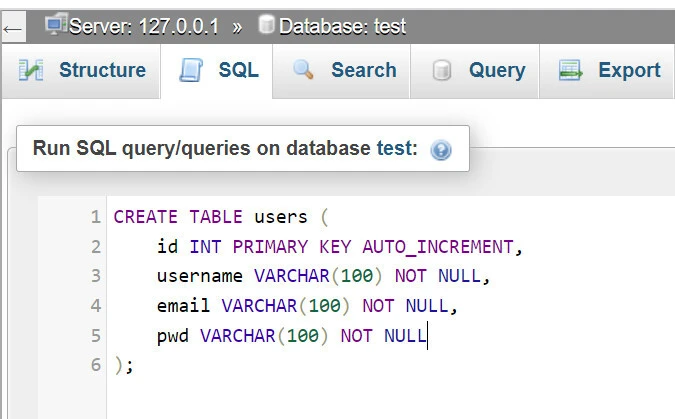
Before writing the registration code, we create thetestdatabase with theuserstable using PHPMyAdmin.
CREATE TABLE users (
    id INT PRIMARY KEY AUTO_INCREMENT,
    username VARCHAR(100) NOT NULL,
    email VARCHAR(100) NOT NULL,
    pwd VARCHAR(100) NOT NULL
);
Next, we create the header.php and footer.php files.
header.php
<!DOCTYPE html>
<html lang="en">
<head>
    <meta charset="UTF-8">
    <meta http-equiv="X-UA-Compatible" content="IE=edge">
    <meta name="viewport" content="width=device-width, initial-scale=1.0">
    <title>Redirect User</title>
</head>
<body>
footer.php
</body>
</html>
Then, we import the header.php and the footer.php into the index.php and login.php files.
index.php
<?php include('register.php') ?>
<?php include('header.php') ?>

<h2>Register</h2>

<form action="<?php echo $_SERVER['PHP_SELF'] ?>" method="POST">
    <input type="text" name="username" placeholder="Name"> <br><br>
    <input type="email" name="email" placeholder="Email"> <br><br>
    <input type="password" name="pwd" placeholder="Password"> <br><br>
    <input type="password" name="pwd_conf" placeholder="Confirm Password"> <br><br>
    <button name="register">Register</button>
</form>

<?php include('footer.php') ?>
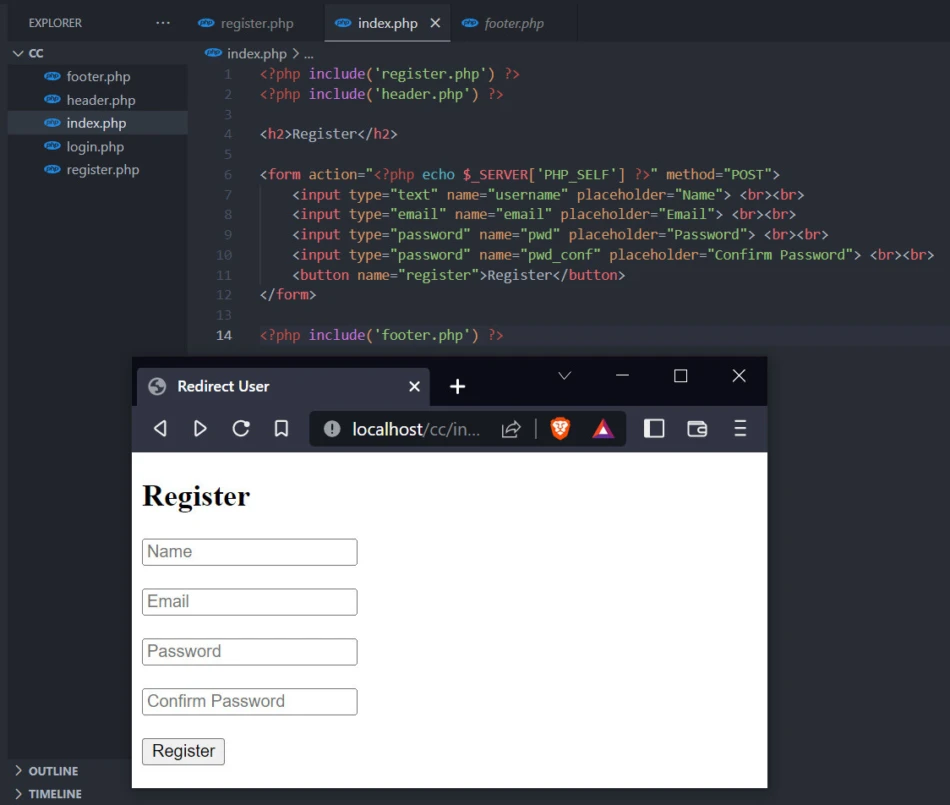
We send theusername,email,pwd, andpwd_conf to the PHP script implemented in the register.phpfile.
register.php
<?php

 // DB CONNECTION
 $conn = mysqli_connect("localhost", "root", "", "test");
 if (!$conn) die("Could not connect to the database: " . mysqli_connect_error());

 // RECEIVE FORM DATA
 if(isset($_POST['register'])){

     $username = mysqli_real_escape_string($conn, htmlspecialchars($_POST['username']));
     $email = mysqli_real_escape_string($conn, htmlspecialchars($_POST['email']));
     $pwd = mysqli_real_escape_string($conn, htmlspecialchars($_POST['pwd']));
     $pwd_conf = mysqli_real_escape_string($conn, htmlspecialchars($_POST['pwd_conf']));

     // VALIDATIONS

     // validataion_1: username taken
     $check = mysqli_query($conn, "SELECT * FROM users WHERE username='$username'");

     if(mysqli_num_rows($check) > 0) {
         echo('
             <script>
                 alert("Username taken");
                 window.location.href = "index.php";
             </script>
         ');

         exit();
     }

     // validataion_2: passwords not matching
    if($pwd !== $pwd_conf){
        echo('
            <script>
                alert("Passwords not matching");
                window.location.assign("index.php");
            </script>
        ');

        exit();
    }

    //SAVING DETAILS INTO THE DATABASE

    $hashedPwd = password_hash($pwd, PASSWORD_BCRYPT);
    $new_user = mysqli_query($conn, "INSERT INTO users (username, email, pwd) VALUES ('$username', '$email', '$hashedPwd') ");

    if($new_user) {
        echo('
            <script>
                window.location.replace("login.php");
            </script>
        ');
        exit();
    }

}
First, we connect the application to the test database. When the user clicks on theregister button, we grab form data and sanitize them. We then validate the username and the password.
If the username has been saved in the database, we let the user know their mistake before redirecting them to the registration (index.php) page.
$check = mysqli_query($conn, "SELECT * FROM users WHERE username='$username'");

if(mysqli_num_rows($check) > 0) {
    echo('
        <script>
            alert("Username taken");
            window.location.href = "index.php";
        </script>
    ');

    exit();
}
Similarly, we redirect the user to the index.php page if passwords don’t match.
if($pwd !== $pwd_conf){
    echo('
        <script>
            alert("Passwords not matching");
            window.location.assign("index.php");
        </script>
    ');

    exit();
}
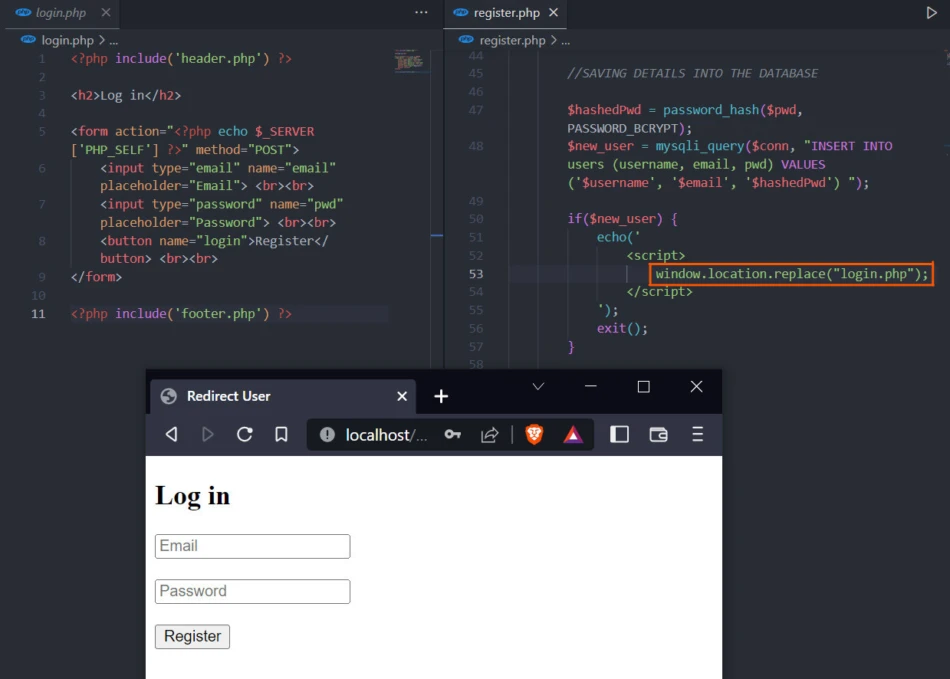
Otherwise, we register the user with a hashed password and redirect them to the login.php page.
 $hashedPwd = password_hash($pwd, PASSWORD_BCRYPT);
 $new_user = mysqli_query($conn, "INSERT INTO users (username, email, pwd) VALUES ('$username', '$email', '$hashedPwd') ");

 if($new_user) {
     echo('
         <script>
             window.location.replace("login.php");
         </script>
     ');

     exit();
 }
Scenario-2: Redirect to another website with JavaScript
Example~1: Using button click
Assume we want the user to visit the GoLinuxCloud website by clicking a
button. We can do that using the location object’s replace() method.
<!DOCTYPE html>
<html lang="en">
<head>
    <meta charset="UTF-8">
    <meta http-equiv="X-UA-Compatible" content="IE=edge">
    <meta name="viewport" content="width=device-width, initial-scale=1.0">
    <title>Document</title>
</head>
<body>
    <button onclick="location.replace('https://www.golinuxcloud.com')">GoLinuxCloud</button>
</body>
</html>
This time we cannot return to the index.html through the back button*.*
Example~2: Automatic JavaScript redirection after a page load
Assume we want to redirect the user to the GoLinuxCloud website five seconds after the page load.
<!DOCTYPE html>
<html lang="en">
<head>
    <meta charset="UTF-8">
    <meta http-equiv="X-UA-Compatible" content="IE=edge">
    <meta name="viewport" content="width=device-width, initial-scale=1.0">
    <title>JavaScript redirect</title>
</head>
<body>

    <p>Redirecting to GoLinuxCloud in about 5 seconds</p>

    <script>
        onload = () => {
            setTimeout( () => {
                location.replace("https://www.golinuxcloud.com")
            }, 5000 )
        }
    </script>
</body>
</html>
We invoke the window object’s onload function. The function then runs
the setTimeout() function, which waits for 5000 milliseconds before
redirecting the user to
https://www.golinuxcloud.com using
the location.replace() method.
Summary
Use location.href and location.assign() to do a JavaScript direction
while retaining the back button to return to the previous page.
Alternatively, use the location.replace() method to redirect a user to
a new page without the ability to return to the previous page through
the back button.
Further Reading
location.href - Web APIs |
MDN
location.assign()
- Web APIs - MDN Web Docs
location.replace() - Web APIs - MDN Web Docs
