

If you see the error “JavaScript Error: IPython is not defined” while running code in Jupyter Notebook or JupyterLab, it usually means your plotting environment is not configured correctly.
This error commonly appears when using matplotlib interactive plots, widgets, or JavaScript-dependent features.
In this guide, you’ll learn why this error happens, how to fix it instantly, and which solution to use based on your setup.
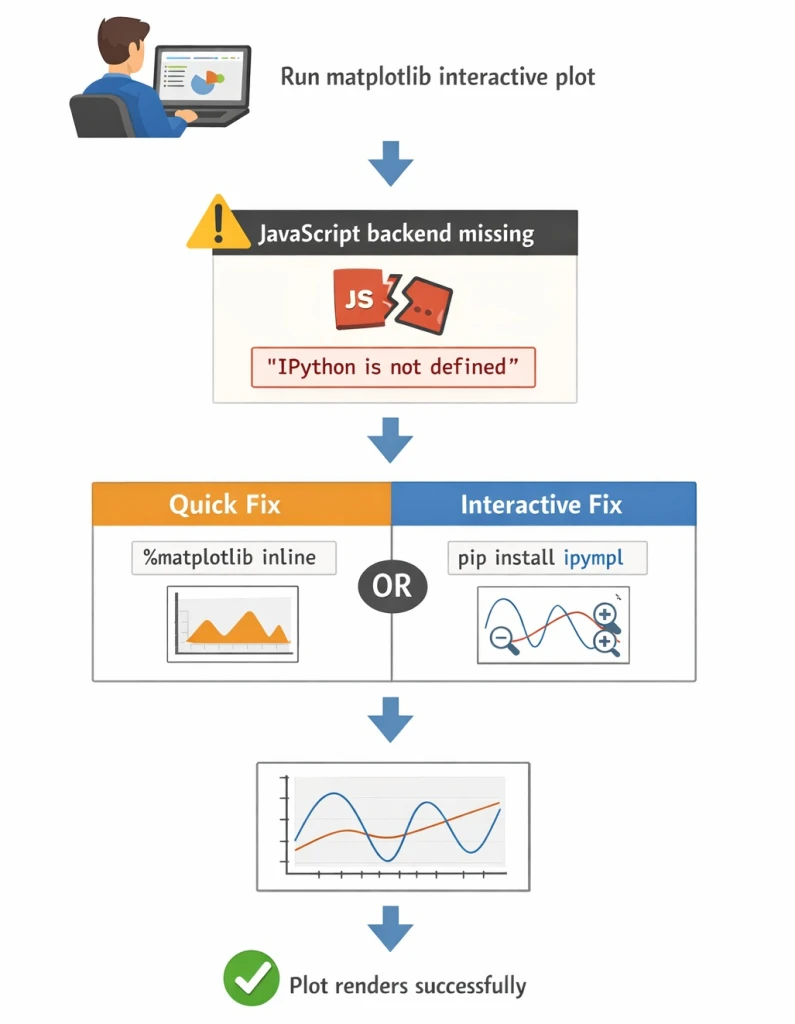
Quick Fix (Try This First)
If the error appears while creating a matplotlib plot, run this before your plotting code:
%matplotlib inline
This forces matplotlib to render static plots, which resolves the error in most cases.
If you need interactive plots, continue reading — a better solution exists.
When Does the “IPython is not defined” Error Occur?
This JavaScript error typically occurs in the following situations:
- Running interactive matplotlib plots in Jupyter
- Using
%matplotlib widgetwithout required extensions - Missing Jupyter widget support
- NodeJS not installed (older JupyterLab versions)
- Browser JavaScript extensions failing to load
In short, Jupyter cannot load the JavaScript backend that matplotlib expects.
Why This Error Happens
Matplotlib supports multiple rendering backends:
- Static backends (PNG images)
- Interactive backends (JavaScript + widgets)
When an interactive backend is requested but IPython JavaScript APIs are unavailable, Jupyter throws:
JavaScript Error: IPython is not defined
Fix 1: Use %matplotlib inline (Static Plots)
This is the simplest and fastest fix.
%matplotlib inline
When to use this fix
- You only need static plots
- You don’t require zooming, panning, or sliders
- You want an instant solution
Limitation
- No interactivity (images only)
Fix 2: Use ipympl for Interactive Plots (Recommended)
If you want fully interactive matplotlib plots, install ipympl.
Install using pip
pip install ipympl
Install using conda
conda install -c conda-forge ipympl
Enable interactive plotting
%matplotlib widget
This enables JavaScript-powered interactive plots inside Jupyter.
Additional Step for Older JupyterLab Versions
If you are using JupyterLab 2.x, you may also need NodeJS and extensions:
conda install -c conda-forge nodejs
jupyter labextension install @jupyter-widgets/jupyterlab-manager jupyter-matplotlib
Restart JupyterLab after installation.
%matplotlib inline vs ipympl (Which Should You Use?)
| Feature | %matplotlib inline |
ipympl |
|---|---|---|
| Interactive plots | ❌ No | ✅ Yes |
| Requires NodeJS | ❌ No | ✅ Sometimes |
| Setup complexity | Very low | Medium |
| Best for | Quick fixes | Advanced analysis |
How to Verify the Fix Worked
After applying the fix:
- Restart Jupyter Notebook or JupyterLab
- Re-run all cells
- Confirm plots render without JavaScript errors
If plots appear normally, the issue is resolved.
Frequently Asked Questions (FAQ)
What does “JavaScript Error: IPython is not defined” mean?
It means Jupyter cannot load the JavaScript backend required for interactive plotting or widgets.
Why does this error occur in Jupyter Notebook?
The error occurs when an interactive matplotlib backend is used without proper widget or JavaScript support.
How do I quickly fix “IPython is not defined”?
Run %matplotlib inline to switch matplotlib to static plots and remove
the error.
How do I enable interactive plots without this error?
Install ipympl and use %matplotlib widget to enable interactive
matplotlib plots in Jupyter.
Does this error occur in JupyterLab?
Yes, it commonly occurs in JupyterLab when required extensions or NodeJS are missing.
Summary
The “JavaScript Error: IPython is not defined” error is not a Python bug — it’s a Jupyter plotting backend issue.
Use this decision rule:
- Want it fixed immediately? →
%matplotlib inline - Need interactive plots? → Install
ipympl
Once the correct backend is configured, the error disappears permanently.
References
GitHub - matplotlib/ipympl:
Matplotlib Jupyter Integration
Matplotlib Jupyter Integration (ipympl)
