![How to install NordVPN on Ubuntu? [SOLVED]](/install-nordvpn-ubuntu/install-nordvpn-ubuntu.jpg)
What is NordVPN?
NordVPN is a VPN service used by many operating systems (Linux, Microsoft Windows, macOS, Linux, Android, iOS) written by Nordsec Ltd. It’s a fast, easy-to-use, privacy-first VPN. Its offices are located in Lithuania, the United Kingdom, Panama and the Netherlands.
In this article, we will install NordVPN on Ubuntu 22.04.
Steps to install NordVPN on Ubuntu
Step-1: Download Repo to install NordVPN
NordVPN repository addresses must be added to the system for installation. Download the deb package that will automatically add the repository addresses:
foc@ubuntu22:~$ wget --no-check-certificate https://repo.nordvpn.com/deb/nordvpn/debian/pool/main/nordvpn-release_1.0.0_all.deb
--2022-12-11 13:08:41--  https://repo.nordvpn.com/deb/nordvpn/debian/pool/main/nordvpn-release_1.0.0_all.deb
Resolving repo.nordvpn.com (repo.nordvpn.com)... 104.17.50.74, 104.17.49.74
Connecting to repo.nordvpn.com (repo.nordvpn.com)|104.17.50.74|:443... connected.
WARNING: cannot verify repo.nordvpn.com's certificate, issued by ‘CN=Cloudflare Inc ECC CA-3,O=Cloudflare\\, Inc.,C=US’:
  Unable to locally verify the issuer's authority.
HTTP request sent, awaiting response... 200 OK
Length: 5056 (4.9K) [application/octet-stream]
Saving to: ‘nordvpn-release_1.0.0_all.deb’

nordvpn-release_1 100%[=============>]   4.94K   877 B/s    in 5.8s

2022-12-11 13:08:55 (877 B/s) - ‘nordvpn-release_1.0.0_all.deb’ saved [5056/5056]
Step-2: Install the repo package
Then the downloaded package is installed:
foc@ubuntu22:~$ sudo dpkg -i  nordvpn-release_1.0.0_all.deb
[sudo] password for foc:
Selecting previously unselected package nordvpn-release.
(Reading database ... 149706 files and directories currently installed.)
Preparing to unpack nordvpn-release_1.0.0_all.deb ...
Unpacking nordvpn-release (1.0.0) ...
Setting up nordvpn-release (1.0.0) ...
Update the packages list:
foc@ubuntu22:~$ sudo apt update -y
Step-3: Install NordVPN
Then install the nordvpn package:
foc@ubuntu22:~$ sudo apt install nordvpn -y
Note: The download may take a long time depending on your internet speed.
Step-4: Login to NordVPN
Installation was successful. Login with the following command:
foc@ubuntu22:~$nordvpn login
After this command it will send you a link. Copy this link, paste it in the browser:
Continue in the browser: https://napps-1.com/v1/users/oauth/login-redirect?attempt=e96a6efd-c5e0-436e-a270-1cce36549401
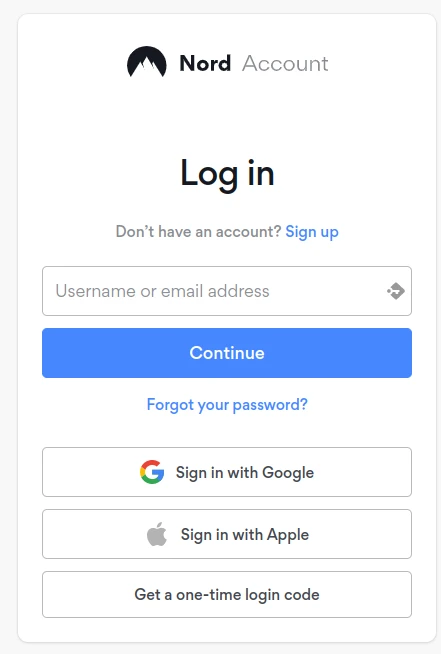
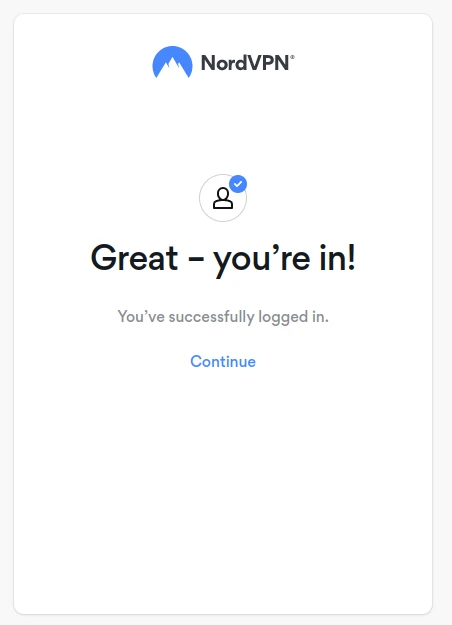
Login is done through this link. Terminal output will be as follows:
New feature - Meshnet! Link remote devices in Meshnet to connect to them directly over encrypted private tunnels, and route your traffic through another device. Use the `nordvpn meshnet --help` command to get started. Learn more: https://nordvpn.com/features/meshnet/
You are already logged in.
Step-5: Initiate the VPN Connection
After logging into NordVPN via terminal; for connection run the command:
foc@ubuntu22:~$ sudo nordvpn c

New feature - Meshnet! Link remote devices in Meshnet to connect to them directly over encrypted private tunnels, and route your traffic through another device. Use the `nordvpn meshnet --help` command to get started. Learn more: https://nordvpn.com/features/meshnet/
Opening the web browser...
If nothing happens, please visit https://join.nordvpn.com/order/?utm_medium=app&utm_source=linux
Your account has expired. Renew your subscription now to continue enjoying the ultimate privacy and security with NordVPN.
You can disconnect this connection using the following command.
foc@ubuntu22:~$ sudo nordvpn d

New feature - Meshnet! Link remote devices in Meshnet to connect to them directly over encrypted private tunnels, and route your traffic through another device. Use the `nordvpn meshnet --help` command to get started. Learn more: https://nordvpn.com/features/meshnet/
You are not connected to NordVPN.
You can choose the country and city to connect with NordVpn. For this, you can view the list of available countries with the command:
foc@ubuntu22:~$ sudo nordvpn countries

New feature - Meshnet! Link remote devices in Meshnet to connect to them directly over encrypted private tunnels, and route your traffic through another device. Use the `nordvpn meshnet --help` command to get started. Learn more: https://nordvpn.com/features/meshnet/
Albania         Greece          Portugal
Argentina       Hong_Kong       Romania
Australia       Hungary         Serbia
Austria         Iceland         Singapore
Belgium         Indonesia       Slovakia
Bosnia_And_Herzegovina  Ireland         Slovenia
Brazil          Israel          South_Africa
Bulgaria        Italy           South_Korea
Canada          Japan           Spain
Chile           Latvia          Sweden
Costa_Rica      Lithuania       Switzerland
Croatia         Luxembourg      Taiwan
Cyprus          Malaysia        Thailand
Czech_Republic      Mexico          Turkey
Denmark         Moldova         Ukraine
Estonia         Netherlands     United_Kingdom
Finland         New_Zealand     United_States
France          North_Macedonia     Vietnam
Georgia         Norway
Germany         Poland
For cities in Germany to show, enter the command:
foc@ubuntu22:~$ sudo nordvpn cities Germany

New feature - Meshnet! Link remote devices in Meshnet to connect to them directly over encrypted private tunnels, and route your traffic through another device. Use the `nordvpn meshnet --help` command to get started. Learn more: https://nordvpn.com/features/meshnet/
Berlin        Frankfurt

foc@ubuntu22:~$ sudo nordvpn c Berlin
New feature - Meshnet! Link remote devices in Meshnet to connect to them directly over encrypted private tunnels, and route your traffic through another device. Use the `nordvpn meshnet --help` command to get started. Learn more: https://nordvpn.com/features/meshnet/
Opening the web browser...
If nothing happens, please visit https://join.nordvpn.com/order/?utm_medium=app&utm_source=linux
Your account has expired. Renew your subscription now to continue enjoying the ultimate privacy and security with NordVPN.

foc@ubuntu22:~$ sudo nordvpn status

New feature - Meshnet! Link remote devices in Meshnet to connect to them directly over encrypted private tunnels, and route your traffic through another device. Use the `nordvpn meshnet --help` command to get started. Learn more: https://nordvpn.com/features/meshnet/
Status: Disconnected
Summary
Although it does not require any fee for installation, a fee is charged for the service it provides. You can get information from the official website for pricing and other transactions.
References
unix.stackexchange.com -NordVPN on Linux Mint
nordvpn.com -
NordVPN Download
For Linux