Ubuntu is a free and open-source operating system that is widely used in desktops and servers. It is known for its stability, security, and ease of use. One of the advantages of Ubuntu is its compatibility with a wide range of hardware, including printers. Epson ET-2720 is a popular inkjet printer that is widely used in homes and small offices. In this guide, we will show you how to install Epson ET-2720 on Ubuntu.
Since Epson et-2720 printer driver is not in the system, we will download the necessary package from the official website according to the operating system. Then we will explain the package and printer installation steps on Ubuntu. Now let’s start the step-by-step installation.
Download/Install Epson ET-2720 Driver
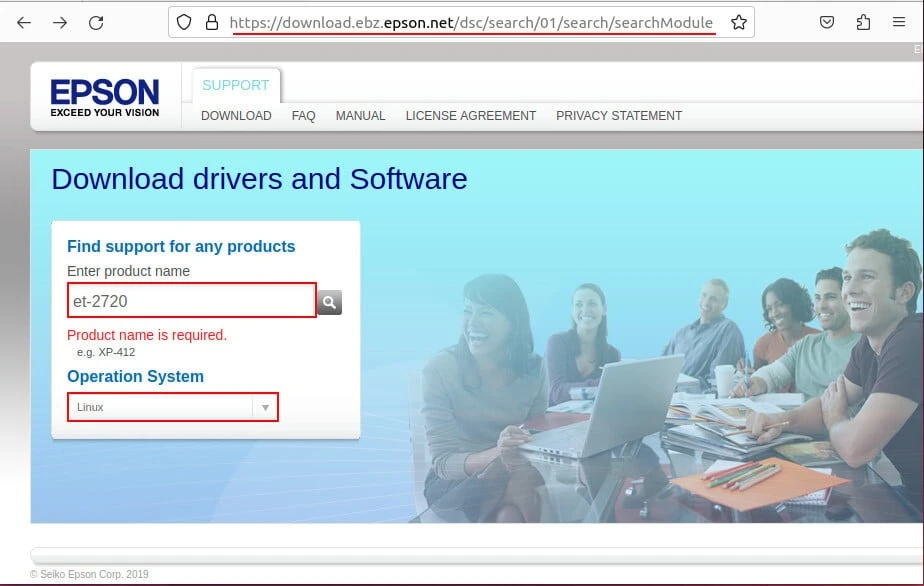
To download Linux(Ubuntu) drivers for ET-2720 from Epson official website, select the product name and operating system on the website:
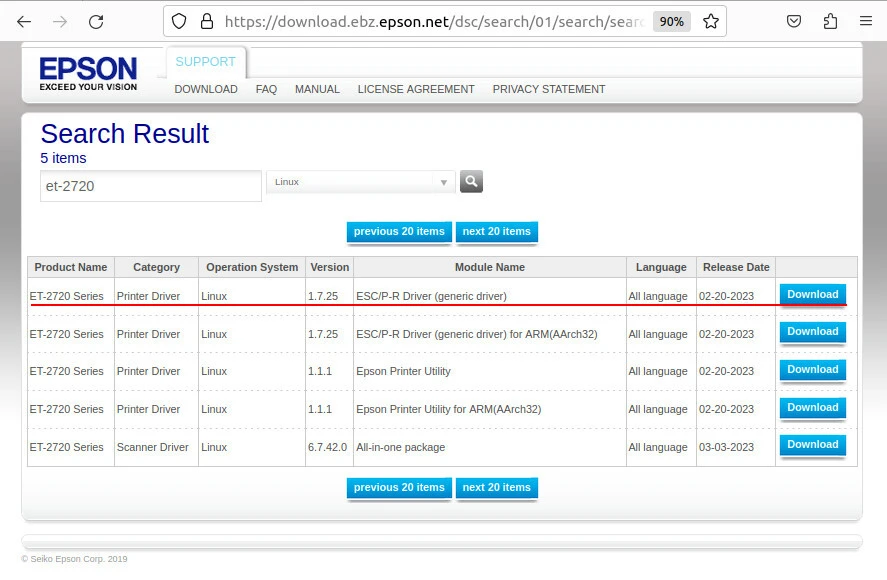
In the generic driver line for the printer, press the Download button:
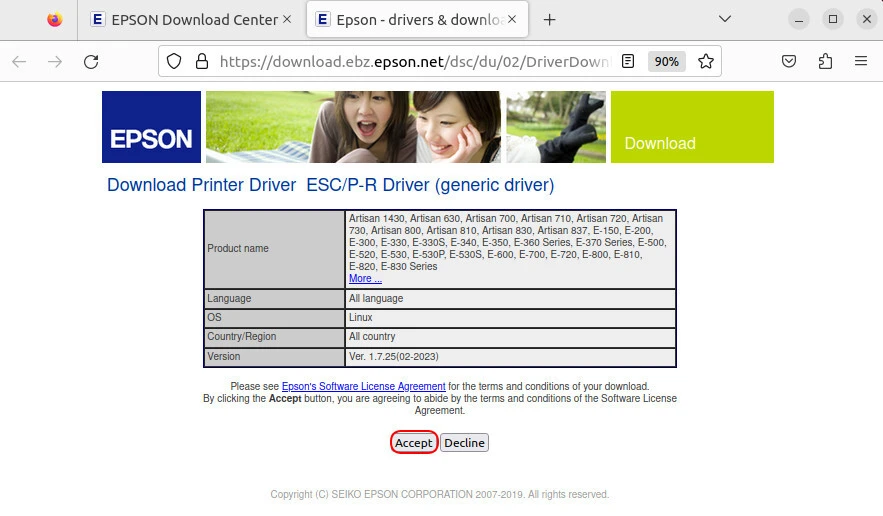
Click the Accept button, agree to abide by the terms and conditions of the Software License Agreement:
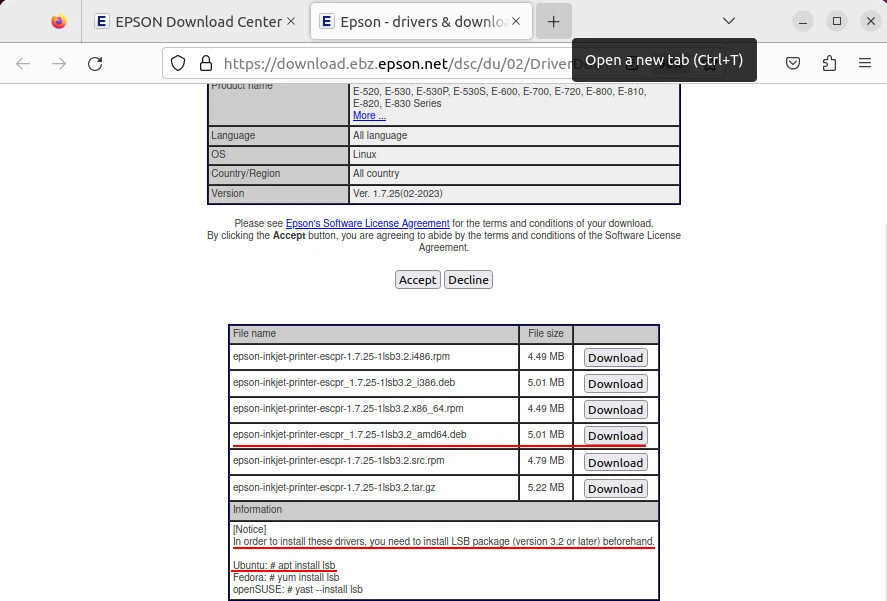
Download the debian(.deb) package, which is i386 if the operating system architecture is 32 bit, and amd64 if it is a 64 architecture.
Note: It recommends installing the lsb package to avoid an error during installation. In end-user operating systems, this package is already installed. If not, have it installed as indicated in the picture below.
The driver is downloaded, you can proceed to the installation.
Install Driver .deb Package
Right click on the downloaded .deb package and select Install with Ubuntu software installer. Click the Install button on the screen that opens:
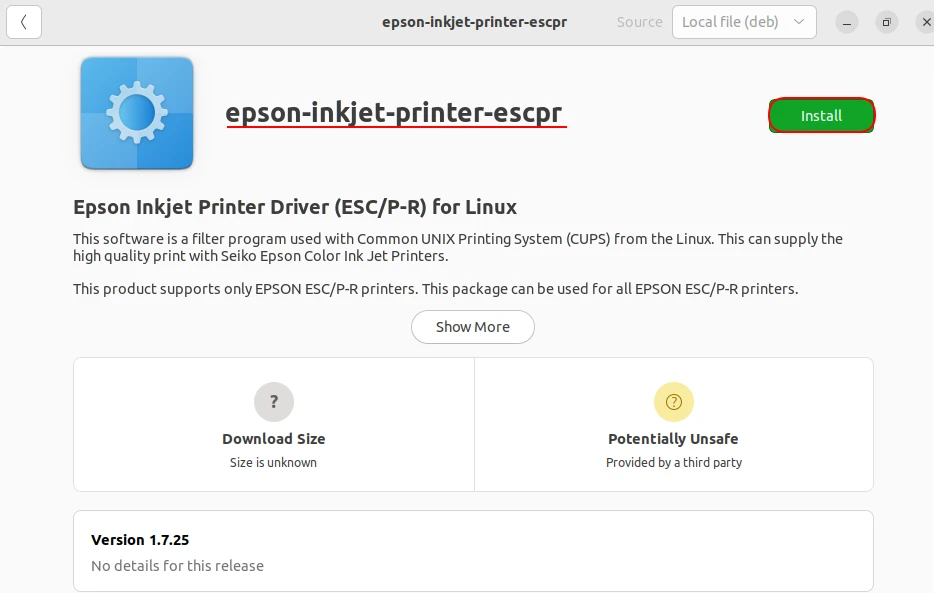
Installation will be completed in a short time. Printer setup can be defined in the following 3 ways.
Method-1: Add The Network Printer With GUI
Click Settings → Printers → Add Printer. Enter the IP address of your “Epson ET-2720” printer. Then complete the installations.
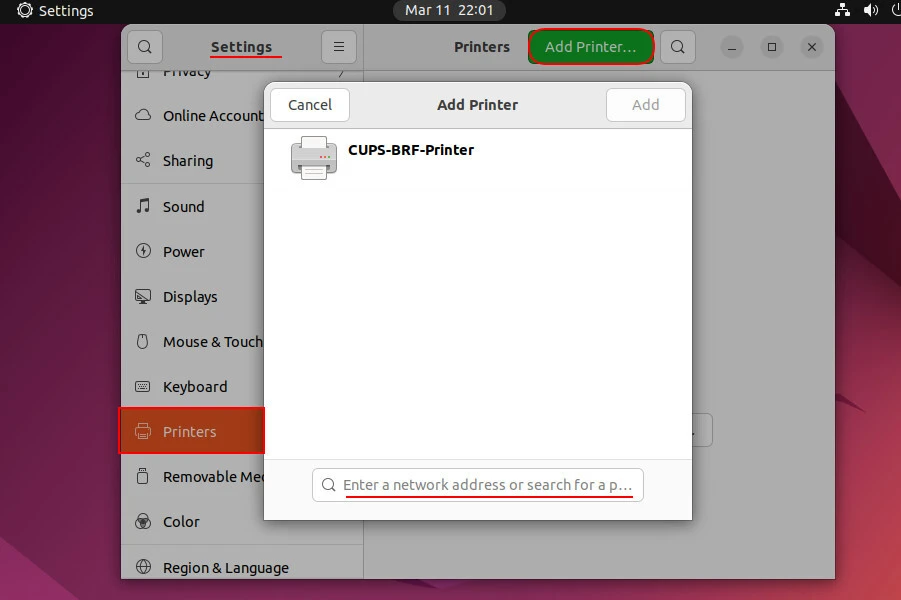
- Select “Epson ESC/P-R (en)” for the printer model. Click the “Continue” button.
- Enter your printer name and description (optional) to complete the setup.
If you want to test your printer, you can click the “Print” button.
Method-2:Installation with Other Printer Methods
The printer you want to install may need to be connected to a system by a SAMBA, USB or otherwise. In this step we will show you how to start an installation process like this one. Click System > Printers > Additional Printer Settings > Add.
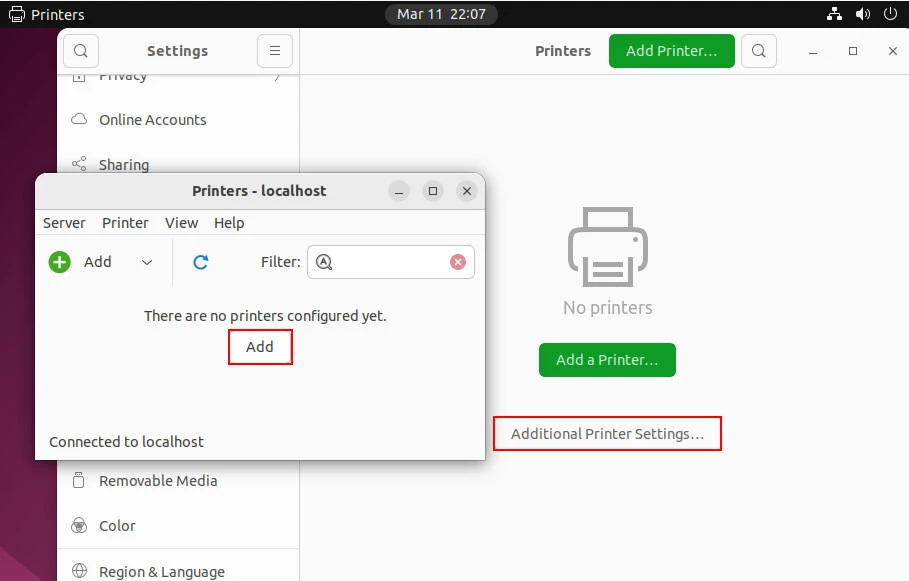
Select the method by which the printer is connected to the system. For example, a printer connected via USB is listed on this screen, you just have to select the printer. You can enter the information for the printer to be added to the system with SAMBA on the following screen:
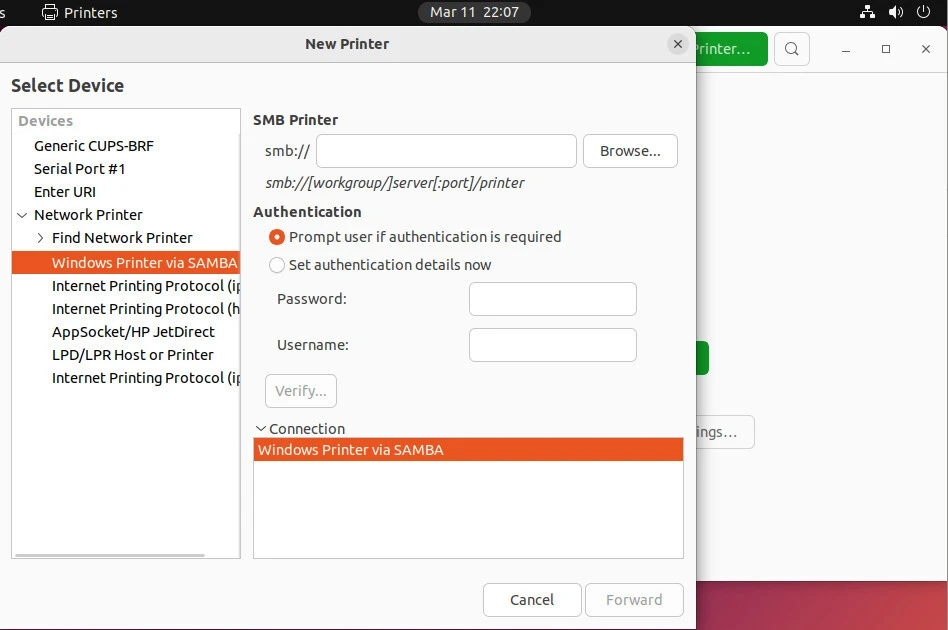
When the information is entered completely and correctly, the printer is added to the system.
Method-3:Install With CUPS
Type the https://localhost:631address in any browser. Then click Administrator > Add Printer.
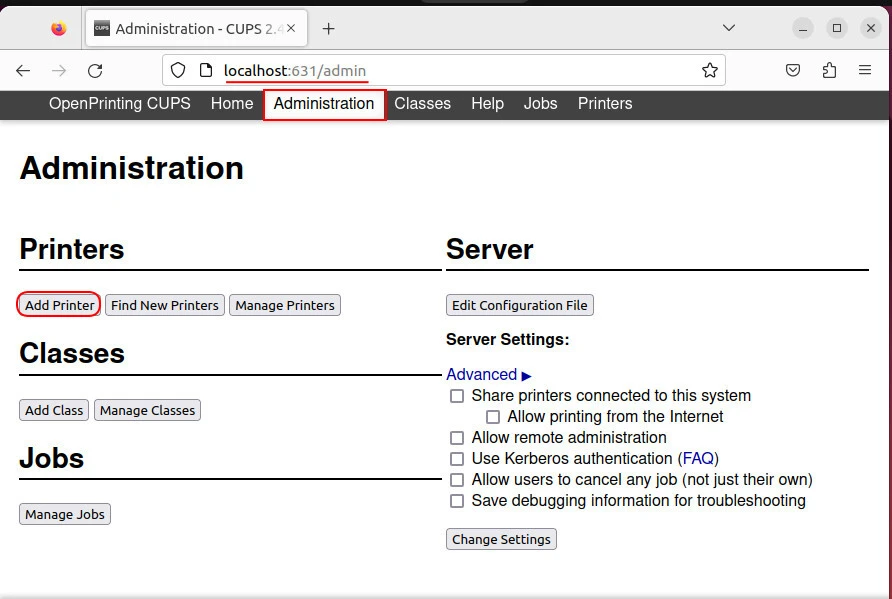
Log in with an authorized username and password. Then select the connection type of the printer you will add to the system.
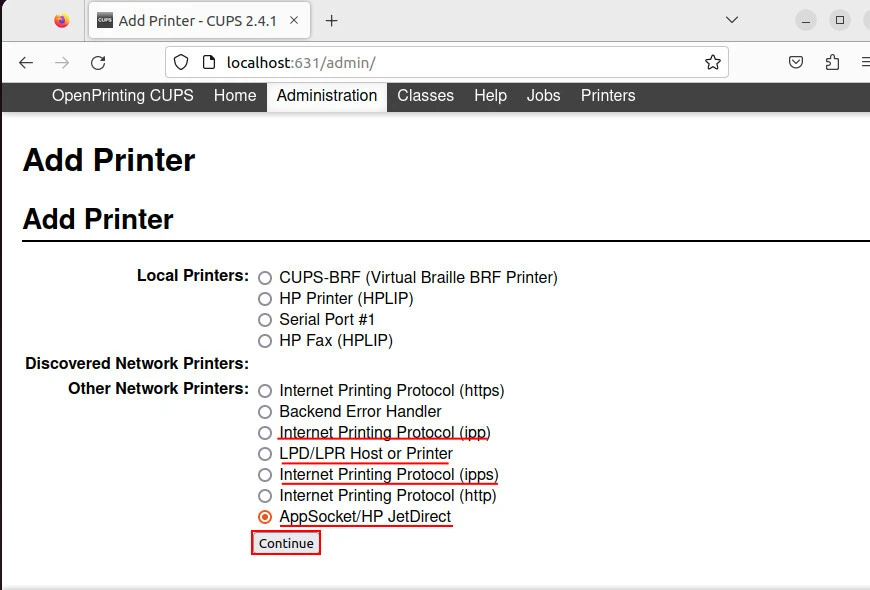
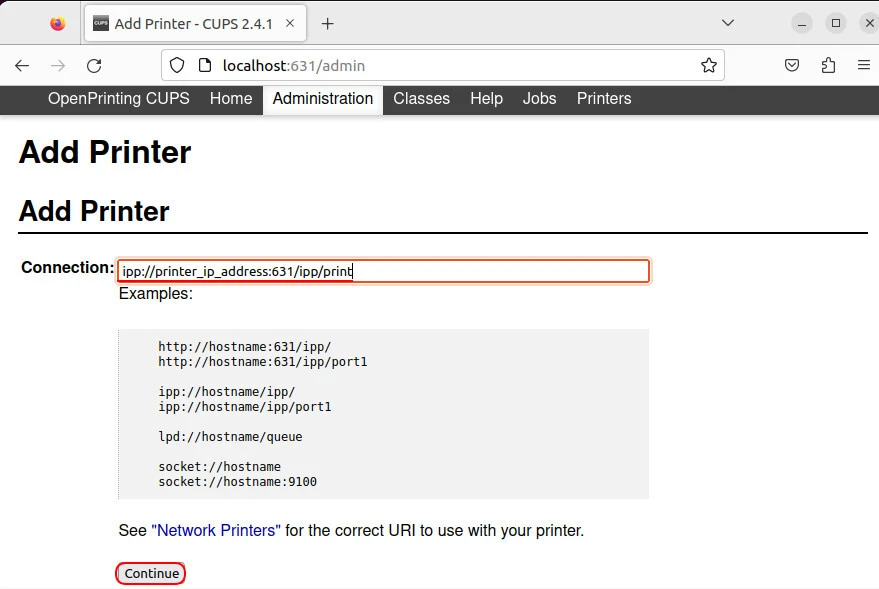
Check the connection information, click the Continue button.
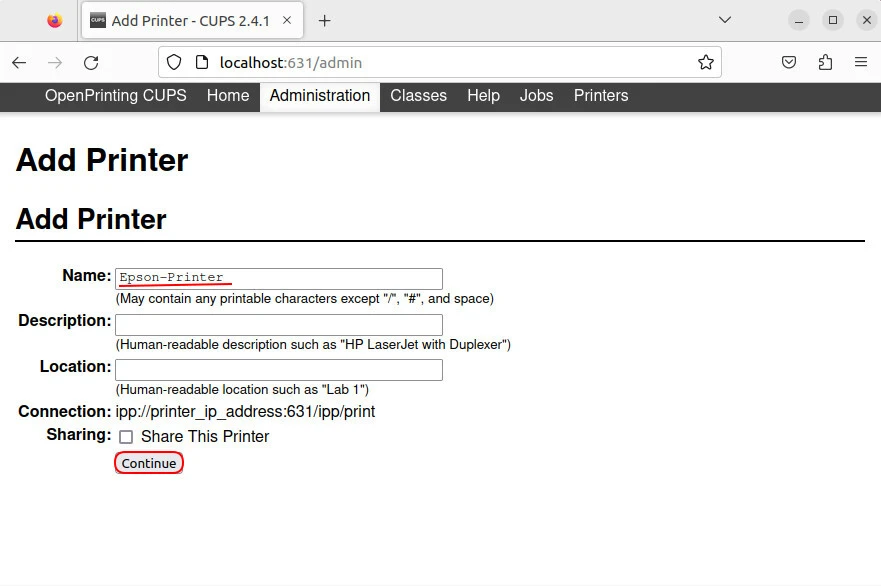
Enter a name for the printer. Description and Location information are optional. If you want, you can share this printer on the network.
Select the printer model “Epson”.
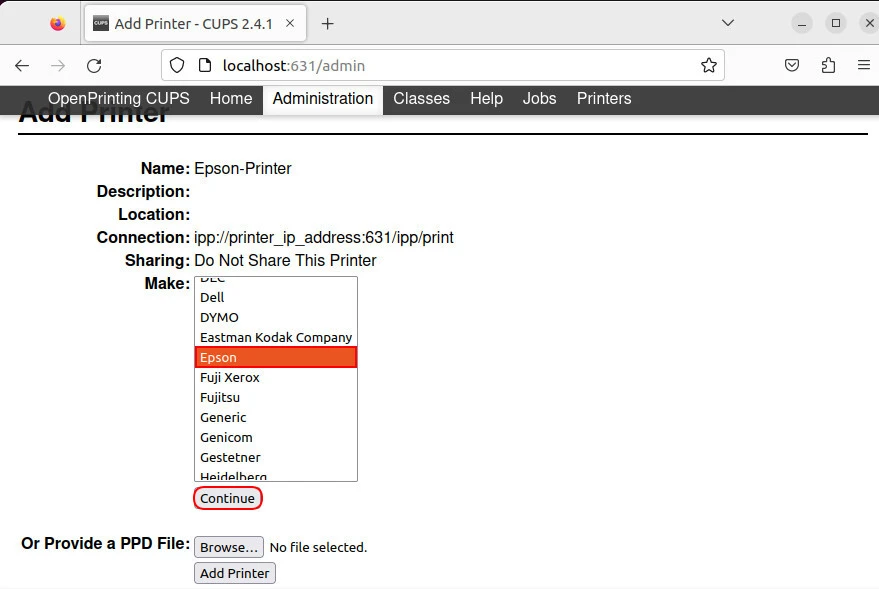
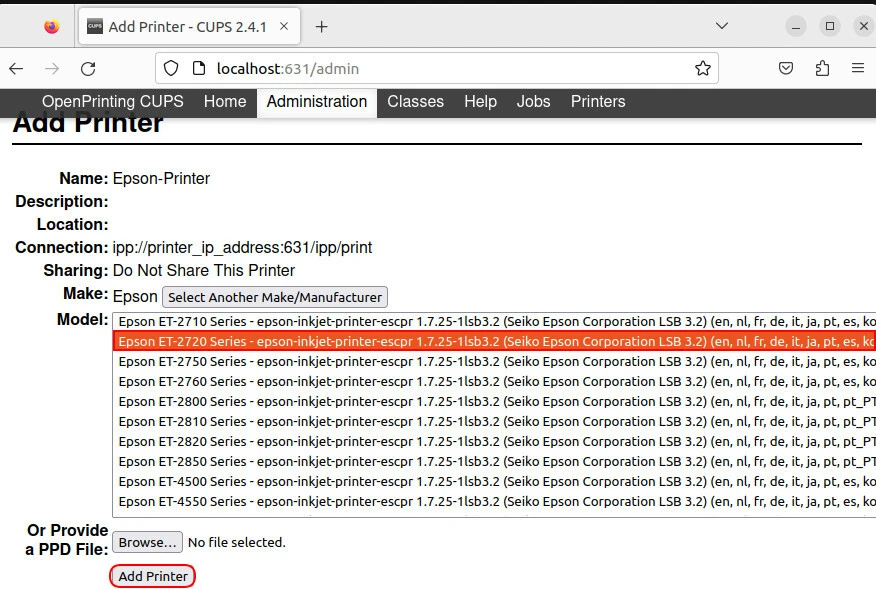
Choose Epson ET-2720, click Add Printer.
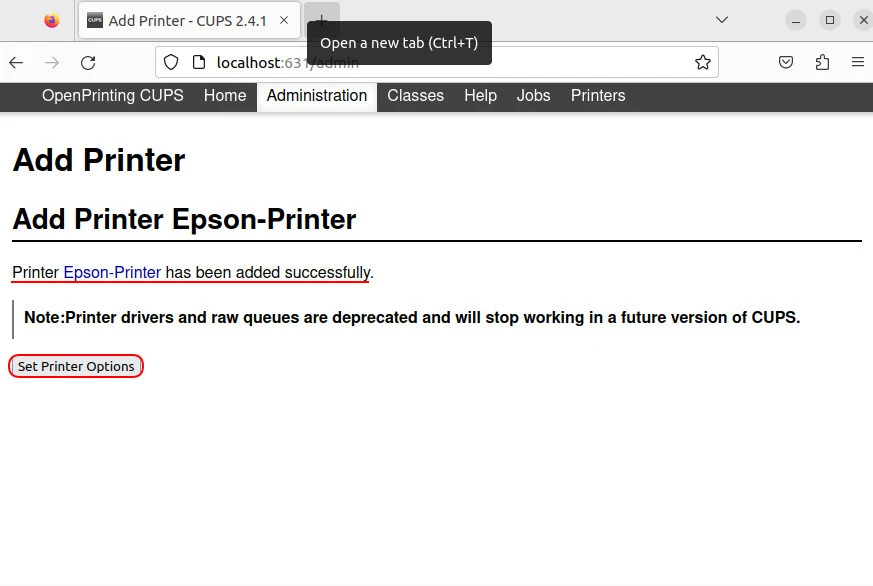
Printer installation completed successfully. You can change the default settings for the printer by clicking on the printer options.
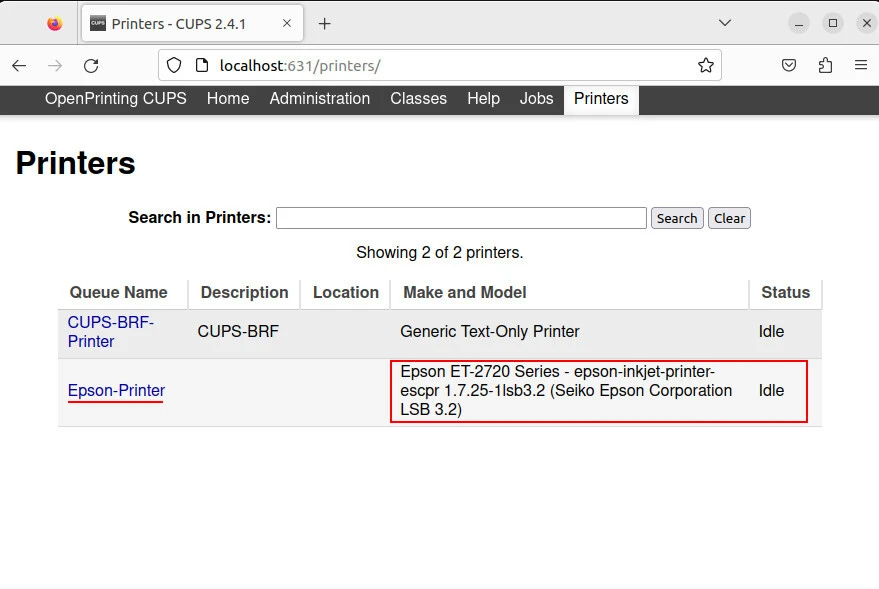
In the Printers tab, you can list all the printers defined in the system.
Summary
Installing Epson ET-2720 on Ubuntu is a straightforward process that involves downloading the printer driver from the Epson website and installing it on your Ubuntu machine. You can connect your printer to your Ubuntu machine using a USB cable or over a network. Once the printer driver is installed, you can add the printer to your Ubuntu system using the System Settings application. The printer should now be ready to use on your Ubuntu system. Ubuntu is a reliable and secure operating system that is widely used in desktops and servers. Its compatibility with a wide range of hardware, including printers, makes it an ideal choice for home and small office users.
Feel free to comment on any problems you encounter during the installation steps.
References
askubuntu.com -How To setup epson ecotank printer in ubuntu without driver available from epson