

In this article , we will learn about 5 amazing fuzzing tools that can be used for fuzzing purposes by web application pentesters. Fuzzing is an art that will never go old in hacking, you find a white page and you fuzz , you find nothing and you fuzz.So let’s learn how we can use some amazing tools to automate our process our fuzzing.
How Fuzzing Works?
Fuzzing is an automated process that provides inputs to a web application to find out if doing so will generate any successful or weird results. Fuzzing can uncover the what if situations pretty amazingly.Some fuzzing tools use random characters , strings and while some target using wordlists.Web application pentesters mostly use their best custom wordlists to fuzz their targets. There are various fuzzing tools available in the market , so you would have to select the fuzzing tools you need based on ur requirements.
Different types of Fuzzing
- Application Fuzzing : Application Fuzzing is the crucial part of this article , this fuzzing is mainly done on Desktop apps , Urls, forms , RPC requests. Wordlists, strings and random characters are used to send requests to an application and wait for their responses.
- Protocol Fuzzing : A protocol fuzzer sends forged packets to a target application and acts as a proxy by modifying the requests on the fly and relaying them.
- FileFormat Fuzzing : FileFormat fuzzing is relatively simple i.e you provided a Fileformat Fuzzing tools with a legitimate file sample of an application. The fuzzer then mutates the sample and opens them in your target application.Once a crash has occurred for any sample then the data will be saved for reviewing.Since a crash occurred then if you could control the flow of execution over this crash then you would surely have some control and may be able to take control of the application if you succeed.
Steps to Fuzz a Web Application
- Determine your data entry points : Find out the data entry points of a web application i.e it can be a parameter , directory and even scripts.
- Select a Good wordlist : A good wordlist can do wonders in fuzzing, there are wordlists available on the internet for each and every purpose. I would recommend using Seclists wordlists if you are fuzzing Web applications.Select the wordlist you want from Seclists and download it.
- Fuzz - Download your fuzzing tool according to your preference and provide the data entry points and the wordlist to the Fuzzer.
With that in mind, let’s get started!
1. Ffuf
Ffuf aka Fuzz Fast You Fool an open source tool written in Go is one of the best fuzzing tools available in the market for its fastness , flexibility and efficiency. Its consistency in new updates is always topnotch and is mostly used by Pentesters and Bug-Bounty hunters worldwide. Ffuf’s recursive abilities and regular expression match is one of the most used functionalities by the web penetration testers.
1.1 Installation of Ffuf
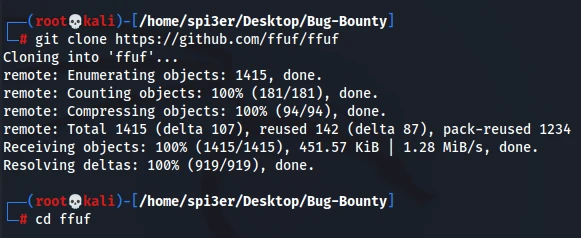
Ffuf can be installed on Linux OS by the following command :
git clonehttps://github.com/ffuf/ffuf

cd ffuf

go get

go build
For Mac OS
brew install ffuf
For Kali
sudo apt install ffuf
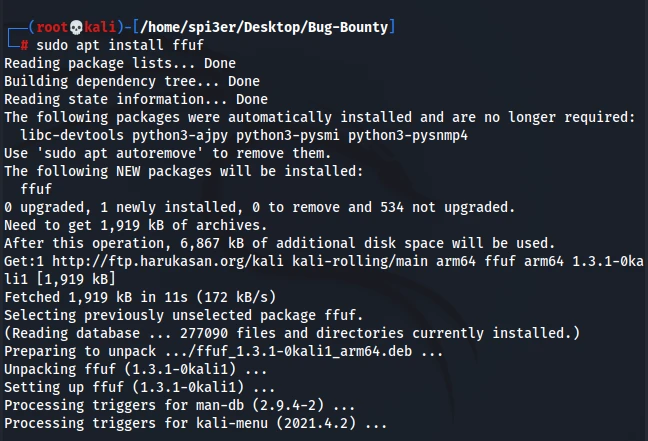
Check whether ffuf is properly installed or not
ffuf -V

1.2 Ffuf Usage
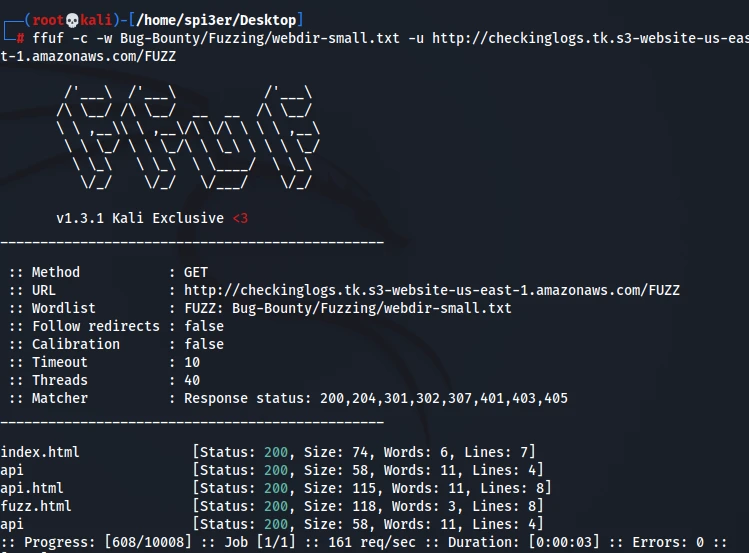
Basic command to fuzz a website using your wordlist
ffuf -c -w /path/of/wordlist -u http://checkinglogs.tk.s3-website-us-east-1.amazonaws.com/FUZZ
Fuzzing while matching responses
ffuf -c -w /path/of/wordlist -u http://checkinglogs.tk.s3-website-us-east-1.amazonaws.com/FUZZ -mc 200,401,402,403
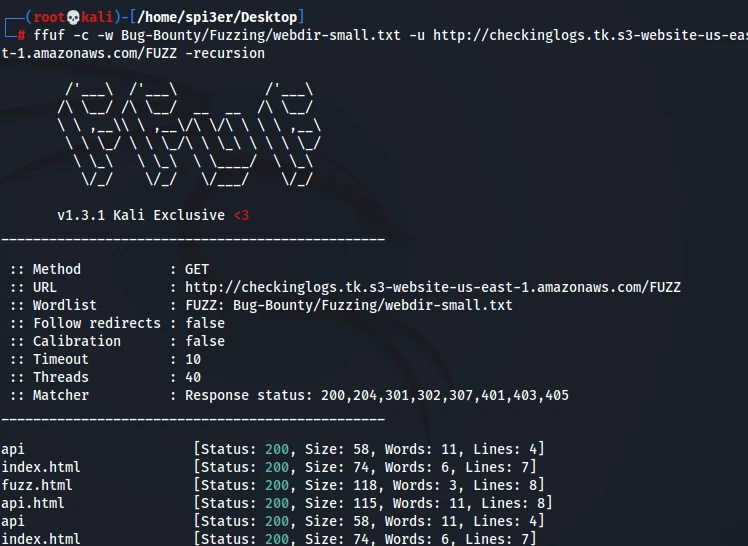
Fuzz with Recursion enabled
ffuf -c -w /path/of/wordlist -u http://checkinglogs.tk.s3-website-us-east-1.amazonaws.com/FUZZ -recursion
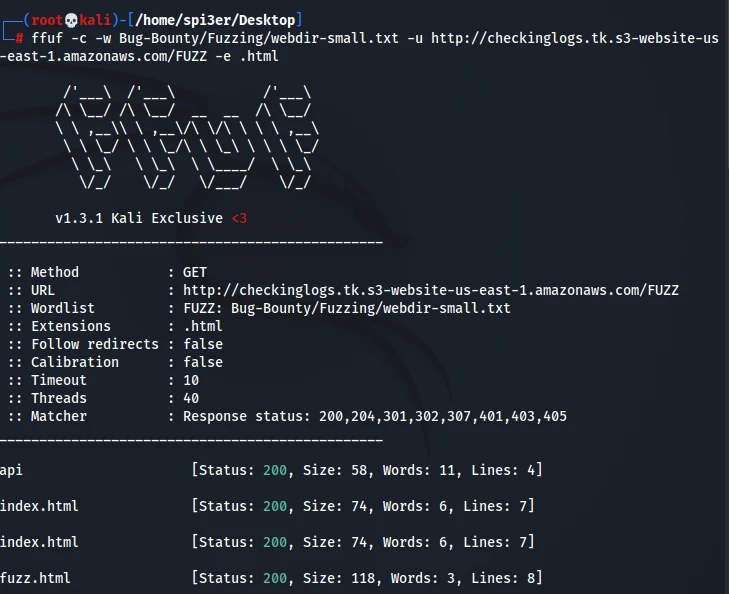
Fuzz with the extensions you want
ffuf -c -w /path/of/wordlist -u http://checkinglogs.tk.s3-website-us.east1.amazonaws.com/FUZZ -e .html
2. Dirb
The good old Dirb is a command line tool used to fire dictionary attacks against a Webserver and looks for existing files or directories by analysing the responses. Dirb is preloaded with a set of wordlists for easy usage but you can always opt to use your own custom wordlists for better results. You can generate your own dictionary using dirb-gendict and also dump a dictionary from an input HTML file.
2.1 Installation of Dirb
For Mac OS
wget https://downloads.sourceforge.net/project/dirb/dirb/2.22/dirb222.tar.gz

tar -xvf dirb222.tar.gz

rm dirb222.tar.gz

brew install autoconf

chmod -R 755 dirb222

cd dirb222

./configure

make

make install
For Ubuntu
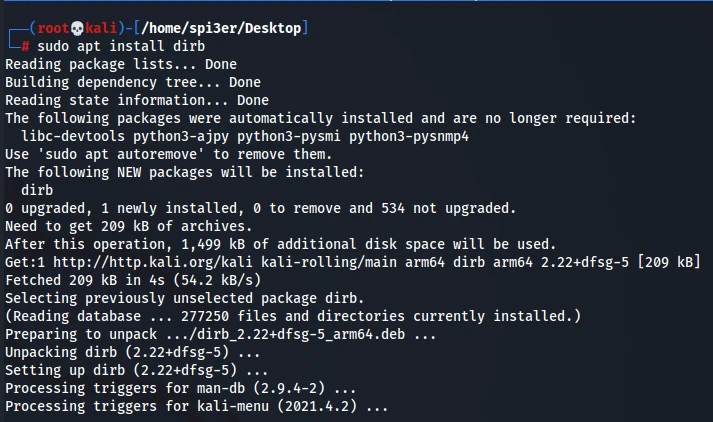
sudo apt install dirb
2.2 Dirb Usage
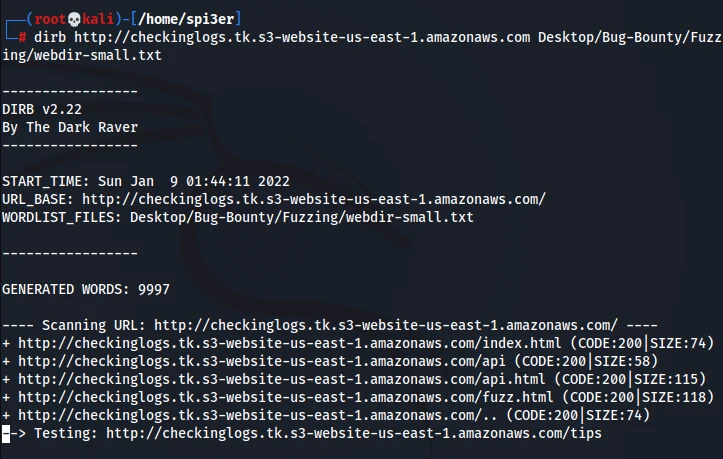
Basic command to fuzz a website using your wordlist
dirb http://checkinglogs.tk.s3-website-us-east-1.amazonaws.com /path/of/wordlist
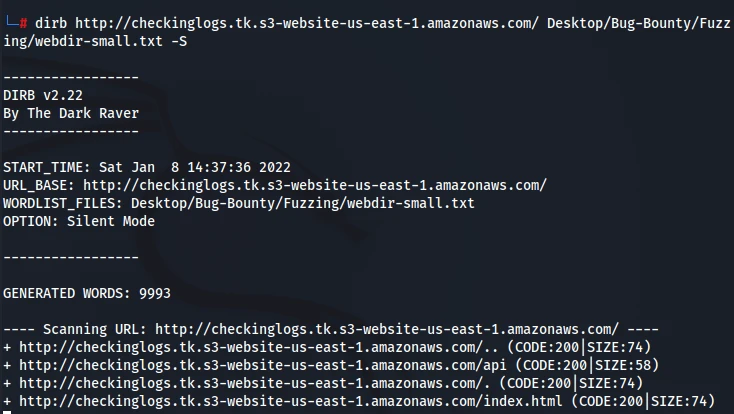
Fuzzing with silent mode i.e you won’t see any unwanted output
dirb http://checkinglogs.tk.s3-website-us-east-1.amazonaws.com -S
Fuzz with Interactive Recursion enabled
dirb http://checkinglogs.tk.s3-website-us-east-1.amazonaws.com/ /path/of/wordlist -R
Fuzz with any of the extensions you want
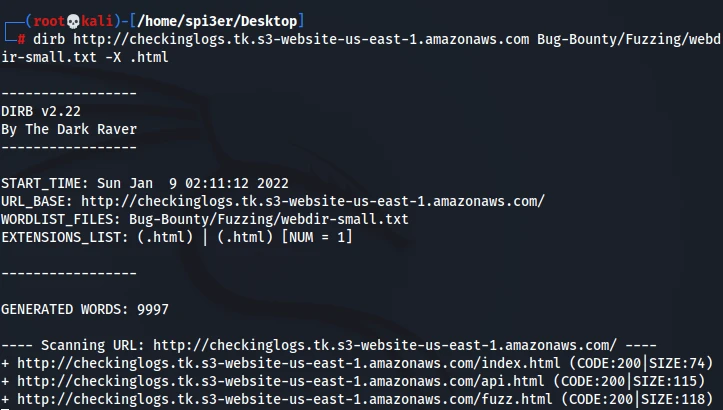
dirb http://checkinglogs.tk.s3-website-us-east-1.amazonaws.com /path/of/wordlist -X .html
3. GoBuster
GoBuster another command line tool built with Go is amazingly fast than Dirb and Dirbuster and supports concurrency so that multiple threads are used for quicker processing which in results faster results. It can be used to bruteforce URIs , S3 buckets, DNS Subdomains, Virtual host names and more.
3.1 Installation of Gobuster
Gobuster can be installed on Linux OS by the following command :
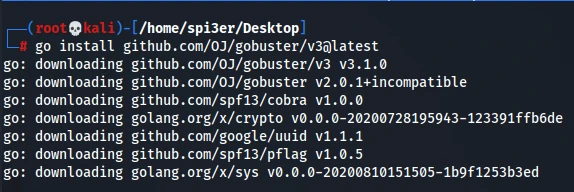
go install github.com/OJ/gobuster/v3@latest
For Mac OS
brew install gobuster
For Ubuntu/Kali
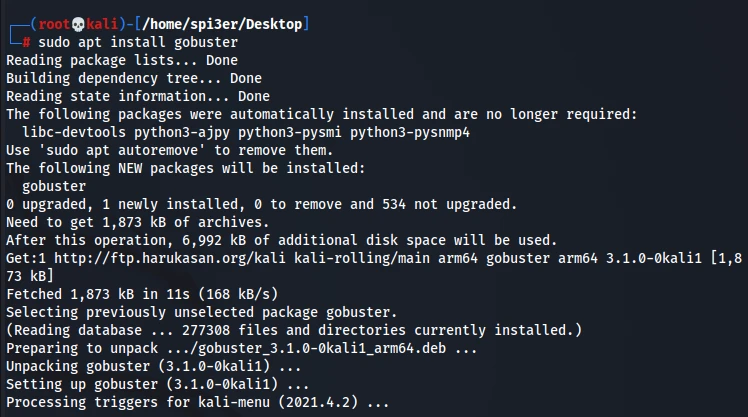
sudo apt install gobuster
3.2 GoBuster Usage
Basic command to fuzz a website using your wordlist
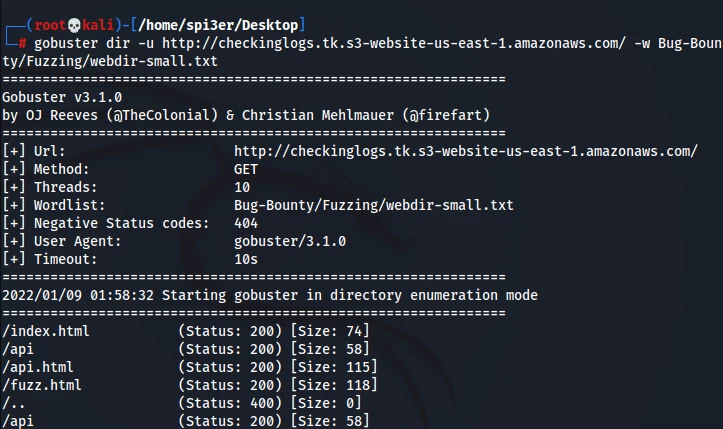
gobuster dir -u http://checkinglogs.tk.s3-website-us-east-1.amazonaws.com/ -w /path/of/wordlist
Fuzz with the extensions you want
gobuster dir -u http://checkinglogs.tk.s3-website-us-east-1.amazonaws.com/ -w /path/of/wordlist -x html,php
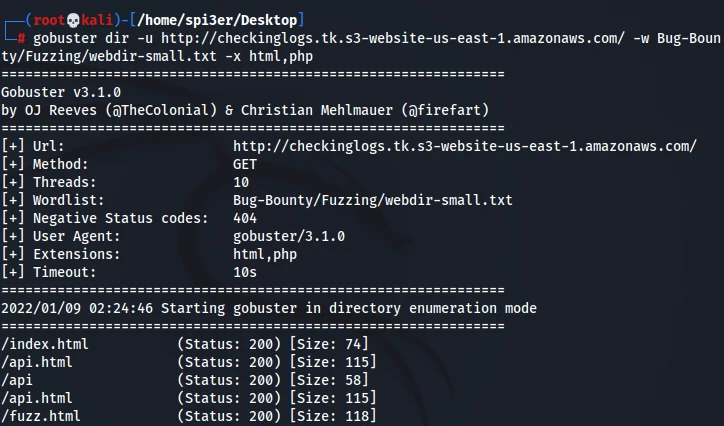
Fuzzing Subdomains with wordlist
gobuster dns -d www.cloudflare.com -w /path/of/wordlist
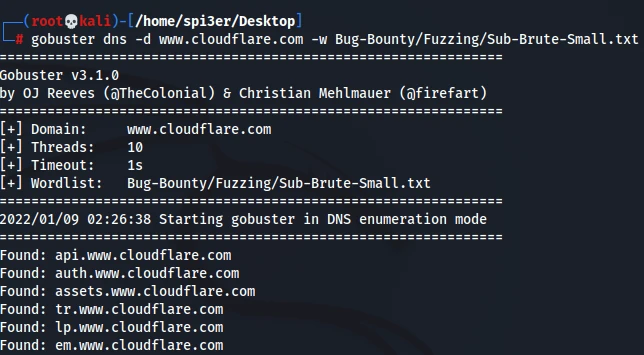
Setting number of threads while brute forcing domains or directories
gobuster dns -d www.cloudflare.com -t 100 -w /usr/share/wordlists/dirb/common.txt –wildcard
4. WFuzz
WFuzz a Python based command line tool is another must to know tool since it has been specifically created for web applications assessments and the way it works is based on a very simple concept i.e it replaces any reference to the FUZZ keyword by the value of a given payload. It also has plugins attached to it so you can use it to create payloads , encode or decode text and many more. You can also create your own plugins and use them if you want to.
4.1 Installation of WFuzz
For Mac OS
pip install wfuzz
For Ubuntu/Kali
sudo apt-get install wfuzz
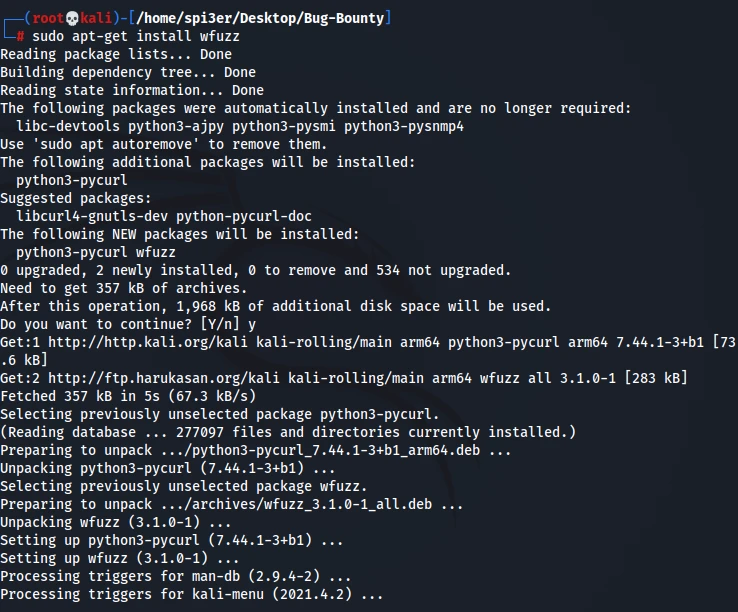
Check whether Wfuzz is properly installed or not
wfuzz --version

Extra: Follow the steps below if you are facing this error after executing Wfuzz : “UserWarning:Pycurl is not compiled against Openssl. Wfuzz might not work correctly when fuzzing SSL sites. Check Wfuzz’s documentation for more information”.
sudo apt --purge remove python3-pycurl

sudo apt install libcurl4-openssl-dev libssl-dev

sudo pip3 install pycurl wfuzz
4.2 Wfuzz Usage
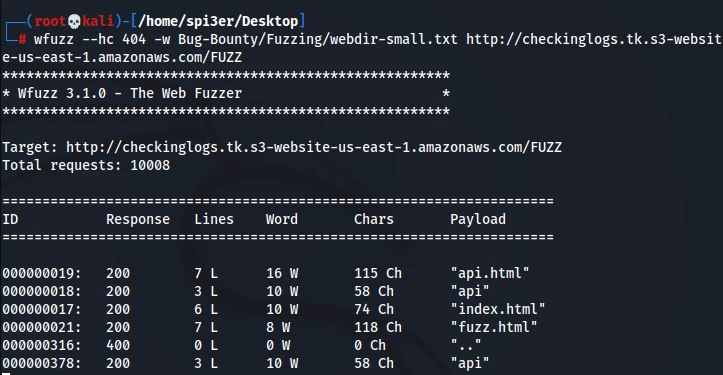
Basic command to fuzz a website using your wordlist by hiding 404 responses.
wfuzz --hc 404 -w /path/of/wordlist http://checkinglogs.tk.s3-website-us-east-1.amazonaws.com/FUZZ
Bruteforce username and passwords
wfuzz -c -z file,users.txt -z file,pass.txt — sc 200 http://www.site.com/log.asp?user=FUZZ&pass=FUZ2Z
Testing open redirect
wfuzz -w /path/of/wordlist https://www.site.com?redirect=FUZZ
Wfuzz is an advanced fuzzing tool , so if you want to find XSS , LFI and more vulnerabilities using Wfuzz then you can always checkout it’s documentation at https://wfuzz.readthedocs.io/en/latest/user/advanced.html
5. Dirsearch
Dirsearch is another one of the best python based command line fuzzing tools that can be used to brute force directories and files in webservers. The important functionality of dirsearch is that it supports multi threading and also supports recursive fuzzing which is a must need for all the web applications pentesters. It is also very easy to install and configure and thus one of the tools every pentester will make sure to use.
5.1 Installation of Dirsearch
For Ubuntu/Kali/Mac OS
pip3 install dirsearch
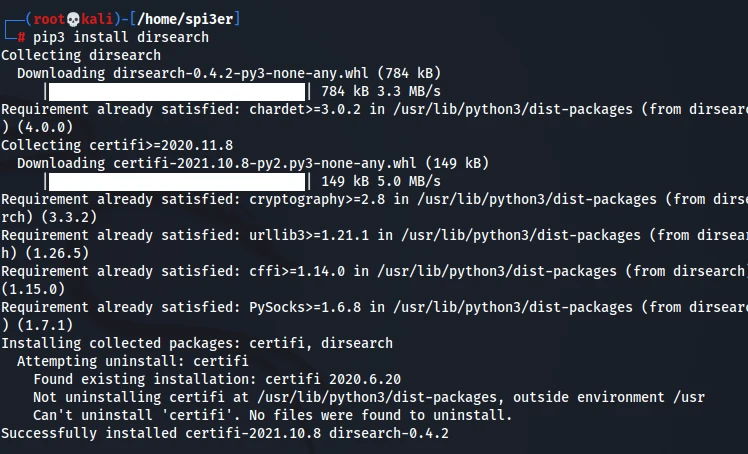
You can also install dirsearch using the following commands
mkdir Dirsearch

cd Dirsearch

git clone https://github.com/maurosoria/dirsearch.git

pip3 install -r requirements.txt
Check whether Dirsearch is properly installed or not
dirsearch —version

5.2 Dirsearch Usage
Basic command to fuzz a website using your wordlist by hiding 404 responses.
dirsearch -w /path/of/wordlist -u http://checkinglogs.tk.s3-website-us-east-1.amazonaws.com/
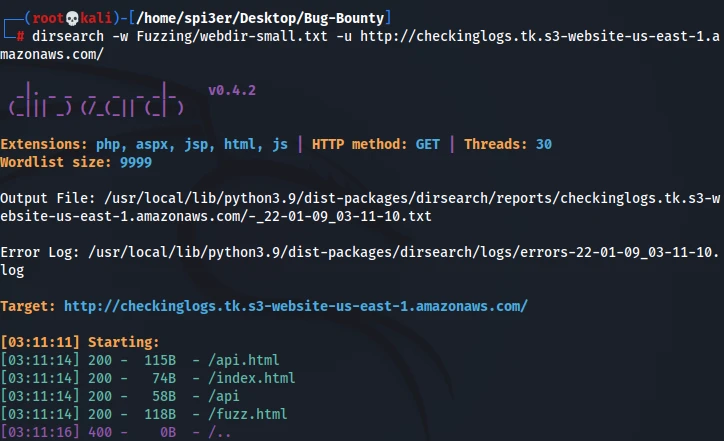
Fuzzing the paths for extension files
dirsearch -w /path/of/wordlist -u http://checkinglogs.tk.s3-website-us-east-1.amazonaws.com/ -e html,php,aspx
Exporting the results to a file
dirsearch -w /path/of/wordlist -u http://checkinglogs.tk.s3-website-us-east-1.amazonaws.com/ -o output.txt
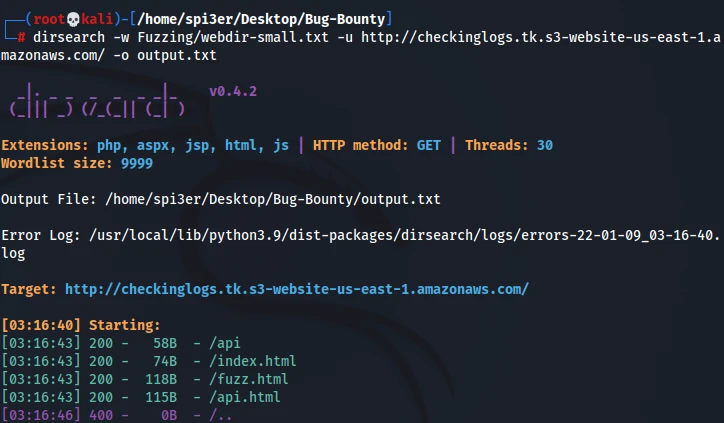
Summary
In this post, we have learnt the top 5 Fuzzing tools used for Web application Pentesting. All the tools in this post are very essential for a web application pentest and I would advise to at least use 2 tools combined for a Web Pentest. If you are just getting started with Security , then please checkout our in-depth articles on Ethical Hacking. If you encounter issues in any of the commands above, please let us know in the comments below.
